Search for “Chamberlin” and you’ll almost always land on Chamberlain — the correctly spelled brand behind millions of residential garage doors across the country. A Chamberlin garage door opener (Chamberlain) is the DIY-focused sister brand to LiftMaster, built on the same rolling-code security and myQ smart platform. If you own one, or you’re shopping and got tripped up by the spelling, this guide covers the model lineup, how to program remotes and keypads, the myQ app, and the handful of problems that account for most service calls.
- Clearing Up the Name
- Chamberlain Opener Models
- Setting Up the myQ App
- Programming Remotes and Keypads
- Common Problems and Solutions
- Battery Backup and Power Outages
- Installing a Chamberlain Opener
- Choosing the Right Drive for Your Garage
- Adding Wi-Fi to an Older Opener
- Warranty and Support
- Maintenance and Longevity
Clearing Up the Name
The brand is Chamberlain, part of the same parent company as LiftMaster and the maker of many Craftsman-branded openers. “Chamberlin” is simply a common misspelling, so if you have a Chamberlin remote or opener, you have a Chamberlain product. That’s good news for parts and support, because Chamberlain openers are stocked everywhere and share technology with LiftMaster.
The practical upshot: any remote, keypad, sensor, or accessory listed as compatible with Chamberlain — and often those listed for LiftMaster with matching learn-button colors — will work with your unit. You’re never stuck hunting for an obscure brand.
Chamberlain Opener Models
Chamberlain sells openers by drive type, and each has a place. Here’s how the lineup breaks down:
- Chain drive (e.g., C450, C205): The most affordable option. Durable and strong, but louder — best for detached garages.
- Belt drive (e.g., B550, B1381, B970): Runs on a reinforced belt for quiet operation. Ideal for garages under living space.
- Wall-mount / jackshaft (e.g., RJO70, ML700): Mounts beside the door instead of on the ceiling, freeing overhead space and running very quietly.
- Smart models with myQ and battery backup: Most current units include Wi-Fi and many add a backup battery for outage operation.
Model numbers starting with C typically indicate chain drives, B indicates belt drives, and RJO/ML indicate wall-mount units. Higher numbers generally mean more horsepower-equivalent strength and more features like bright LED lighting and battery backup.
Setting Up the myQ App
myQ is Chamberlain’s smartphone platform, and it’s a genuine convenience — you can open, close, and monitor the door from anywhere, and get alerts when it’s left open. To set it up:
- Download the myQ app and create an account.
- Put the opener into Wi-Fi pairing mode — press the Wi-Fi/learn button until the blue LED blinks.
- In the app, add a new device and follow the prompts to join the opener to your home Wi-Fi (2.4 GHz networks work most reliably).
- Name the door and test open/close from the app.
Newer openers have Wi-Fi built in; older ones can add it with a myQ Smart Garage Hub, an inexpensive accessory that bolts to the ceiling and pairs with almost any existing opener via a sensor and control link.
Programming Remotes and Keypads
Programming a remote to a Chamberlain opener is quick. Locate the learn button on the powerhead — check the light lens or the back of the motor unit, and note its color, which identifies the security generation. Then:
- Press and release the learn button. The LED lights for about 30 seconds.
- Within that window, press the remote button you want to program until the opener lights blink or you hear two clicks.
- Test the remote. Repeat for each remote or car button.
For a wireless keypad, press learn, enter a four-digit PIN, and press enter within the timing window. If a remote won’t program, replace its battery first, then confirm the remote is compatible with your opener’s security type — Security+ versus Security+ 2.0.
Common Problems and Solutions
Most Chamberlain complaints come down to a short list of causes, and nearly all are DIY fixes:
- Door won’t close, lights flash: Safety sensors are misaligned or dirty. Clean both lenses and adjust the brackets until both LEDs glow steadily.
- Remote range dropped: Weak battery or an antenna wire that isn’t hanging straight down from the powerhead.
- Door reverses immediately or before closing: Travel and force limits need adjustment, or an object is in the path.
- myQ shows offline: Wi-Fi signal is weak at the garage; a mesh extender or the Smart Garage Hub placement usually fixes it.
- Motor hums, door won’t move: The trolley may be disengaged via the emergency release, or the belt/chain has failed.
The safety-sensor issue causes the majority of “my door won’t close” calls. Those photo eyes near the floor are always the first thing to inspect.
Battery Backup and Power Outages
Many Chamberlain smart openers include a rechargeable battery backup so the door still works when the power is out. If your door stopped working after an outage, check whether the backup battery is simply depleted — they last three to five years and clip into the powerhead for easy replacement. Without a backup, use the red emergency-release cord to disengage the door and lift it manually, then re-engage once power returns.
Installing a Chamberlain Opener
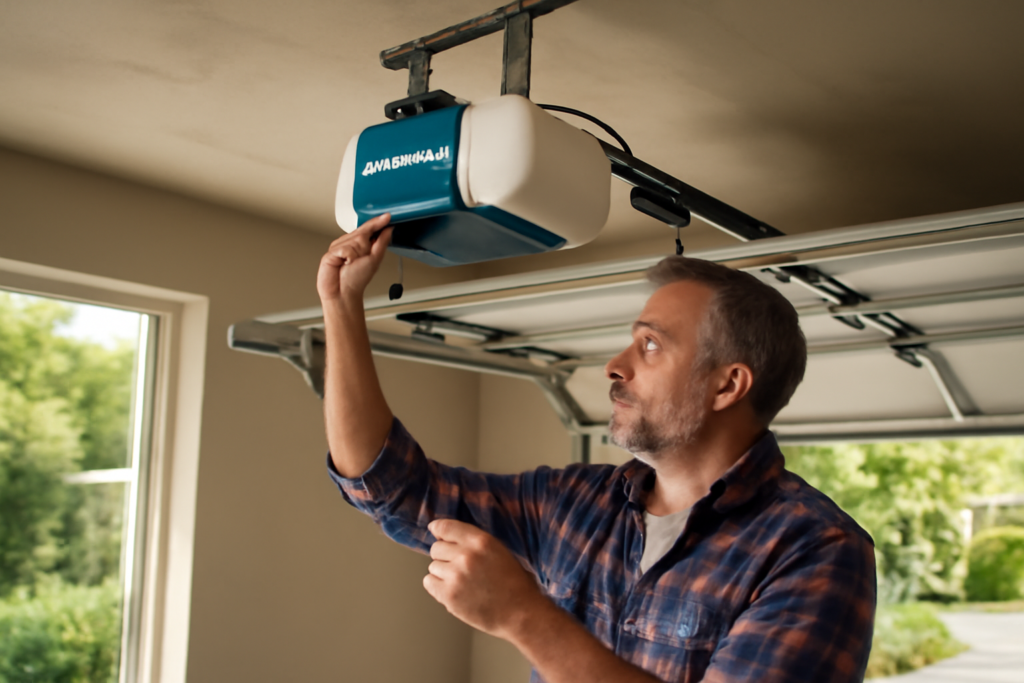
A DIY-minded homeowner can install a Chamberlain opener in three to four hours, and the boxed kits are designed for exactly that audience. The rough sequence is: assemble the multi-piece rail, bolt it to the powerhead, mount the header bracket above the door center, hang the powerhead from the ceiling with the supplied angle iron, connect the door arm, then wire the safety sensors and wall control. Finally, program the up and down travel limits and the force settings so the door stops in the right place with the correct pressure.
Two safety steps are non-negotiable at the end. Test the photo-eye reversal by waving an object through the beam near the floor while the door closes — it should reverse immediately. Then lay a flat 2×4 on the floor in the door’s path; when the door contacts it, the door must reverse. If either test fails, adjust the sensor alignment or the force settings before you consider the job done. A helper and a sturdy ladder make the overhead work far safer.
Choosing the Right Drive for Your Garage
Picking between chain, belt, and wall-mount comes down to your garage layout and noise tolerance. A chain drive is the value choice and perfectly fine for a detached garage or a workshop where a little rattle doesn’t matter. A belt drive is the pick for any garage beneath a bedroom, office, or living space, since the reinforced belt cuts noise dramatically. A wall-mount jackshaft opener is the premium option: it bolts to the wall beside the door, freeing the entire ceiling for overhead storage or a car lift, and it runs very quietly.
Match the opener’s strength to your door as well. A standard single-layer steel door pairs fine with a base-model opener, but a heavy insulated door, a solid-wood carriage door, or an oversized double door benefits from a higher-strength unit so the motor never strains at the top of the lift. Oversizing slightly extends the opener’s service life.
Adding Wi-Fi to an Older Opener
You don’t have to replace a working opener to get smart features. The myQ Smart Garage Hub is an inexpensive accessory that adds app control to nearly any existing opener, Chamberlain or otherwise. It mounts to the ceiling, connects to your Wi-Fi, and uses a door sensor plus a control link to open, close, and monitor the door from your phone. For homeowners with a reliable older chain drive that they don’t want to toss, the hub is a smart, low-cost upgrade that delivers most of the convenience of a brand-new smart opener.
Warranty and Support
Chamberlain openers carry tiered warranties depending on the model — often a lifetime motor warranty on belt drives, several years on parts, and shorter coverage on the battery and accessories. Register your unit in the myQ app to simplify any future claim, and keep your receipt. Because Chamberlain shares a parent company with LiftMaster, parts and support are easy to find, and the online documentation and troubleshooting guides cover nearly every scenario a homeowner will encounter.
Maintenance and Longevity
A Chamberlain opener will run for well over a decade with light care. Twice a year, lubricate the door’s rollers, hinges, and springs with a garage-door lubricant, and wipe the rail. For belt-drive units, apply a light grease to the rail and trolley but never to the belt itself. Test the safety reverse regularly by laying a 2×4 flat under the door — it should reverse on contact — and check that the sensors stop the door when you wave an object through the beam.
Whether you spelled it Chamberlin or Chamberlain, you own a mainstream, well-supported opener with easy parts and simple programming. Identify your model and learn-button color, keep the sensors clean, and most issues you’ll ever face are a five-minute fix at the top of a stepladder.