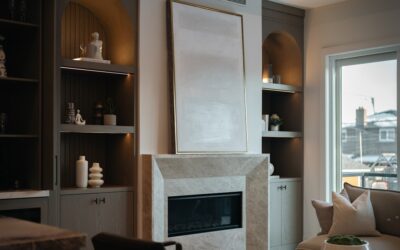
A wall-mounted television sits cleaner, looks better, and frees up the space below for furniture you actually use. Picking the right tv wall stand takes about ten minutes if you know what specs to check, but most homeowners walk into a big-box store and grab whatever box is on the endcap. After installing several hundred TVs across new builds, condos, and basement man-caves, here’s what matters and what’s marketing fluff.
Match the Mount to Your TV Size and Weight
Every TV mount lists a screen-size range and a maximum weight rating. The screen size is a guideline — the weight rating is the law. A 65-inch OLED weighs roughly 50 to 60 pounds. A 75-inch QLED with a soundbar mounted above can hit 100 pounds. Check your TV’s spec sheet (the back-panel label has it), then choose a mount rated at least 50 percent above that weight for safety margin.
VESA pattern is the second number to verify. VESA is the standardized mounting hole pattern on the back of the TV measured in millimeters — 200×200, 400×300, 600×400 are common. The mount must match the VESA pattern of the TV. Most universal mounts cover the common patterns from 100×100 up to 600×400.
Fixed, Tilting, and Full-Motion Mounts
Fixed mounts hold the TV flat against the wall and cost $20 to $80. They’re the cheapest, lightest, and lowest-profile option, holding the TV roughly 1 inch off the wall. They’re right for TVs at eye level when seated, with no need to access cables behind regularly.
Tilting mounts add 5 to 15 degrees of downward tilt and cost $40 to $150. These are essential when the TV mounts above eye level — over a fireplace, in a kitchen, or anywhere the seated viewer looks up at the screen. Without tilt, you see the screen at an angle that washes out blacks and shifts colors.
Full-motion (articulating) mounts swing the TV out from the wall on a multi-pivot arm and cost $80 to $400. Choose these when seating angles change — a corner installation, a kitchen TV viewed from multiple positions, or a bedroom where you watch from different spots. They’re heavier and project further off the wall in the closed position.
Top Brands Worth Buying
Sanus, Echogear, Kanto, Mounting Dream, and Vogel’s are the brands I install repeatedly. Sanus is owned by Legrand and sells through Crutchfield and BestBuy. Echogear sells direct on Amazon and offers lifetime warranties on every mount. Kanto is the design-forward Canadian brand with cleaner aesthetics for premium installs.
Avoid no-name brands under $25. The steel is thinner, the welds are brittle, and the hardware kit is light gauge. A failed mount with a 75-inch TV on it destroys the TV and your wall — far more costly than the $40 you saved at purchase.
Wall Type Determines Hardware
For drywall over wood studs (most US homes), use the included #14 lag screws driven into actual studs. Two studs spaced 16 inches apart hold any residential TV. Find the studs with a Franklin ProSensor 710 or a magnetic stud finder — the cheap LED stud finders give false reads and cost you a hole. Drill pilot holes 5/32 inch for soft pine studs, 3/16 inch for hard fir or LVL.
For metal studs, use SnapToggle BB or TogglerBolt anchors rated for the TV’s weight. A pair of TogglerBolts holds 265 pounds in 1/2-inch drywall — more than enough for residential TVs. For brick or block walls, use sleeve anchors rated for masonry — Tapcon or Powers Wedge-Bolt at 1/2 inch by 3 inches.
Mounting Height: Where the TV Should Live
The general rule is the center of the screen at seated eye level, which is roughly 42 to 48 inches off the floor for a sofa, 36 to 42 inches for a deeper recliner. For a 65-inch TV, that puts the bottom of the screen around 25 to 30 inches off the floor.
Above-fireplace mounting needs a tilting mount and acceptance that the TV is higher than ideal. Heat from the fireplace also matters — modern gas fireplaces produce enough heat to damage TVs over time. If the mantel surface gets too hot to hold your hand on after 20 minutes of fire, don’t mount a TV above it.
Cable Management Done Right
Hiding cables transforms a $300 mounting job into a finished install. The cleanest method is in-wall cable plates — a low-voltage cut-in box behind the TV and another behind your media console, with HDMI and power cables fished through the cavity. Total parts cost $30 from Home Depot. Don’t run line-voltage power through the wall without an in-wall-rated power kit like the PowerBridge Total Solution or DataComm Just-One — pulling raw extension cords through walls violates code.
If wall fishing isn’t an option (concrete walls, finished basement, brick), use surface-mount raceway. Wiremold CordMate covers cables in paintable plastic channels at $15 per kit. They’re not invisible, but they’re far cleaner than dangling cables.
Soundbar and Accessory Mounting
If you’re adding a soundbar, mount it below the TV either via a sound-bar mount that attaches to the TV mount itself (Sanus VMAA26 or Echogear EGSB-W2) or via independent wall brackets directly under the TV. Most modern soundbars from Sonos, Bose, and Samsung weigh under 10 pounds and need only drywall anchors at studs.
Streaming devices, cable boxes, and game consoles can either go on a small floating shelf below the TV or in the media console. The shelf option (Echogear AV Shelf, Sanus VMS3) keeps remote line-of-sight cleaner and looks more intentional.
Common Installation Mistakes
Skipping the level is the top error. A TV that’s 1/4 inch off level looks dramatically wrong and you’ll see it every time you walk in the room. Use a torpedo level on the bracket before tightening the lag screws fully. Most mounts include final adjustment screws that allow 1 to 2 degrees of leveling after install.
Driving the lag screws too deep crushes the wood fibers and reduces holding power. Snug them firm but don’t power-drive them with an impact gun on full torque. Hand-finish the last quarter turn. The other mistake is mounting too high — homeowners measure to the top of the TV when they should measure to the center. Center-of-screen calculations save necks.
When to Hire a Professional
Hire it out for TVs over 70 inches, mounts over fireplaces, brick or stone walls, and whenever you want in-wall cable runs without doing the drywall yourself. Pros charge $150 to $400 for a basic install, $300 to $700 for in-wall cable hiding plus mount, and they bring the right anchors and tools.
The right tv wall stand is the one matched to your TV’s weight, VESA pattern, viewing angle, and wall construction. Spend $100 to $250 on a quality mount, find your studs, level it carefully, and hide your cables. Done well, the install lasts 10-plus years and survives multiple TV upgrades on the same bracket.