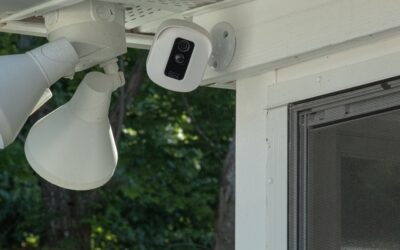
This blink video doorbell review examines whether Amazon’s budget-friendly smart doorbell earns a place on your front porch. We cover video quality, battery life, wiring choices, subscription costs, installation, and the quirks worth knowing before you commit, so you can judge if it fits your home and budget.
Part of our Windows & Doors guide — explore the full guide →
- What the Blink Video Doorbell Offers
- Video Quality in Real Use
- Battery Life and Power Options
- The Sync Module and Local Storage
- Subscription Costs Explained
- Installation Walkthrough
- Motion Detection and Alerts
- How It Compares on Price
- Integration with Alexa
- Common Complaints and Troubleshooting
- Mistakes to Avoid
- Weather Resistance and Durability
- Two-Way Audio Performance
- Wi-Fi and Placement Tips
- Who Should Buy It
- Setting Up Chime Options
- Comparing to the Wired Doorbell Experience
- Final Verdict
What the Blink Video Doorbell Offers
The Blink Video Doorbell is a two-way audio, motion-detecting camera that streams to your phone and chimes when someone presses it. Its headline appeal is price and flexibility: it runs on two AA lithium batteries for up to two years or can be hardwired to an existing doorbell circuit. That dual-power design sets it apart from rivals that demand wiring.
Video Quality in Real Use
The camera captures 1080p HD video with a roughly 135-degree horizontal field of view. Daytime footage is crisp enough to recognize faces and read package labels within a few feet. Night vision uses infrared and produces usable, if grainy, black-and-white images out to about 15 feet. The vertical field is narrow, so tall visitors and porch packages at the doorstep can sit at the frame edge.
Battery Life and Power Options
On battery power, Blink rates the doorbell for up to two years using the two included AA lithium cells, though heavy motion traffic shortens that considerably. Hardwiring to a 16 to 24 VAC transformer keeps the battery topped up and enables live-view on demand. Without wiring or a Sync Module, some live features are limited to conserve power, a trade-off budget shoppers should understand.
The Sync Module and Local Storage
Pairing the doorbell with a Blink Sync Module 2 unlocks local storage via a USB flash drive, letting you save clips without a cloud plan. This is a genuine cost saver over the life of the device. The Sync Module also improves responsiveness and enables live view on battery-only setups, so most buyers should budget for one even though it is sold separately.
Subscription Costs Explained
Cloud recording requires a Blink Subscription Plan. The Basic plan covers a single device for about $3 per month or $30 per year, while the Plus plan covers unlimited Blink devices at roughly $10 per month or $100 per year. Without a plan, you can still get live view and notifications, but event clips only save locally through the Sync Module, not to the cloud.
Installation Walkthrough
Installation is genuinely DIY-friendly and takes about 20 to 30 minutes. For battery use, mount the included bracket with two screws, insert the batteries, and pair it in the Blink app. For hardwiring, cut power at the breaker first, connect the two wires to the terminals, and reattach to your existing chime. The kit includes a mounting wedge to angle the camera toward a walkway.
Motion Detection and Alerts
You can define activity zones in the app to ignore a busy sidewalk while watching the porch. Sensitivity and retrigger intervals are adjustable, which helps cut down false alerts from passing cars. Notification latency runs a few seconds on battery power and is faster when hardwired with a Sync Module, since the device stays in a more responsive state.
How It Compares on Price
At around $35 to $60, the Blink doorbell undercuts most name-brand competitors that sell for $100 or more. Factor in a Sync Module at about $35 and optional AA lithium replacements, and it remains one of the cheapest smart doorbells you can buy. The savings are most dramatic if you skip the cloud plan and rely on local USB storage.
Integration with Alexa
Because Blink is an Amazon brand, it works seamlessly with Alexa. You can announce visitors on Echo speakers, view the live feed on an Echo Show, and use voice to pull up the camera. There is no native Google Assistant or Apple HomeKit support, which is a real limitation for households built around those ecosystems.
Common Complaints and Troubleshooting
The most frequent gripe is notification lag on battery-only setups, largely solved by adding a Sync Module or hardwiring. If the doorbell drops offline, weak 2.4 GHz Wi-Fi at the door is usually to blame; a mesh node nearby helps. For a chime that will not ring, verify your indoor mechanical chime is compatible or enable the in-app and Alexa chime instead.
Mistakes to Avoid
Do not expect head-to-toe package views; mount the wedge to tilt the camera down if porch pickups matter. Avoid using standard alkaline AAs, since only lithium cells deliver the rated life. Do not skip the Sync Module if you want live view without a subscription. And always cut breaker power before touching doorbell wiring to prevent shorting the transformer.
Weather Resistance and Durability
The Blink doorbell carries an IP54 weather rating, meaning it withstands rain, dust, and temperature swings from roughly minus 4 to 104 degrees Fahrenheit. That covers most climates when mounted under typical porch conditions. For fully exposed installations facing driving rain, a small mounting hood or a covered position extends its life. The plastic housing feels lightweight rather than premium, but it holds up well when protected from constant direct weather.
Two-Way Audio Performance
Built-in two-way talk lets you speak with visitors or delivery drivers through the app. Audio is clear enough for practical conversations, though there is a slight push-to-talk delay typical of budget doorbells. You can also trigger a set of quick responses. On battery power the wake-up lag means a fast visitor may already be reaching for the button before the live feed loads, which is another reason the Sync Module and hardwiring improve the experience.
Wi-Fi and Placement Tips
The doorbell needs a solid 2.4 GHz signal at the door, which is often the weakest spot in a home’s coverage. Before mounting, test signal strength in the app; if it is marginal, add a mesh node or extender near the entry. Metal storm doors and thick masonry can degrade reception. Good placement is the difference between snappy notifications and the frustrating lag that dominates negative reviews of this otherwise capable device.
Who Should Buy It
This doorbell suits renters, budget-focused homeowners, and anyone already invested in Amazon’s Alexa ecosystem. It is a strong fit if you want clear video and the option to skip subscription fees through local storage. It is a weaker choice for households wanting head-to-toe package views, HomeKit or Google integration, or instant recording of fast movement. Knowing those trade-offs up front keeps expectations realistic and satisfaction high.
Setting Up Chime Options
The Blink doorbell offers flexible chime choices to fit different homes. With a compatible mechanical or digital indoor chime and hardwiring, the physical bell rings as usual. Without wiring, you can rely on the app notification plus an Alexa announcement through Echo speakers, effectively turning any Echo into a doorbell chime. There is also an accessory chime module for a standalone in-home sound. This mix of options means even a fully wireless install can still alert you audibly throughout the house.
Comparing to the Wired Doorbell Experience
Hardwiring transforms how the Blink doorbell behaves. On battery power it sleeps to conserve energy, causing the brief wake delay that frustrates some users, and full live view on demand may be limited without a Sync Module. Hardwired with a 16 to 24 VAC transformer, the device stays more responsive, supports instant live view, and keeps its batteries charged as a backup during power interruptions. If you already have doorbell wiring, using it delivers a noticeably snappier, more reliable everyday experience for very little extra effort.
Final Verdict
Wrapping up this blink video doorbell review, the device is a strong value for budget-minded, Alexa-centric households that want clear 1080p footage and flexible battery or wired power. Its narrow vertical view and reliance on a Sync Module for full features are minor drawbacks. For the price, it delivers dependable front-door monitoring that is hard to beat.