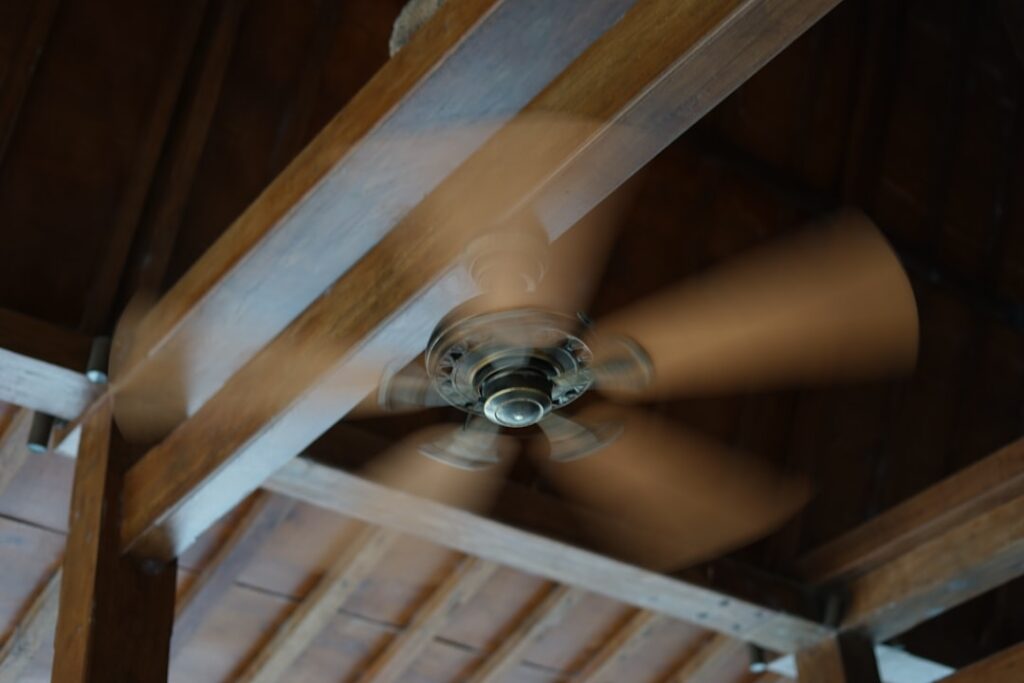
Half the ceiling fans in America are spinning the wrong way for the season, and their owners have no idea. The correct ceiling fan rotation for summer is counterclockwise when you stand underneath and look up — that direction pushes a column of air straight down and creates the breeze that makes a room feel three to four degrees cooler. Reverse it, and the fan quietly pulls air up instead, which is exactly what you want in winter and exactly what you do not want in July. It is a two-second fix hiding behind a tiny switch most people have never touched.
Here is the part that trips everyone up: a fan does not cool the air at all. It cools you. Understanding why changes how you use it, and it is the difference between a fan that lets you nudge the thermostat up and one that just spins uselessly in an empty room, adding to your bill.
- Counterclockwise Is the Summer Setting
- The Wind-Chill Effect Is Why It Works
- How to Reverse a Fan That Is Spinning Wrong
- Set the Right Speed and Thermostat Together
- Turn It Off When You Leave the Room
- Blade Angle, Size, and Placement Matter Too
- Multi-Story Homes and Fan Placement Strategy
- Why the Fan Feels Different in Each Season
- Quick Seasonal Habit to Remember
Counterclockwise Is the Summer Setting
Stand directly beneath the fan and watch the leading edge of the blades. In summer, the blades should sweep counterclockwise, with the lower, angled edge of each blade leading the way. That pitch scoops air and throws it downward in a broad cone. Sit in that cone and you feel a distinct breeze on your skin.
The confusion comes from perspective. “Counterclockwise” always means as viewed from below, looking up at the fan. If you climbed into the attic and looked down through the ceiling, it would appear to turn clockwise — same rotation, opposite viewpoint. So ignore any description that does not specify the vantage point, and just stand under the fan and look for the downdraft.
The Wind-Chill Effect Is Why It Works
Moving air strips heat off your body two ways. It speeds the evaporation of sweat, and it carries away the thin layer of warm air that clings to your skin. The result is a wind-chill effect indoors: the thermometer still reads 78°F, but you feel like it is 74°F or 75°F. Studies from the Department of Energy peg the perceived difference at about 4 degrees under a properly running fan.
Because the fan is chilling people and not the room, the payoff only happens when someone is actually in the breeze. Air temperature does not drop. That is the single most important thing to understand about summer fan use, and it leads straight to the biggest savings tip.
How to Reverse a Fan That Is Spinning Wrong
Most fans have a small horizontal toggle switch on the side of the motor housing, just above the blades. Turn the fan off, wait for the blades to stop completely, then flip that switch and turn the fan back on. If it was set for winter, this single flip drops it into the summer counterclockwise mode.
Newer fans handle direction differently:
- Remote-controlled fans: look for a button labeled with a circular arrow or “FWD/REV” on the handheld remote.
- Smart or app-controlled fans: the direction toggle lives in the device settings inside the app.
- Pull-chain fans: nearly always use the physical toggle switch on the housing.
To confirm you got it right, stand under the running fan on a medium or high speed. If you feel a firm breeze pushing down on you, it is set for summer. If you feel almost nothing standing directly below it but notice air moving near the walls, it is still in winter mode — flip the switch.
Set the Right Speed and Thermostat Together
Summer is the season to run the fan on medium to high. You want enough airflow to generate a real breeze, since a barely turning fan produces no meaningful wind-chill. Then raise your thermostat. This is where the money is: if a running fan makes 78°F feel like 74°F, you can set the AC to 78 instead of 74 and stay just as comfortable in that room.
The Department of Energy estimates you can raise the thermostat about 4°F with no loss of comfort when a fan is running, and each degree of setback saves roughly 3 percent on cooling costs. Run the fan and bump the AC, and a typical household trims a noticeable slice off summer electric bills. Run the fan and leave the thermostat where it was, and you have added cost for nothing.
Turn It Off When You Leave the Room
Because fans cool people rather than air, a fan spinning in an empty room accomplishes nothing except spinning your meter. A ceiling fan draws roughly 15 to 90 watts depending on speed and size, so leaving several running around the clock adds up over a summer. Get in the habit of flipping the fan off as you walk out, the same way you kill a light. If you want it automatic, a $20 smart switch or a plug-in timer handles it.
Blade Angle, Size, and Placement Matter Too
Not every fan moves air well even in the correct direction. Blade pitch between 12 and 15 degrees is the sweet spot; flatter blades barely push air. Fan size should match the room — a 42-inch fan suits a bedroom up to about 144 square feet, while a great room wants a 52-inch or larger fan, and very large or high-ceiling rooms benefit from two fans. Mount height matters as well: blades should sit 8 to 9 feet off the floor and at least 18 inches from the nearest wall for the cleanest airflow.
If your fan wobbles or barely stirs a candle flame on high, no rotation setting will save it. A quality fan with proper blade pitch, correctly sized and mounted, spinning counterclockwise on medium-high, is what actually earns its keep.
Multi-Story Homes and Fan Placement Strategy
In a two-story house, the rotation logic still holds, but placement changes how much good it does. Heat rises, so upstairs rooms run warmer, and a counterclockwise fan there earns its keep on the hottest afternoons by pushing that trapped warm air down and creating the breeze that lets you tolerate a higher thermostat setting. Bedrooms are the highest-value spot for a summer fan because you are stationary in the breeze for hours, exactly the condition where wind-chill cooling pays off most.
Open-concept great rooms and rooms with vaulted or cathedral ceilings benefit from a longer downrod so the blades sit at that 8-to-9-foot ideal height rather than stranded 12 feet up where the breeze dissipates before it reaches you. If a room is larger than about 400 square feet, one fan often cannot cover it — two smaller fans spaced out move air more evenly than a single big one straining in the center. Coordinate the fans with your central-air strategy: run the fans in the rooms you occupy, raise the thermostat a few degrees, and let the whole-house system cycle less.
Why the Fan Feels Different in Each Season
Understanding the winter setting sharpens why summer’s counterclockwise direction works. In winter you flip to clockwise and run the fan on low. That gently pulls cool air up the center of the room and pushes the warm air that has stratified near the ceiling down along the walls — without generating a chilling draft on the people below. It redistributes heat you already paid to make, which can let you lower the thermostat a degree or two.
Summer flips both the direction and the speed. Counterclockwise plus medium-to-high creates the direct downdraft you want on your skin, because in summer the goal is a breeze, not gentle circulation. Same fan, opposite mission each season, and the little switch on the motor housing is all that stands between the two. Once you internalize that the winter setting mixes air and the summer setting blows air, you will never again wonder which way it should spin.
Quick Seasonal Habit to Remember
Tie the switch to the clock change or the first hot week so you never forget. In spring, flip to counterclockwise for the summer downdraft. In fall, flip to clockwise on low to gently pull cool air up and push trapped warm air down off the ceiling without creating a chilling breeze. Two flips a year, thirty seconds each. Get the ceiling fan rotation for summer right, run it only in occupied rooms, and let it buy you a few degrees of thermostat setback — that is the whole game, and it costs you nothing but the flick of a switch.