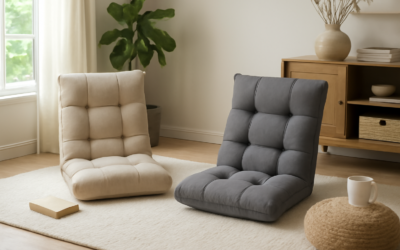
A gaming floor chair is the low-slung, often legless seat designed for gamers who play on the floor, in front of a coffee table, or in tight spaces where a tall office chair will not fit. These chairs sit close to the ground, support your back through long sessions, and fold away when you are done. They are popular with console players, apartment dwellers, and anyone who games in a living room rather than at a desk. Here is what to look for before you buy one.
What a Gaming Floor Chair Is
Unlike a standard gaming chair with a pedestal base and wheels, a floor chair has little or no legs and rests directly on the floor. Most have a padded seat and an adjustable backrest that reclines through several positions, letting you sit upright for fast-paced games or lean back for relaxed play. The whole point is comfortable, supported seating at floor level, which is exactly where many people game.
Common Types
Floor chairs come in a few distinct styles, each with trade-offs:
- Adjustable backrest chairs: A padded seat with a multi-position reclining back, often the most ergonomic option.
- Folding floor chairs: Lightweight and collapsible for easy storage, good for small spaces.
- Rocker chairs: A curved base that lets you rock; some include built-in speakers and audio inputs.
- Cushion and bean-style seats: Soft, casual floor cushions with minimal back support, best for short sessions.
For long gaming marathons, an adjustable-backrest or rocker style with real lumbar support beats a simple cushion, which tends to leave your back aching after an hour.
Ergonomics and Back Support
The biggest reason to buy a dedicated floor chair instead of just sitting on the carpet is support. Look for a backrest tall enough to reach your shoulder blades, firm padding that does not flatten out, and adjustment positions that let you change posture during long sessions. Sitting on the floor naturally encourages slouching, so a chair that keeps your spine supported makes a real difference in comfort and reduces back and neck strain. Some models add a separate lumbar pillow or headrest, which is worth having for extended play.
Protecting Your Floors
Because these chairs rest directly on the floor and you shift around in them, they can scuff or wear flooring over time. On hardwood, laminate, or luxury vinyl, a chair with a hard or rough base may scratch the finish. A few simple precautions help:
- Use a rug or floor mat under the chair to cushion the surface and protect against scuffs.
- Check the base material; soft fabric or padded bottoms are gentler than hard plastic frames.
- Add felt pads to any rigid contact points if the chair has a metal or plastic frame.
- Reposition occasionally on carpet to avoid permanent matting in one spot.
A washable area rug under your gaming spot does double duty, protecting the floor and adding comfort underfoot.
Sizing and Build Quality
Check the weight capacity and dimensions before buying. Many floor chairs are sized for average adults, and larger users should confirm the rated capacity. A sturdy steel frame inside the padding lasts far longer than a flimsy one, especially at the hinge where the backrest adjusts, which is the part most likely to fail. Thicker, higher-density foam holds its shape over years of use, while cheap thin foam compresses and loses support quickly.
Upholstery is worth a look as well. Breathable fabric stays cooler during long sessions than slick vinyl, which can get warm and sticky. Removable, washable covers are a real plus if you snack while gaming or have kids and pets sharing the space. Check the seams and stitching too, since those are common failure points on inexpensive chairs that see heavy daily use.
What a Gaming Floor Chair Costs
Basic folding floor chairs and simple cushions run $30 to $60. Adjustable-backrest models with decent padding typically fall between $60 and $130. Feature-rich rocker chairs with built-in audio and premium ergonomic designs can reach $150 to $300. For most gamers, a $60 to $130 adjustable model offers the best balance of comfort, support, and durability.
Floor Chair Versus Standard Gaming Chair
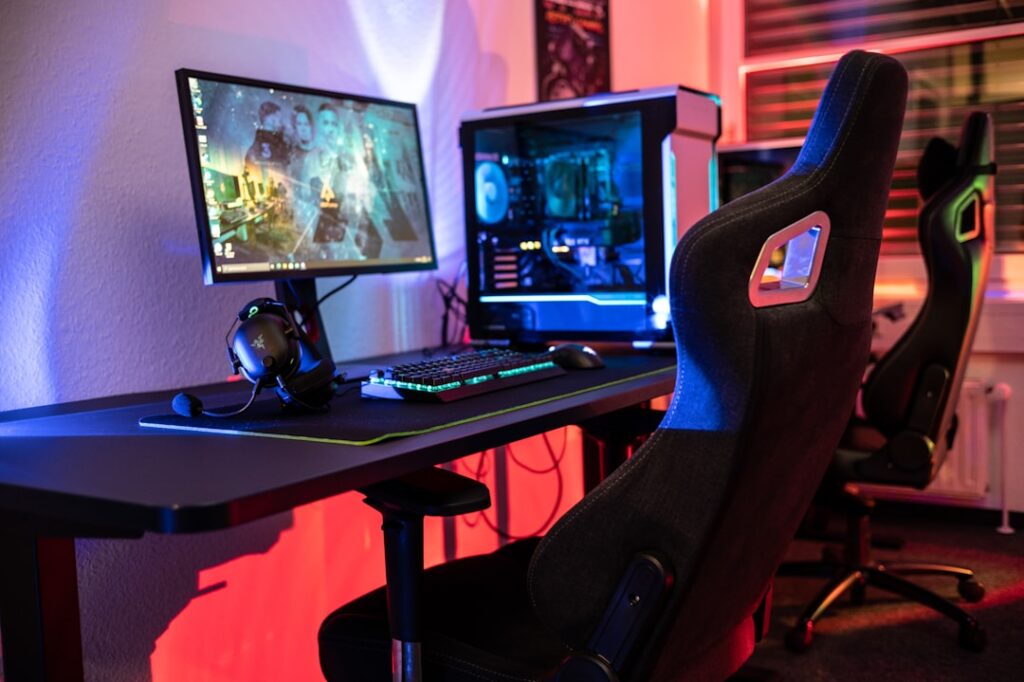
A floor chair is not a replacement for everyone. If you game at a desk with a monitor, a standard pedestal gaming chair at the right height is more ergonomic for keyboard-and-mouse play. The floor chair shines for console players on a couch-and-coffee-table setup, anyone short on space, and households where the gaming spot doubles as a TV-watching or reading nook. It is also far easier to store, since most fold flat and tuck behind a sofa or into a closet. Decide based on how and where you actually play, and the floor chair becomes an easy call for living-room and small-space gaming.
Final Thoughts
Setting Up Your Floor Gaming Space
A floor chair works best as part of a thought-out setup. Position it so your screen is at a comfortable eye level when seated, which usually means a lower TV stand or a screen mounted slightly lower than a standing-height setup. Keep your controller, drinks, and accessories within easy reach on a low side table so you are not constantly twisting. A soft area rug under the chair adds cushioning, defines the gaming zone, and protects the floor all at once.
Comfort over long sessions also depends on posture. Even with a supportive chair, take breaks to stand and stretch every hour or so, since sitting at floor level for hours can stiffen the hips and lower back. Adjust the backrest periodically to change your position, and add a lumbar pillow if the chair does not provide enough lower-back support on its own. Small adjustments like these make a marathon session far more comfortable.
A gaming floor chair is a smart pick for anyone who games at floor level and wants back support without a bulky desk chair. Choose an adjustable, well-padded model with a sturdy frame, match the weight capacity to your needs, and put a rug or mat underneath to protect your flooring and add comfort. Get those basics right and you will have a comfortable, space-saving seat that holds up through long sessions.
Prefer to explore on your own?
See how new flooring looks in your actual room in seconds — free, no signup.
Try the free Floor Studio →