If you have ever tried to program a new remote and gotten stuck, the culprit is almost always confusion over the Genie garage door opener learn button. This small button on the motor unit is the key to nearly every programming task, from pairing remotes and keypads to wiping old codes when you move into a new home. Genie labels and locates it differently across models, which is why so many homeowners cannot find it. Once you know where to look and how it behaves, programming becomes a two-minute job. Here is a complete rundown.
Part of our Garage Doors guide — explore the full guide →
- What the Learn Button Does
- Where to Find the Learn Button
- Using the Learn Button to Program a Remote
- Programming a Keypad With the Learn Button
- Erasing All Codes
- Learn Button Differences Across Genie Models
- Troubleshooting Learn Button Problems
- Tips for Trouble-Free Programming
- What to Do When the Learn Button Is Missing or Broken
- Keeping Your Opener Secure Over Time
- Final Thoughts
What the Learn Button Does
The learn button, sometimes labeled “Program” or “Learn Code” on Genie units, puts the opener into a temporary programming mode. In that mode, the opener listens for a signal from a remote, keypad, or car button and stores that device’s code in its memory. Holding the button longer performs a different function: it erases all stored codes. So the same button both adds new devices and, with a longer press, clears everything. Understanding that dual behavior is the foundation of all Genie programming.
Where to Find the Learn Button
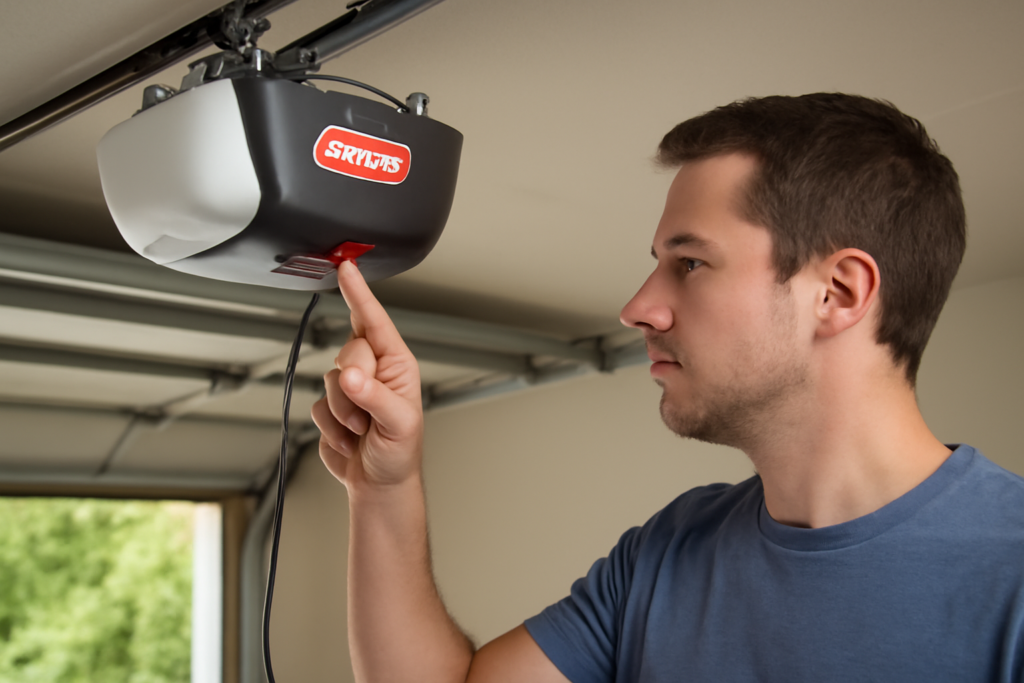
The learn button lives on the powerhead, the motor unit mounted to your garage ceiling, not on any wall control or remote. Its exact spot depends on your model:
- On many Genie models, it sits on the back or side panel of the powerhead, near the antenna wire that dangles down.
- On some units, you must lift or remove the light lens cover to reveal the button underneath.
- It is usually accompanied by a small LED indicator light and sometimes by up and down programming arrows.
- Colors vary; the button may be round or square and is often a different color than the housing.
You will need a step ladder to reach it. If you cannot spot it, consult your model’s manual or look for a printed label reading “Learn,” “Program,” or “Set” on the powerhead.
Using the Learn Button to Program a Remote
Once you have located the button, pairing a remote is quick:
- Press and release the learn button. The LED will light up or blink, showing the opener is in programming mode.
- Within about 30 seconds, press the button on your remote that you want to use.
- Press the same remote button a second time. The opener light may flash or click to confirm.
- Test the remote. The door should open or close.
Genie’s Intellicode remotes use a rolling code that changes with each use, and the two-press confirmation is what locks that code into the opener. If it does not take, the 30-second window likely expired, so start over and press the remote more promptly.
Programming a Keypad With the Learn Button
A wireless keypad follows the same principle. Press the learn button to enter program mode, then at the keypad enter your chosen PIN and press the send or enter key, and press send again to confirm. The opener light flashing signals success. Test by entering the PIN and confirming the door responds. Keypad key layouts differ between Genie models, so if a specific program sequence is printed on the keypad or in its manual, follow that order while relying on the learn button to open the programming window.
Erasing All Codes
When you buy a home or lose a remote, you want to erase every code stored in the opener so old clickers stop working. To do this, press and hold the learn button for several seconds, typically 6 to 10, until the LED turns off or changes. That single long press wipes all remotes, keypads, and car buttons from memory. After erasing, you must reprogram every device you still want to use.
Clearing the codes is one of the smartest first moves in a new house, since you have no idea how many working remotes previous owners or contractors may still have.
Learn Button Differences Across Genie Models
Genie has produced many opener generations, and the learn button experience varies. Older units may have a simpler single button, while newer models can include separate up and down programming buttons alongside the learn function, letting you assign remotes to specific functions. Some Genie models also use different LED colors to indicate the type of code learning in progress. Because of this variation, the single most reliable resource is the manual for your specific model number, which you can usually find printed on the powerhead and look up online.
Troubleshooting Learn Button Problems
If pressing the learn button does not seem to work, run through these checks:
- Wrong button: make sure you are pressing the learn button and not the light or lock button on the powerhead.
- No LED response: confirm the opener has power. A tripped breaker or unplugged unit will not respond.
- Dead remote battery: the most common reason a remote will not pair. Replace the battery first.
- Timed out: the program window is short, so act quickly after pressing learn.
- Incompatible remote: verify the remote is Genie Intellicode compatible for your model.
- Interference: LED bulbs in the opener can disrupt signals; try a different bulb if range is poor.
Tips for Trouble-Free Programming
Keep a small step stool near the garage so reaching the powerhead is never a chore. Replace remote batteries every couple of years before they fail, and keep at least one spare remote programmed so a dead battery never locks you out. If your opener is more than 15 years old and lacks rolling-code security, consider that as an upgrade point, since modern Intellicode openers are both more secure and easier to program.
What to Do When the Learn Button Is Missing or Broken
Occasionally a homeowner cannot find any learn button at all, or the button no longer responds when pressed. First, rule out the simple causes. Confirm you are looking at the powerhead and not the wall button, and remove the light lens cover, since on many Genie models the button hides beneath it. If your opener is very old, it may use a different programming method entirely, such as dip switches, small toggle switches inside the remote and opener that must be set to matching patterns rather than a learn button at all.
If the button is present but genuinely unresponsive, and the opener otherwise has power and works from the wall control, the logic board may be failing. A replacement circuit board is available for many Genie models and is a moderate repair, but on an opener more than 15 to 20 years old, the smarter move is often a full replacement with a modern unit that adds Wi-Fi, battery backup, and quieter operation. Weigh the cost of the board against a new opener before investing in an aging machine.
Keeping Your Opener Secure Over Time
The learn button is not just a programming tool, it is a security control, so use it thoughtfully. Any time a remote is lost or stolen, erase all codes with a long press and reprogram only the devices you still control, because a lost remote is a key to your home in a stranger’s hands. The same applies when a relationship ends, a tenant moves out, or a service provider no longer needs access.
Beyond code management, keep the opener’s firmware and hardware current where possible, and pair it with good garage-door habits: never leave the door open unattended, and consider an opener with rolling-code Intellicode security if yours is old enough to still use fixed codes. Treat the learn button as the master reset for who can enter your home, revisit your programmed devices periodically, and you will maintain tight control over your garage for the life of the opener. A two-minute erase-and-reprogram session is cheap insurance for your family’s security.
Final Thoughts
The Genie garage door opener learn button is the single control behind almost every programming task you will ever do. Find it on the powerhead, near the antenna or under the light lens, and remember the core rhythm: a quick press opens programming mode to add a remote or keypad, and a long press erases every code. With a fresh battery and the right model manual on hand, you will pair new devices or wipe old ones in just a couple of minutes, keeping full control over who can open your garage.