If you have a Google Nest speaker or the Google Home app on your phone, a google smart plug is the cheapest way to make an ordinary lamp, fan, or coffee maker respond to your voice. Plug it into any wall outlet, plug your appliance into it, and you can now say “Hey Google, turn off the living room lamp” from across the house. Prices start around $8 for a single plug and climb to roughly $40 for a four-pack, which makes this one of the lowest-cost entry points into home automation available today.
There is no plug actually branded by Google. Instead, “Google-compatible” means the device works with Google Home and Google Assistant. Almost every mainstream smart plug qualifies, so the real decision comes down to reliability, size, and whether you want extras like energy monitoring or Matter support.
How a Google-Compatible Plug Actually Works
Most of these plugs connect over 2.4 GHz Wi-Fi. That band matters: nearly none of the budget plugs support 5 GHz, so if you have a mesh router that hides the 2.4 GHz band, you may need to temporarily split it during setup. Once connected, the plug talks to the manufacturer’s cloud, and Google’s servers relay your voice commands to that cloud. The round trip usually takes under a second.
You link the plug to Google Home by opening the app, tapping the plus icon, choosing “Works with Google,” and signing into the plug maker’s account. From there the plug shows up as a controllable device you can drop into a room and add to routines. A newer and simpler path is Matter, the cross-industry standard backed by Google, Apple, Amazon, and Samsung. Matter plugs pair by scanning a QR code and connect locally, which means commands keep working even if the manufacturer’s cloud goes down.
Kasa, Wyze, and the Budget Picks
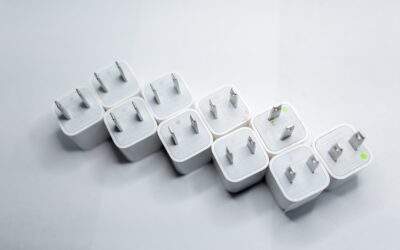
The TP-Link Kasa EP25 is the plug most professionals reach for first. A four-pack runs about $35 to $40, and each plug is compact enough that two fit side by side on a standard duplex outlet without blocking the second socket. The Kasa app is stable, firmware updates arrive regularly, and Google Home integration has been rock solid for years. The EP25 also includes energy monitoring, so you can see exactly how many watts your space heater or aquarium pump is drawing.
If you want the absolute cheapest reliable option, the older Kasa HS103 two-pack sells for around $15 and works identically with Google, just without energy tracking. Both handle up to 15 amps, which covers almost any household device short of a large window air conditioner.
If cross-shopping alternatives, the Wyze Plug sells in a two-pack for roughly $15 to $18 and pairs cleanly with Google Home. It is slightly bulkier than the Kasa but supports scheduling, vacation mode, and away-lighting simulation. Wyze occasionally has server hiccups, so it is a better pick for a bedroom lamp than for something mission-critical like a sump pump. Amazon’s own smart plug works with Google as well, though setup leans heavily on the Alexa app, which feels backward if your household is Google-first. For a purely Google home, stick with Kasa or Wyze to keep everything inside one ecosystem, and avoid no-name plugs whose companion apps vanish from the app store after a year, taking your remote control with them.
Matter Plugs for Future-Proofing
If you are buying today and want the longest useful life, look for a plug that lists Matter support on the box. The TP-Link Tapo P125M and the Kasa KP125M both cost around $12 to $15 each and pair over Matter. The advantage is local control: your Google Nest Hub can command the plug directly on your network, cutting lag and keeping automation alive during internet outages. Matter plugs also work simultaneously with Apple Home and Amazon Alexa, so a mixed-device household is covered.
One caveat worth knowing: energy monitoring and some vendor-specific features do not always pass through the Matter bridge. If watt tracking matters to you, confirm it works over Matter before buying, or use the manufacturer’s own app for that data.
Indoor Versus Outdoor and Amperage Limits
Standard smart plugs are rated for indoor use only. For string lights, a pond pump, or holiday decorations, buy a weather-resistant outdoor model like the Kasa EP40, which sells for about $20 and gives you two independently controlled outlets on a single unit. Outdoor plugs carry a gasketed cover and a longer, weatherproof cord.
Pay attention to the amperage rating on anything with a motor or heating element. Most plugs top out at 15 amps, or roughly 1,800 watts on a 120-volt circuit. A 1,500-watt space heater is right at the edge, so give it headroom and never daisy-chain heaters through a smart plug and a power strip together.
Setting Up Voice Control and Routines
Once your plug is linked, the real payoff is routines. In the Google Home app you can create a “Good night” routine that turns off every plug tagged in the bedroom, or a sunrise-based schedule that switches on a porch lamp 20 minutes before dusk based on your ZIP code. Assign each plug to a room and give it a clear name like “Office fan,” because Google matches your spoken words to those names.
A practical tip: rename the physical device to something you would actually say. “Smart plug 1” is useless when you are half asleep, while “coffee” lets you mutter “Hey Google, turn on coffee” and have a fresh pot brewing before you reach the kitchen.
Energy Monitoring and Real Savings
Plugs that report wattage, like the Kasa EP25 or the Emporia Smart Plug at about $13, turn guesswork into hard numbers. Plug in an old chest freezer and you might find it pulls 120 watts continuously, or roughly 88 kilowatt-hours a month. At a national average around 16 cents per kilowatt-hour, that is about $14 a month, enough to justify replacing an aging appliance. A space heater rated at 1,500 watts running four hours a night costs close to $29 a month at that rate, and seeing the figure on your phone is often the nudge people need to switch to a programmed schedule.
Energy data also helps you spot phantom loads. A game console left in standby, a printer, or an old plasma TV can quietly draw 5 to 20 watts around the clock. Put them on smart plugs, build a “movie off” routine that cuts power to the whole entertainment center, and you eliminate that waste without unplugging anything by hand. Across a typical household, trimming 30 watts of standby draw around the clock saves roughly $42 a year, which pays for a four-pack of plugs inside a single season.
Common Setup Problems and Fixes
The number one reason a plug refuses to pair is the 5 GHz band. During setup your phone must be on the same 2.4 GHz network the plug uses, so temporarily disable the 5 GHz band or use a guest network limited to 2.4 GHz. The second common snag is placement: a plug tucked behind a metal appliance or in a basement corner may show a weak signal and drop offline. Keep the plug within reasonable range of your router or add a mesh node nearby.
If a plug goes unresponsive to voice but still works in its own app, unlink and relink the account in Google Home, which refreshes the token Google uses to reach the manufacturer’s cloud. And if you rename a plug, re-sync devices by saying “Hey Google, sync my devices” so the assistant learns the new name immediately rather than waiting for the next automatic refresh.
Which One Should You Buy
For most homes, buy the Kasa EP25 four-pack at around $38 and be done with it. You get proven Google Home reliability, energy monitoring, and a small footprint. If budget is the priority, the Wyze two-pack under $18 does the job. And if you are building a system you want to last five-plus years across multiple voice assistants, spend the extra couple of dollars on a Matter-certified Tapo or Kasa model. Any of these turns a dumb outlet into a voice-controlled one for less than the cost of a pizza, and once you have one, you will inevitably order three more.