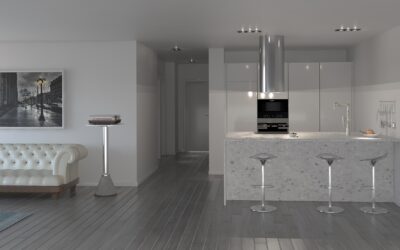
Choosing flooring from a 6 by 9 inch sample taped to a salesroom display has tripped up homeowners for decades, which is exactly why the Home Depot Floor Visualizer tool has become such a useful starting point. The app lets you upload a photo of your actual room, then digitally overlay LifeProof vinyl plank, Bruce hardwood, or Daltile porcelain over the floor in seconds. Used correctly, it filters your shortlist from 200 options down to three or four before you ever drive to the store. Used poorly, it gives you false confidence in a product that will look completely different at home. This guide covers how to use the visualizer well, where its limits lie, and the steps that bridge the gap between the screen and your finished room.
What the Visualizer Actually Does
The Home Depot Floor Visualizer is a web and mobile tool that overlays Home Depot flooring SKUs onto user-supplied room photos. The system maps the floor plane in your image, then tiles the selected product across that plane at a roughly accurate scale. You can swap products with a single tap and compare options side by side.
The tool covers most of Home Depot’s stocked vinyl plank, laminate, engineered hardwood, and tile SKUs. Carpet support is limited because pile texture and shading are difficult to render realistically on a flat screen. For hard surface flooring, the visualizer is the single fastest way to narrow choices before ordering samples.
How to Access and Use It
The visualizer lives at homedepot.com on any product page for compatible flooring. Look for the “See It In Your Room” button on the product image gallery. The mobile Home Depot app offers the same feature with the added benefit of using your phone camera in real time rather than a static photo.
Three steps deliver the best results. First, choose a flooring product you are considering. Second, either upload a photo of your actual room or pick one of the stock rooms Home Depot provides. Third, swap between products on your shortlist while keeping the room view constant. The comparison reveals subtle color and scale differences that product photography hides.
Getting Accurate Photos
The quality of your photo determines the quality of the visualization. Garbage in, garbage out. Take photos under the lighting conditions you will actually live with. Mid-morning natural light from an east-facing window looks completely different than 4 pm western sun or evening LED lamps.
Shoot from standing height, not the floor. Capture the entire floor plane plus enough wall and ceiling for context. Avoid heavy shadows from furniture. Clear the room or photograph an empty section. Hold the camera level rather than tilted, which throws off the visualizer’s perspective mapping. A simple iPhone or Android photo at default settings works as well as a DSLR for this purpose.
Where the Tool Falls Short
Be honest about the limits before trusting any visualizer too far. Three issues come up consistently.
Color rendering depends on your monitor or phone screen calibration. The same product looks warmer on an OLED iPhone screen than on a budget Android display. Scale and plank width are approximated rather than precise. A 7 inch wide plank rendered on a 12 foot wide room may appear slightly different in person. Texture and sheen are flattened. Wire-brushed oak with hand-scraped edges looks similar to smooth oak in the visualizer because both are rendered as flat images.
Sample Ordering Is Still Essential
The visualizer narrows your list but does not replace physical samples. Home Depot ships free samples of most flooring SKUs, with full plank samples at $10 to $20 each that ship in 5 to 7 business days. Order three to five candidates after the visualizer narrows your shortlist.
Tape samples to your actual floor in the room you are flooring. Look at them at 8 am, noon, and 8 pm under different lighting conditions. Place furniture beside them. Walk on them barefoot. Live with them for at least 48 hours. The visualizer cannot replicate any of this and the difference between digital preview and physical reality often determines whether you love or regret the finished floor.
Comparing to Other Visualizers
Home Depot is not the only retailer offering this technology. Lowes, Floor and Decor, Shaw, Mohawk, and several manufacturers run their own visualizers with slightly different features.
- Home Depot: strongest mobile app integration, broad SKU coverage
- Lowes: similar functionality, slightly faster sample shipping
- Shaw Floors Try Before You Buy: best AR camera implementation
- Mohawk Visualizer: limited to Mohawk products but strong color accuracy
- Floor and Decor Roomvo: covers tile better than other tools
Using two or three visualizers across different retailers gives you the best total view. Different rendering engines reveal different details, and one tool may catch a color cast or scale issue another misses.
Pro Tips for Better Results
A few small habits dramatically improve the usefulness of the Home Depot Floor Visualizer.
Take photos of every room you plan to floor, not just the largest. Kitchen, hallway, and entry visualization matters because transitions between materials reveal contrast you cannot see in isolated previews. Save your favorite product combinations to a Home Depot account so you can revisit them from the store on your phone. Screenshot the visualizations and pull them up on the in-store kiosks where larger physical samples are displayed.
Budget and Pricing Considerations
Visualizing the look is only half the planning. Home Depot flooring spans a wide price range, and the visualizer makes it easy to compare premium and budget options side by side.
- LifeProof rigid core vinyl plank: $2.50 to $4.50 per square foot
- Bruce engineered hardwood: $3.50 to $7.00 per square foot
- Pergo laminate: $1.80 to $3.50 per square foot
- Daltile porcelain field tile: $1.50 to $5.00 per square foot
- HomeDecorators luxury vinyl: $2.00 to $4.00 per square foot
Add 8 to 12 percent waste factor on top of room measurements. Installation costs add another $2 to $6 per square foot for professional install. The visualizer does not include these costs but helps you confidently choose a product before committing thousands to a multi-room project.
When to Move Beyond Online Tools
The Home Depot Floor Visualizer is a planning tool, not a final decision tool. Use it to narrow choices, save time in the store, and avoid driving to multiple locations to see physical product. Trust it for ruling out clearly wrong options like a too-warm wood next to your cool gray walls.
Do not trust it for ruling in your final choice. Order samples, test in your space, and walk on them daily for two days before placing the order. The technology gets better every year, but until visualizers can render true texture and adjust to your actual lighting in real time, the physical sample step remains essential to a flooring purchase you will live with for the next 20 years.
Prefer to explore on your own?
See how new flooring looks in your actual room in seconds — free, no signup.
Try the free Floor Studio →