That crusty white or blue-green powder around a dead battery is not just ugly; it is a mildly caustic chemical that eats metal contacts and can ruin an otherwise good device. Knowing how to clean up battery corrosion safely is worth learning because the fix is cheap and quick, but doing it wrong, touching the residue with bare hands or using the wrong neutralizer, can irritate your skin and damage electronics further. The good news is that a common household product handles most cases in a few minutes, as long as you match it to the battery type.
- What Battery Corrosion Actually Is
- Safety First: Gear Up Before You Start
- Cleaning Corrosion in Small Devices
- Cleaning Car and Lead-Acid Battery Terminals
- Stubborn Corrosion and When to Give Up
- Preventing Corrosion in the Future
- Cleaning Corrosion From Electronics Circuit Boards
- Disposal and Storage of Batteries
This guide explains what the corrosion actually is, the right neutralizer for each battery chemistry, step-by-step cleaning for both small devices and car terminals, and how to keep it from happening again.
What Battery Corrosion Actually Is
The crusty buildup depends on the battery type, and that determines how you neutralize it. Common household alkaline batteries, the AA, AAA, C, D, and 9-volt cells in your remotes and toys, leak potassium hydroxide, which is a base. When it reacts with air, it forms the white, feathery, powdery crust you see. Because it is alkaline, you neutralize it with a mild acid.
Car and marine lead-acid batteries are the opposite. They leak sulfuric acid, and the greenish-blue or white crust on the terminals is acidic, so you neutralize it with a mild base like baking soda. Getting this backwards, using vinegar on a car battery or baking soda on an alkaline leak, is less effective because you are not neutralizing anything. Identify the battery first, then pick the opposite chemistry to clean it.
Safety First: Gear Up Before You Start
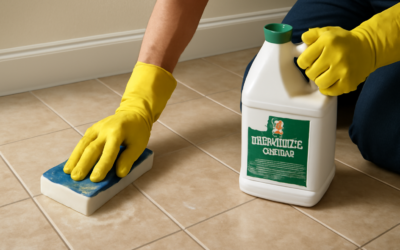
Battery residue is caustic and can irritate or burn skin and eyes, so never handle it bare-handed. Put on rubber or nitrile gloves and safety glasses before you begin, and work in a ventilated area. If you are cleaning a car battery, that acid will eat holes in clothing, so wear something you do not mind ruining. Keep the residue away from your eyes and never touch your face while working.
For electronics, always remove the batteries and, if possible, remove any other power source before cleaning; you do not want current flowing while you work on the contacts. For a car battery, turn off the engine, and disconnect the cables starting with the negative terminal first, then the positive, to avoid a short. Have baking soda, water, and paper towels staged before you open anything so you are not scrambling with corroded material exposed.
Cleaning Corrosion in Small Devices
For remotes, toys, flashlights, and other alkaline-battery devices, mild acid is your neutralizer. White vinegar or fresh lemon juice both work well. Dip a cotton swab or an old toothbrush in the vinegar and apply it directly to the corroded contacts; you may see a slight fizzing as it neutralizes the alkaline crust. Let it sit for a minute, then scrub the powder loose.
- Remove the batteries and dispose of them properly at a recycling drop-off, not the trash.
- Dip a cotton swab or toothbrush in white vinegar and scrub the corroded contacts and battery compartment.
- For stubborn buildup on metal springs, gently scrape with a small flathead screwdriver, an emery board, or fine sandpaper to expose clean metal.
- Wipe with a swab dampened in a little water, then dry thoroughly with a cotton swab or paper towel.
- Let the compartment air-dry completely before inserting fresh batteries, since any moisture can cause a short.
If the metal contacts are badly eaten away and no longer make a connection even after cleaning, the device may need the contact replaced or may not be salvageable, but most lightly corroded devices work perfectly once cleaned and dried.
Cleaning Car and Lead-Acid Battery Terminals
Car battery terminals need the opposite neutralizer: baking soda, a base, to counter the acidic sulfate crust. With the engine off and cables disconnected, negative first, mix a tablespoon of baking soda into a cup of warm water to make a neutralizing solution, or sprinkle dry baking soda directly on the terminals and add a little water so it fizzes.
Scrub the terminals and clamps with an old toothbrush or a dedicated battery-terminal wire brush until the crust dissolves and the metal is clean and bright. Rinse the terminals with a small amount of clean water, being careful not to flood the battery, and dry everything thoroughly with paper towels or a rag. Once clean and dry, reconnect the cables in reverse order, positive first then negative, and tighten securely. A smear of dielectric grease or petroleum jelly on the terminals afterward slows future corrosion.
Stubborn Corrosion and When to Give Up
Sometimes the crust is heavy or hardened. For thick alkaline buildup, let the vinegar dwell longer, reapply, and use gentle mechanical action, fine sandpaper, a pencil eraser, or a small wire brush, to work down to clean metal. A pencil eraser is surprisingly effective for polishing lightly corroded flat contacts in electronics without damaging them.
Know when a device is beyond saving. If corrosion has eaten completely through a spring contact, seeped into a circuit board, or the residue has been sitting so long it has destroyed the metal connections, cleaning may not restore function. On a car battery, if the terminals or the battery case are cracked or heavily damaged, or the battery is leaking freely, replace the battery rather than nursing it along; a compromised lead-acid battery is a safety hazard. Cleaning restores contacts, but it cannot rebuild metal that is gone.
Preventing Corrosion in the Future
Prevention is easier than cleanup. In devices, remove batteries from anything you will not use for months, since idle batteries are the ones most likely to leak, and never mix old and new batteries or different brands in the same device, which stresses the cells and encourages leaking. Store loose batteries in a cool, dry place, not a hot garage or humid basement, and check expiration dates before installing them.
For car batteries, keep the terminals coated with dielectric grease or petroleum jelly to block the moisture and acid vapor that drive corrosion, and inspect them a couple of times a year. Anti-corrosion terminal washers, the felt rings treated to neutralize acid, are a cheap add-on that helps. Knowing how to clean up battery corrosion is useful, but a few minutes of prevention means you rarely have to do it at all.
Cleaning Corrosion From Electronics Circuit Boards
When a leaking battery has seeped past the compartment onto a circuit board, the job gets more delicate but is still often doable. First, make absolutely sure the device is off and unpowered. For alkaline residue on a board, dip a cotton swab in isopropyl alcohol of 90 percent or higher, or in a little white vinegar to neutralize the alkaline crust, and gently swab the affected traces and contacts, being careful not to spread the residue to clean areas.
After neutralizing, do a final clean with pure isopropyl alcohol, which evaporates without leaving moisture, and gently brush stubborn spots with a soft toothbrush. Let the board dry completely, ideally for several hours or overnight, before restoring power, since any trapped moisture or vinegar residue can cause a short. Corrosion that has eaten through traces or connectors may need soldering repair or may be beyond DIY, but light surface corrosion on a board frequently cleans up well enough to bring a device back to life.
Disposal and Storage of Batteries
How you handle batteries before and after they leak matters for safety and for the environment. Never toss corroded or leaking batteries loosely in household trash where the residue can contact skin; bag them and take them to a battery recycling drop-off, which many hardware and electronics stores offer for free. Rechargeable and lithium batteries in particular should always be recycled, not landfilled, because they pose fire and contamination risks.
For storage, keep batteries in their original packaging or a dedicated case so the terminals cannot touch metal objects or each other, which can cause a short, heat, and leaking. Store them in a cool, dry spot at room temperature, avoiding hot garages and humid basements that accelerate degradation and leaking. Rotate your stock by using older batteries first, and check expiration dates, since an expired battery left in a device is the single most common source of the corrosion this guide helps you clean up.