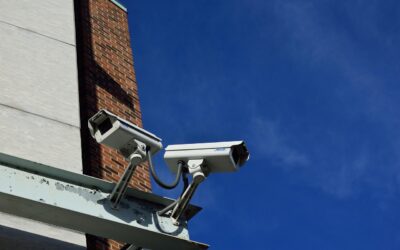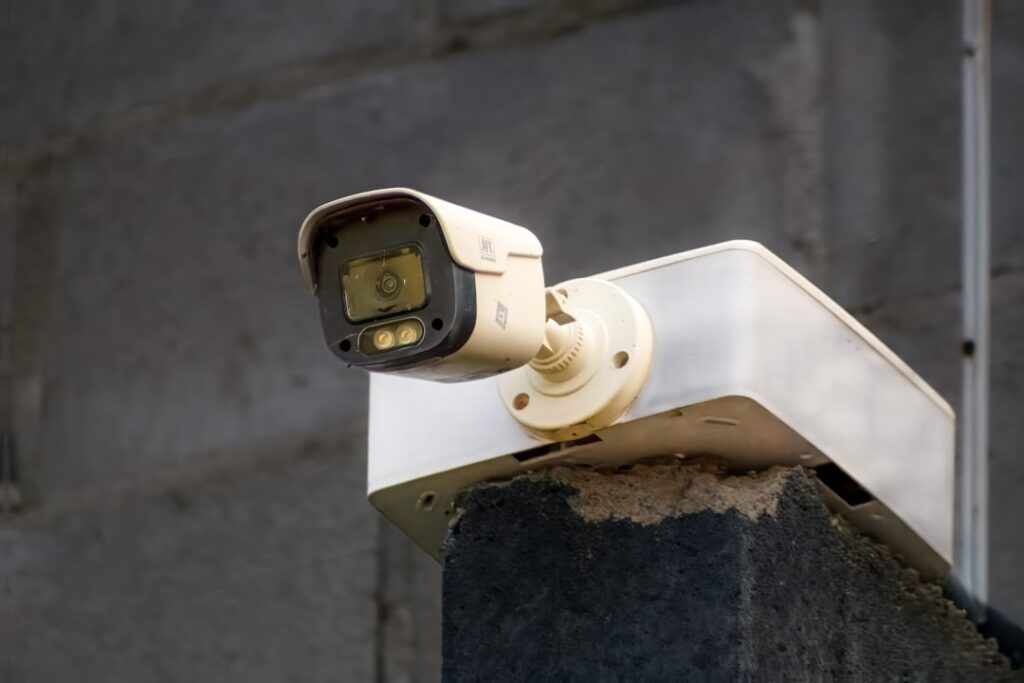
An ip security camera system gives you sharper footage, reliable single-cable wiring, and true local recording that no monthly fee can hold hostage. If you have outgrown battery cameras that miss the important moments, this is the upgrade that serious homeowners make.
After wiring plenty of these systems into houses of every size, I can tell you the hardware is more approachable than it looks. This guide breaks down PoE cameras, NVR recorders, resolution, cabling, storage choices, and the brands worth your money.
What “IP” Actually Means
IP stands for Internet Protocol. Instead of sending an analog video signal down coax cable, each camera is a small networked computer that streams digital video over an Ethernet cable. That single distinction unlocks higher resolution, remote access, and smart features like person and vehicle detection.
The magic ingredient is PoE, or Power over Ethernet. A PoE camera receives both power and data through one Cat5e or Cat6 cable, so you never run a separate power line or hunt for an outlet near the eaves. One cable per camera back to a recorder or switch is all you need.
Choosing Your Resolution: 4MP, 8MP, or 4K
Resolution decides whether you can read a license plate or just watch a blurry shape walk away. Here is how the common tiers compare:
- 4MP (roughly 2560×1440): The practical sweet spot for most homes. Sharp enough to identify faces at your porch, easy on storage, and affordable at $40 to $70 per camera.
- 5MP: A modest bump over 4MP, common on mid-range Amcrest and Reolink models, typically $60 to $90 per camera.
- 8MP / 4K (3840×2160): The detail king. Excellent for wide driveways and long approaches where you want to zoom into footage after the fact. Expect $90 to $160 per camera and larger storage demands.
My advice: run 4MP for tight areas like a side door and reserve 4K for the two or three wide zones where detail truly matters. Mixing resolutions across one system is perfectly fine.
The NVR: Brains of the System
An NVR (Network Video Recorder) is the box that powers your cameras, records footage, and manages playback. Most residential NVRs sold today are “PoE NVRs,” meaning they have built-in PoE ports (commonly 4, 8, or 16) so cameras plug directly into the back.
Key things to check when buying:
- Channel count: Buy more ports than cameras. An 8-channel NVR for 4 cameras leaves room to grow.
- Bandwidth (throughput): Higher-resolution cameras need more. Look for incoming bandwidth of 80 Mbps or more if you plan to run several 4K units.
- Hard drive bays: Most NVRs take one or two 3.5-inch surveillance-grade drives such as WD Purple or Seagate SkyHawk.
A bare 8-channel PoE NVR runs about $150 to $250. Camera-plus-NVR kits often bundle better value than buying every piece separately.
Cabling: Cat5e vs Cat6
The wiring is the part people fear, but it is genuinely doable in a weekend. Each camera needs one continuous Ethernet run back to the NVR or a PoE switch.
- Cat5e: Fully rated for these cameras and reliable up to 328 feet (100 meters) per run. It is cheaper and easier to terminate.
- Cat6: Offers more headroom and future-proofing for higher bandwidth. Slightly stiffer to pull, marginally more expensive.
For a typical home, Cat5e is completely adequate, though many installers now default to Cat6 because the price gap is small. Use outdoor-rated or direct-burial cable for exterior runs, and leave a service loop of a few extra feet at each camera. A 1,000-foot box of quality cable costs $60 to $120.
Local Storage vs Cloud
This is where an IP system shines. With an NVR and a hard drive, all footage records locally, and there is no subscription required to watch, search, or export it.
Storage math is straightforward. A single 4K camera recording continuously eats roughly 1 to 2 TB per month, while 4MP cameras use far less, especially with motion-only recording. A 4 TB surveillance drive (around $90 to $110) typically stores two to four weeks of continuous footage from a modest system, or much longer on motion triggers.
Some brands still offer optional cloud plans for off-site backup, which is smart insurance if a burglar steals the NVR itself. But the core system runs 100 percent locally, and that independence is the whole point.
Brands Worth Your Money
Three names dominate the home market, each with a slightly different personality:
- Reolink: The value favorite. Easy apps, strong 4K and 8MP options, and frequent bundle deals. A 4-camera 4K PoE kit with NVR runs about $350 to $450.
- Amcrest: Reliable hardware with responsive US-based support and broad compatibility with open standards. Popular with tinkerers who want ONVIF flexibility.
- Lorex: Sold heavily at big-box retailers, with polished kits, strong build quality, and 4K systems that are genuinely plug-and-play. Kits often land at $400 to $700.
All three support the ONVIF standard to varying degrees, which lets cameras and recorders from different makers work together if you ever want to mix and match.
Smart Features, Night Vision, and Installation
Modern IP cameras do far more than record a stream. The processing power built into each camera and the NVR enables features that used to require a paid cloud plan.
- Person and vehicle detection: On-device AI distinguishes a walking person or moving car from swaying branches, which slashes false alerts. This is the single feature that makes push notifications actually useful.
- Smart night vision: Standard infrared gives clean black-and-white footage out to 100 feet or more, while newer models add spotlights for full-color night video and built-in sirens as a deterrent.
- Two-way audio: Many cameras include a microphone and speaker so you can hear and speak to visitors from your phone.
- Zone and schedule control: Draw motion zones to ignore a busy sidewalk, or arm recording only during set hours.
Because all of this runs locally on the NVR, none of it costs a monthly fee once the hardware is in place. It is worth confirming which features live on the camera versus the recorder, since detection quality can vary between a budget 4MP unit and a flagship 4K model even within the same brand.
The wiring intimidates people, but a few habits make the job go smoothly. Plan camera placement before you drill: mount units 8 to 10 feet high, angled slightly down, and aim them so faces are captured at choke points like a front walk or driveway entrance rather than pointed straight at the street. A camera set too high captures the top of heads and hats, which is useless for identification.
A handful of practical pointers:
- Terminate cables carefully. Pre-made Ethernet cables with molded ends save beginners the trouble of crimping RJ45 connectors.
- Use a PoE switch for large systems. If your NVR has only 8 ports but you want 12 cameras, a separate PoE switch feeds the extras onto your network.
- Weatherproof exterior junctions. Tuck connections into a junction box or use waterproof cable boots so moisture never reaches the plug.
- Label both ends of every run. When a camera acts up two years from now, you will thank yourself for the tags.
Budget a full weekend for a first four-camera install. Running cable through an attic or soffit is the slow part; the electronics themselves connect in minutes.
Putting It All Together
A solid ip security camera system for an average house means four to six PoE cameras, an 8-channel NVR, a 4 TB surveillance drive, and a box of Cat5e or Cat6. All in, plan on $450 to $900 depending on resolution and brand, plus a weekend of cable pulling.
One last piece of advice: put your NVR on an uninterruptible power supply (UPS). A $60 battery backup keeps cameras recording through a brief outage and, more importantly, guards the hard drive against the abrupt power cuts that corrupt footage. It is cheap insurance for a system you are counting on.
The payoff is footage you own outright, sharp enough to actually identify who came to your door, with zero recurring fees. That combination of quality and independence is exactly why homeowners keep choosing wired IP systems over the battery-and-subscription alternatives.