Unlike the doorbells you grab off a store shelf, the alarm.com video doorbell is sold, installed, and monitored through a professional security dealer, and that single difference shapes everything about how it works and what it costs. If you already have an Alarm.com-powered security system, or you’re getting quotes from providers like Vivint-adjacent dealers, ADT authorized partners, or a local integrator, the alarm.com video doorbell is likely on the table. It plays in a different league than a DIY Ring or Wyze, for better and for worse.
Part of our Windows & Doors guide — explore the full guide →
How Alarm.com Actually Works
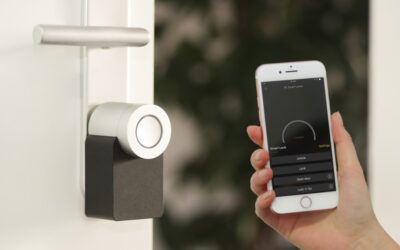
Alarm.com is not a doorbell brand you buy directly. It’s a cloud platform that thousands of independent security dealers license and resell under their own service plans. When you sign up with a dealer, they install Alarm.com-compatible hardware, including the video doorbell, and you control everything through the single Alarm.com app alongside your alarm panel, cameras, locks, and thermostat.
That means there’s no “add to cart” button. You get the doorbell as part of a monitored package, professionally installed and tied to a monthly service agreement. The upside is a genuinely unified system; the downside is you can’t just buy the hardware and self-manage it.
The Hardware and Its Features
Alarm.com has offered several doorbell camera models over the years, and dealers stock current versions. Specs vary by model, but the lineup generally includes these capabilities.
- Resolution: 1080p on standard models, with higher-end units capturing 1440p (2K) for sharper detail on faces and plates.
- Aspect ratio: A tall field of view designed to show a visitor head-to-toe and catch packages placed on the ground.
- HD analytics: On-device and cloud AI that distinguishes people, vehicles, and animals, and can fire a specific “package detected” or “person loitering” alert instead of a generic motion ping.
- Two-way audio: Full-duplex talk with echo cancellation, plus pre-recorded quick-reply messages.
- Night vision: Infrared with color night options on newer units.
- Power: Hardwired to existing doorbell wiring; it’s not a battery-swap device like the DIY brands.
Deep Integration With Your Security System
The real reason to choose this doorbell is what it does with the rest of your system. Because it runs on the same platform as your alarm, you can build automation rules that a standalone doorbell can’t touch.
Picture this: the doorbell recognizes a person at the door after 11 p.m. and automatically turns on your porch light and records a clip. Or someone rings while your system is armed “away,” and the app pushes a priority alert to your phone and the monitoring center. You can also trigger recordings on other cameras, disarm the panel with a linked smart lock, or receive a notification when a package is spotted and then confirm it was retrieved. This cross-device logic is the platform’s signature strength.
How It Differs From DIY Brands
Set against Ring, Nest, Wyze, or Eufy, the Alarm.com doorbell diverges in a few fundamental ways that matter before you commit.
- Sold through dealers, not stores: You buy it as part of a monitored system, not off Amazon.
- Professional installation: A technician typically mounts and configures it, so there’s no DIY setup headache, but also an install fee.
- Contract-based service: It requires an active Alarm.com service plan through your dealer; there’s no free, unmonitored tier.
- Unified app: One interface controls your doorbell, alarm, locks, lights, and thermostat, versus juggling separate apps.
- Professional monitoring: Events can route to a central station, something DIY doorbells generally don’t offer.
In short, DIY brands optimize for cheap, self-managed convenience. Alarm.com optimizes for a professionally monitored, deeply integrated whole-home system.
The Analytics Advantage Explained
The feature dealers push hardest is the video analytics, and it genuinely separates this doorbell from a basic motion sensor. Instead of firing an alert every time a shadow crosses the frame, the system classifies what it sees. It knows a person from a passing car from a neighbor’s cat, and you can draw a “ground zone” or tripwire so it only notifies you when someone actually steps onto your porch or lingers by the door.
That precision compounds when you set rules around it. You might tell the system to notify you only when a person is detected in the package zone after a delivery window, or to escalate to a phone call if someone loiters for more than 30 seconds while the alarm is armed. For homeowners tired of a phone that buzzes at every squirrel, this targeted alerting is the single most appreciated feature after installation, and it’s baked into the platform rather than bolted on.
What It Costs
Because pricing runs through dealers, there’s no single sticker price, but you can budget in ranges. The doorbell hardware itself typically lands between $150 and $250, often bundled into a larger equipment package or financed across your contract. Professional installation may be included in a system install or run $75 to $150 as an add-on.
The recurring cost is the real number to weigh. Alarm.com service plans that include video are set by each dealer, but interactive plans with video analytics commonly fall in the $30 to $60 per month range, covering your whole system, not just the doorbell. Video-specific add-ons and cloud clip storage may layer on top. Ask any dealer for a written breakdown of equipment, install, and monthly fees before you sign.
Who Should Buy It
This doorbell makes sense for a specific homeowner. If you already run an Alarm.com security system, adding the matching doorbell is a no-brainer, one app, shared automations, and monitored alerts. It also suits people who want a hands-off, professionally installed and serviced setup and don’t mind a monthly bill for the convenience and monitoring.
It’s the wrong pick if you want a low-cost, no-contract camera you install yourself in ten minutes. For that, a Ring or Wyze is cheaper and simpler. The trade is control and price versus integration and monitoring.
Installation and What the Dealer Handles
One appeal of going the dealer route is that you don’t touch the wiring. A technician confirms your existing doorbell transformer supplies adequate voltage, typically 16 volts AC or higher for a video doorbell, and upgrades it if your old chime runs on a weak 10-volt transformer. Underpowered wiring is the leading cause of doorbell cameras that reboot or drop offline, and a pro catches it during the site survey.
The installer also mounts the unit at the recommended 48 inches above the porch, aims the field of view to capture the walkway and package zone, and pairs it to your panel and app before leaving. If your door faces a busy street, they’ll help set analytics zones so the system only flags activity in your yard. For homeowners who don’t want to fuss with brackets, diodes, and app pairing, this hands-off setup is a real part of the value.
Privacy, Storage, and Reliability
Video handling differs from the DIY world in ways worth knowing. Clips typically record to Alarm.com’s cloud, with retention set by your dealer’s plan, often 30 to 60 days, and some setups add local storage through a compatible recorder for continuous footage. Because the platform is built for professionally monitored security, it emphasizes encrypted transmission and role-based access, so you can grant a family member view-only rights without full system control.
Reliability is a genuine strength here. The doorbell rides on the same monitored backbone as your alarm, which often includes cellular backup, meaning a cut internet line or power blip won’t necessarily blind your front door the way it can with a Wi-Fi-only consumer doorbell. That resilience is part of what you pay the monthly fee for, and for many buyers it justifies the premium over a standalone gadget.
The Verdict
The Alarm.com video doorbell isn’t trying to win the budget DIY war, and judging it on price alone misses the point. Its value is being one node in a professionally monitored, fully integrated smart-home security platform, complete with sharp 1080p or 1440p video, AI-driven person and package analytics, and automations that reach across your locks, lights, and alarm. If you’re already in the Alarm.com ecosystem or you want a monitored system rather than a standalone gadget, it’s a strong, cohesive choice. If you just want a cheap camera at the door, look elsewhere.