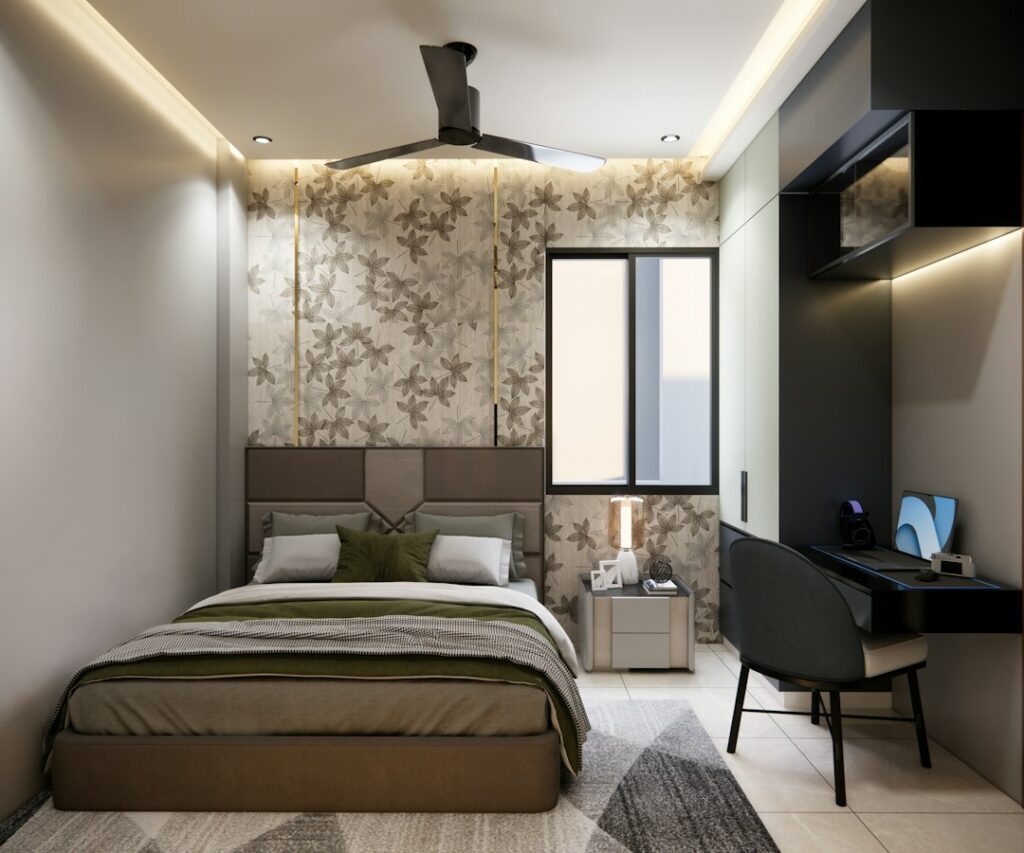
The standard living room advice to put the screen at seated eye level does not work in a bedroom. When you watch from bed, you are propped on pillows with your head tilted back, so your natural line of sight points higher. The right bedroom tv height is usually a screen center about 55 to 65 inches from the floor, often paired with a slight downward tilt of 5 to 15 degrees.
That range shifts with your bed height, mattress thickness, pillow habits and how far the bed sits from the wall. A low platform bed and a tall pillow-top mattress can differ by a foot in eye level. A few quick measurements let you dial in a height that keeps your neck relaxed through a full movie.
How to Find the Right Bedroom TV Height
Start with your actual eye height, not a generic number. Sit in bed the way you normally watch, leaning on your usual pillows. Have someone measure from the floor to your eyes. Most people land between 36 and 48 inches, since mattress tops typically sit 22 to 30 inches off the floor and a reclined torso adds another 14 to 20 inches.
Next, measure the distance from your eyes to the wall where the TV will hang. Bedrooms are usually 6 to 10 feet from pillow to wall.
Now apply the reclined-viewing adjustment. When you lean back at roughly 30 to 45 degrees, your comfortable gaze tilts upward. A screen center about 10 to 15 degrees above your eye line feels natural in that position. To convert that angle to inches:
- At 6 feet away, 10 to 15 degrees up is about 13 to 19 inches above eye level
- At 8 feet away, it is about 17 to 26 inches above eye level
- At 10 feet away, it is about 21 to 32 inches above eye level
Example: your eyes sit at 42 inches and the wall is 8 feet away. Add 17 to 26 inches and the screen center should land at roughly 59 to 68 inches from the floor. If you mostly sit upright against the headboard, use the lower end. If you lie nearly flat, use the upper end and add more tilt.
Quick Reference Table
| Viewing Position | Typical Eye Height | Screen Center Height |
|---|---|---|
| Sitting upright in bed | 40 to 48 in | 50 to 58 in |
| Reclined on pillows | 36 to 44 in | 55 to 65 in |
| Lying nearly flat | 28 to 34 in | 60 to 70 in, with strong tilt |
Why Bed Viewing Differs From Sofa Viewing
On a sofa, you sit upright and the ideal screen center is close to eye level, about 40 to 42 inches off the floor. In bed, your spine angle changes everything. Looking straight ahead while reclined actually means looking up toward the wall. Mounting the TV at sofa height forces you to bend your chin toward your chest, which quickly tires the neck.
Going too high causes the opposite problem. Above about 15 to 20 degrees of upward gaze, the back of the neck carries the load. That is the same discomfort people feel in the front row of a theater. A tilting mount solves most of this by angling the screen down toward the pillows, which also reduces glare from ceiling lights.
Choosing the Tilt Angle
A tilting tv wall mount typically offers 5 to 15 degrees of downward tilt, and some go further. Here is how to set it:
- Mount the TV at your calculated height.
- Lie in your normal viewing position and look at the center of the screen.
- Tilt the screen down until the picture looks evenly bright from corner to corner. Many panels shift in contrast or color when viewed from below at a steep angle, so the tilt points the screen’s best viewing angle at your eyes.
- Tighten the tilt lock once it looks right.
For a bed that is off to one side of the wall, or for a room where you also watch from a chair, a full-motion arm lets you swivel and tilt as needed. Full-motion arms carry more leverage on the wall, so anchoring into studs matters even more.
Mounting Above a Dresser
Many bedrooms place the TV above a dresser on the wall facing the bed. Dressers range from about 30 to 40 inches tall. Leave 6 to 12 inches between the dresser top and the bottom edge of the screen so lamps, decor or a soundbar fit underneath without crowding the picture.
Work out whether that clearance agrees with your ideal center height. A 55-inch screen is about 27 inches tall, so its center is about 13.5 inches above its bottom edge. On a 34-inch dresser with 10 inches of clearance, the bottom edge sits at 44 inches and the center at about 57.5 inches, right in the reclined range. A 65-inch screen (about 32 inches tall) on the same dresser would have its center near 60 inches.
Setting the TV directly on the dresser usually puts it too low for bed viewing unless the dresser is very tall or the bed is low. Wall mounting also keeps the screen out of reach of kids and pets, and frees the dresser top.
Tools and Materials
- Tilting or full-motion wall mount rated for your TV’s weight and hole pattern
- Stud finder
- Drill with bits sized to the mount’s lag bolts
- Level and tape measure
- Pencil and painter’s tape
- Socket wrench
- Cord cover channel or an in-wall power and cable kit listed for that use
- Non-contact voltage tester if cutting drywall
- A helper for lifting the screen
Step-by-Step Mounting Process
- Tape a template. Mark the screen outline on the wall with painter’s tape at your target height and check it from bed for a night or two.
- Locate studs. Most homes have studs 16 inches apart. Mark the centers of two studs within the mount’s plate range.
- Find the bracket position. Measure from the TV’s mounting holes to its bottom edge, then calculate where the wall plate must go so the screen center ends up at your target height.
- Drill pilot holes. Level the plate, mark through it and drill pilot holes into the stud centers.
- Attach the wall plate. Drive the lag bolts snug, not overtightened, and recheck level.
- Attach the arms to the TV. Use the bolts and spacers supplied with the mount, laying the TV face down on a soft blanket.
- Hang the TV with a helper. Hook the arms on the plate and engage any safety locks or screws.
- Set the tilt. Lie in bed and adjust as described before tightening.
Hiding Wires Safely
Dangling cords are the most common complaint after mounting. You have two safe options.
Surface channels: Paintable cord covers stick or screw to the wall and run down to the outlet. They require no cutting and work well for renters.
In-wall kits: A standard TV power cord should never be fished through a wall cavity, because it is not rated for in-wall use and creates a fire risk. Use a recessed power kit listed for in-wall installation, which places a power inlet behind the TV connected to a plug-in point near the floor, with low-voltage HDMI and data cables running through a separate pass-through. Before cutting into drywall, turn off the breaker for nearby circuits and confirm the power is off with a non-contact voltage tester. Low-voltage cables like HDMI can go in the wall freely, while line-voltage power needs proper rated components.
Plug the TV directly into a wall outlet or a surge protector plugged into the wall, not an extension cord. If there is no outlet near the mounting spot, adding one is a job for a licensed electrician.
Troubleshooting Common Problems
- Neck aches after an hour: The screen is too low or too high. Recheck your reclined eye height and the 10 to 15 degree rule.
- Picture looks washed out: Increase downward tilt so the panel faces you directly.
- Reflections from a window or lamp: More tilt often helps; otherwise move the lamp or add light-filtering shades.
- TV sags forward over time: Tighten the tilt tension screws or replace a mount that is underrated for the weight.
- Bedroom tv height feels fine for one person but not the other: A full-motion arm with a few inches of vertical play makes a compromise easier.
Typical Costs
Tilting mounts generally cost $25 to $100, and full-motion arms run about $60 to $250. Surface cord channels are inexpensive, usually under $30. Listed in-wall power kits cost roughly $50 to $150. Professional mounting typically ranges from about $100 to $300, with concealed wiring adding more depending on the wall.
When to Call a Pro
Hire an installer for plaster, brick or tile walls, screens over 65 inches or setups where studs do not line up with the ideal spot. Call a licensed electrician to add an outlet behind the TV or to install any hardwired power. If your home has old wiring or you find unexpected cables in the wall, stop and get professional help.
Frequently Asked Questions
How high should a TV be mounted in a bedroom?
For watching from bed, place the screen center about 55 to 65 inches from the floor and add 5 to 15 degrees of downward tilt. Measure your reclined eye height for a more precise number.
Should a bedroom TV be higher than a living room TV?
Yes. You recline in bed, which raises your natural line of sight, so the screen usually sits 15 to 25 inches higher than the 40 to 42 inch sofa standard.
How much space should be between a dresser and a TV?
Leave about 6 to 12 inches between the dresser top and the bottom edge of the screen so items on the dresser do not block the picture.
Is a tilting mount necessary in a bedroom?
It is not required, but it helps. Tilting the screen toward the bed improves picture quality from below and reduces glare from overhead lights.
Can I run a TV power cord inside the wall?
No. Standard power cords are not rated for in-wall use. Use a listed in-wall power kit or a surface cord channel, and hire a licensed electrician for a new outlet.