Mount a big TV too high, the most common mistake by far, and you spend every movie craning your neck like you are in the front row of a theater. A 65-inch tv wall mount height calculator takes the guesswork out by working backward from where your eyes actually sit when you are watching, not from some arbitrary height that looks balanced on the wall. For a 65-inch screen, the numbers are specific and easy to hit once you understand the simple formula behind them.
The Golden Rule: Eye Level to Screen Center
The single principle that governs TV mounting height is that the center of the screen should land at or near your seated eye level. When you sit on your couch and look straight ahead with relaxed posture, that horizontal line of sight is where the middle of the picture belongs. Everything else, the mount height, the distance from the floor, follows from that one target.
For most people sitting on a standard sofa, seated eye level falls around 40 to 44 inches above the floor. That range is the anchor for the whole calculation. The mistake nearly everyone makes is mounting the TV so its center sits well above eye level, often 55 or 60 inches up, because the bare wall makes a lower position look strange before the furniture and screen are in place. Trust the eye-level target over what looks balanced on an empty wall.
Running the Numbers for a 65-Inch TV
A 65-inch TV, measured diagonally, is roughly 32 inches tall for the screen itself. Because the center sits halfway up, the middle of the screen is about 16 inches below the top and 16 inches above the bottom. To place that center at a 42-inch seated eye level, the bottom of the screen lands around 26 inches off the floor and the top around 58 inches.
Here is the practical translation. If your seated eye level is 42 inches, mount the 65-inch TV so its center is at 42 inches, which puts the bottom edge roughly 26 inches above the floor. If your eye level is lower, say 40 inches on a deep, low sofa, drop everything two inches; if you sit higher, raise it accordingly. The screen height is fixed by the TV, so all you are really doing is centering that 32-inch panel on your personal eye-level number.
Measuring Your Actual Seated Eye Level
Do not guess your eye level; measure it, because sofas vary widely in seat height. Sit in your usual spot in your normal watching posture, then have someone measure from the floor straight up to the center of your eyes with a tape measure. A firm, upright sofa might put you at 44 inches, while a plush, sink-in sectional might drop you to 38 inches. That difference of six inches directly shifts where the TV should go.
If more than one person uses the room and their heights differ, average the eye levels or favor the person who watches most. Also measure from the exact seat you actually use; a recliner in the reclined position lowers your eye level and lifts your gaze, which can justify mounting an inch or two higher or choosing a tilting mount. The goal is a number that reflects real viewing, not a generic assumption.
Viewing Distance and Angle Matter Too
Height works together with how far you sit from the screen. For a 65-inch TV, a comfortable viewing distance is roughly 8 to 11 feet, close enough to be immersive but far enough that your eyes are not sweeping across the panel. The farther back you sit, the less a slightly high mount strains your neck, but eye-level centering still gives the best experience at any reasonable distance.
When the ideal height is not achievable, for example above a fireplace where the mantel forces the TV higher than eye level, a tilting or full-motion mount rescues the setup. Tilting the screen down 10 to 15 degrees points the picture toward your eyes and reduces neck strain and glare. Full-motion arms let you pull the TV out and angle it, which is worth the extra cost whenever the ideal flat-mount height simply is not possible on your wall.
Finding Studs and Mounting Safely
Once you know the height, the physical mount has to be secure, because a 65-inch TV and mount together can weigh 50 to 70 pounds. Use a stud finder to locate the wall studs, typically spaced 16 inches on center, and anchor the mount bracket into at least two studs with the heavy lag bolts supplied. Never hang a TV this size on drywall anchors alone; the wall will not hold it.
Mark the mount position so that when the TV hangs on it, the screen center lands on your calculated eye-level line, remembering that the bracket sits behind and slightly above or below center depending on the design. Hold the bracket in place, use a level to keep it perfectly horizontal, mark and drill your pilot holes into the studs, and tighten the lags fully. A crooked mount is obvious the moment the picture is on, so take the extra minute with the level.
Mounting Above a Fireplace
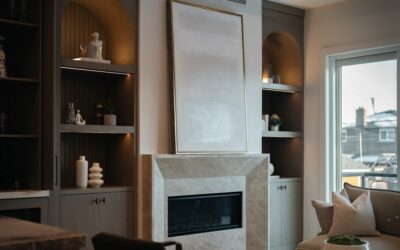
The fireplace is where the eye-level rule collides with reality, because a mantel forces the TV higher than ideal. If you must mount above a fireplace, minimize the damage with a full-motion or a pull-down mount that lets you bring the screen forward and tilt it down toward your seats when you are watching. A straight fixed mount up there guarantees a stiff neck, since the center of a 65-inch screen can end up 55 inches or more off the floor.
Heat is the other concern over a fireplace. A working wood or gas fireplace throws heat and soot upward, and prolonged exposure can damage the TV’s electronics. Check the temperature above the mantel during a fire with your hand; if it is uncomfortably warm, the spot is too hot for a TV. A deep mantel that projects the heat outward, or a heat shield, helps, but the safest approach is to reserve the over-fireplace spot for homes where the fireplace sees little use or where a pull-down mount keeps the screen at a livable height.
Cable Management and Wall Type
Once the height is set, plan how the cables reach the TV, because a tangle of wires dangling down the wall ruins an otherwise clean install. On a standard drywall wall, the tidiest solution is to run the cables inside the wall using a pair of low-voltage brackets, one behind the TV and one near the outlet below, which lets you route HDMI and power cables out of sight. An in-wall-rated power kit keeps the job code-compliant.
The wall material changes the hardware you need. Wood-stud drywall is the easiest and takes standard lag bolts into the studs. A brick or concrete wall requires masonry anchors and a hammer drill, and you lose the option of running cables inside the wall, so plan a surface raceway to hide them. For a plaster-and-lath wall common in older homes, locate the studs carefully and use longer lags, since the plaster itself holds nothing. Confirm your wall type before buying the mount so the included hardware actually suits it.
Test Before You Commit
Before drilling anything, dry-run the height. Cut a piece of cardboard or paper to 65-inch-TV dimensions, about 57 inches wide by 32 inches tall, and tape it to the wall at your calculated position. Sit down in your normal spot and look at it. If your eyes land near the center and your neck feels neutral, the height is right; if you are looking up, lower it a couple of inches and check again.
This five-minute test with tape and cardboard saves you from a permanent mistake in the studs. The 65-inch tv wall mount height calculator approach is simple in the end: measure your seated eye level, center the 32-inch-tall screen on that number so the bottom sits around 24 to 28 inches off the floor, mount into studs with a level, and confirm with a mockup first. Do that and you get a screen that is comfortable to watch for hours, not one that leaves your neck aching after the first movie.