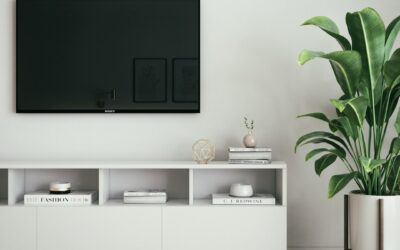
Tucking a television into a corner is one of the smartest ways to reclaim floor space and improve sightlines in a living room or bedroom, and a corner wall tv mount is the hardware that makes it possible. Unlike a flat mount that sits parallel to a single wall, a corner wall tv mount uses a long articulating arm or a special bracket to position the screen so it faces the room from the diagonal, giving everyone a good view. The challenge, and the reason so many corner installs go wrong, is that the framing behind a corner is not where people expect it to be.
Corners hide their studs, meet at angles, and sometimes conceal wiring or the seam of two wall sheets. Mounting a heavy TV safely there means finding solid framing, choosing the right style of mount, and respecting weight limits. This guide covers the mount types, the stud problem, and how to hang a screen in a corner without it pulling loose.
Why Mount a TV in a Corner
Corners are often dead space. A television placed there frees the main walls for furniture, art, or windows, and it angles the screen toward a sofa or bed placed across the room. In a bedroom, a corner mount can point the TV at the bed from a spot that a flat wall could not serve. In an open living area, it lets the screen face a seating group without dominating a whole wall.
The viewing benefit is real: a full-motion corner mount lets you pull the TV out and swivel it, so you get a square-on picture from multiple seats and can push it back flat when it is off. That flexibility is the main reason people choose corner mounting over a simple flat wall.
Types of Corner Mounts
Two approaches get a TV into a corner:
- Full-motion (articulating) mount: The most common choice. A long extending arm attaches to a single wall (or into the corner framing) and swings the TV out and angles it into the room. Standard full-motion mounts with enough arm reach work in most corners.
- Dedicated corner mount: A specialized bracket designed to span the corner and attach to both adjoining walls, holding the TV in the angle. Less common but purpose-built for the job.
For most homeowners, a quality full-motion mount with a long articulating arm is the simplest solution because it attaches to framing in one wall and reaches out to sit across the corner. Confirm the arm’s maximum extension and swivel range so the TV can angle enough to face your seating.
The Stud Problem in Corners
This is the make-or-break issue. A TV mount must anchor into solid framing, and corners have framing in unusual places. Interior corners are often built with a three-stud or two-stud arrangement, and there may be a stud right at the corner plus one a standard distance away on each wall. That means the flat area where you want to mount may or may not have a stud where you need it.
Use a quality stud finder and probe carefully, because corners can also hide electrical wiring, especially near outlets and switches. Never mount into drywall alone with plastic anchors for a TV; a screen that pulls loose can fall and injure someone or destroy the TV. You need the lag bolts driven into at least one, preferably two, solid studs. If the framing does not line up with your mount, you may need to open the wall and add blocking, or reposition the mount.
Matching the Mount to Your TV
Every mount lists two critical specs: the VESA pattern and the weight capacity. VESA is the spacing of the four threaded holes on the back of your TV, given in millimeters (for example 200×200, 400×400, or 600×400). Your mount must support your TV’s VESA pattern and its screen-size range.
Weight capacity matters even more with a full-motion arm, because an extended arm multiplies leverage on the wall anchors. Check your TV’s weight and choose a mount rated comfortably above it, not right at the limit. A 65-inch TV might weigh 45 to 70 pounds; a 75-inch model can exceed 80 pounds. Buy a mount rated for more than your TV weighs, and verify the arm reach suits your corner depth.
Arm reach is the spec people overlook on a corner install. In a corner, the mount plate sits on one flat wall while the TV needs to swing out and rotate to face diagonally into the room, so you need more extension than a flat-wall mount would require. Look for an arm that extends at least 16 to 24 inches and offers a wide swivel range, ideally 45 degrees or more to each side. Measure from the wall plate location to where you want the screen’s face to end up, then confirm the mount can reach and rotate that far without hitting the adjacent wall. A mount with too little reach leaves the TV buried in the corner at an angle nobody can watch comfortably.
What It Costs
Corner-capable full-motion mounts run roughly $40 to $150 depending on size rating and arm length; heavy-duty mounts for large screens cost more. Dedicated corner brackets are similar. Add a few dollars for proper lag bolts, and consider an in-wall cable management kit ($20 to $60) to hide the cords running to the TV.
Professional installation typically runs $100 to $300, more if the installer must add blocking, fish cables through the wall, or add an outlet behind the TV. For a large, expensive screen or a tricky corner, professional installation is cheap insurance against a fallen TV.
Installation Overview
With the right mount and confirmed framing, the process is manageable for a confident DIYer. Locate and mark the studs, hold the mount’s wall plate level, and mark your bolt holes. Drill pilot holes and drive the included lag bolts into solid framing, checking level as you go. Attach the mounting arms to the back of the TV using the correct VESA hardware, then lift the TV onto the wall plate, which is a two-person job for anything over 40 inches.
Route the power and HDMI cables neatly, using an in-wall pass-through kit or a surface raceway. Test the full range of motion before you trust the mount, and make sure cables have enough slack to extend and swivel without pulling. Tighten the arm’s friction adjustments so the TV holds its position.
Cable slack is a real gotcha with articulating corner mounts. When the arm is fully extended and swiveled, the cables travel a longer path than when the TV sits flush, and cords cut too short can unplug themselves or strain the ports. Leave a generous service loop at the wall so the cables flex freely through the arm’s whole range. A soft-goods media box recessed behind the TV, or a low-voltage bracket with a brush plate, keeps the HDMI and power runs tidy while giving them room to move.
Safety and When to Hire a Pro
A wall-mounted TV in a corner puts significant load on a few anchor points, so safety is not optional. The single biggest rule: anchor into studs or solid blocking, never drywall anchors alone. If you cannot find framing where you need it, if the corner hides wiring you are unsure about, or if you want power run inside the wall, hire a professional installer or an electrician for the in-wall electrical portion.
Also confirm your wall type. Mounting to plaster-and-lath, brick, or concrete requires different anchors and techniques than drywall over wood studs, and getting that wrong risks a fall. When in doubt, get a professional to assess the corner.
Getting the Angle Right
Before drilling, sit where you will actually watch and have someone hold the TV in the corner at the height and angle you are considering. Aim for the center of the screen near eye level from your seat, often 42 to 48 inches to center for a sofa. In a bedroom where you watch lying down, you may mount it higher and tilt it downward, which is where the tilt function of a full-motion mount earns its keep. Take a phone photo of the TV held in position so you can judge the look before committing to holes, and mark the exact height and angle with painter’s tape once it feels right. A few minutes of mockup saves you from patching misplaced anchor holes later. Glare is the other consideration when you settle on placement. A corner often sits between two walls that may each have a window, so check where the afternoon sun lands and angle the screen to avoid reflections washing out the picture. A corner wall TV mount rewards a little planning: confirm the framing, match the mount to your TV’s VESA and weight, anchor into studs, aim the screen away from glare, and you get a screen that floats in the corner, faces your seats perfectly, and frees the rest of the room for the furniture and life you actually want there.