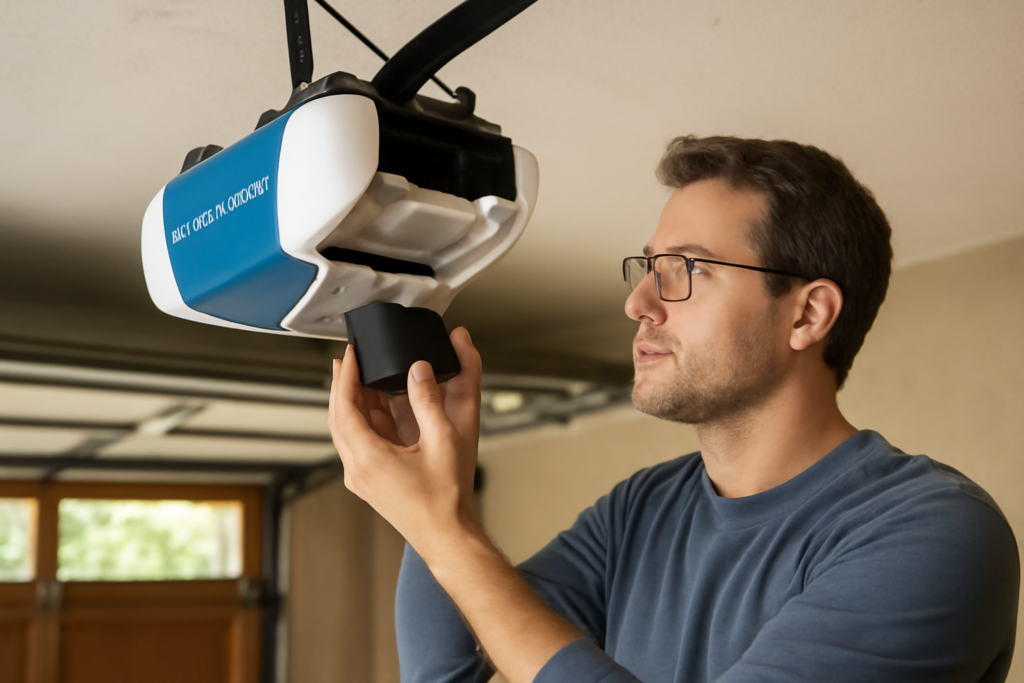
That steady chirp coming from your garage ceiling is not a smoke detector begging for attention; it is your opener telling you the backup battery is done. A Chamberlain garage door opener battery replacement is one of the easiest home maintenance jobs there is, yet the beeping drives people to distraction because they cannot pinpoint the source. Chamberlain openers can use two different batteries, the backup battery in the motor unit and the coin cell inside the remote, and this guide covers both so you can silence the alarm and keep your door working through the next power outage.
- Understanding the Two Batteries in a Chamberlain System
- Which Battery Do You Need?
- Replacing the Backup Battery in the Motor Unit
- Replacing the Remote Battery
- Do You Need to Reprogram After a Battery Swap?
- Why the Backup Battery Matters
- Troubleshooting After Replacement
- How Long the Batteries Should Last
- Buying the Right Replacement Battery
- Extending Battery Life
Understanding the Two Batteries in a Chamberlain System
Before you buy anything, know which battery is asking for a swap. Chamberlain systems commonly involve two power sources. The first is the backup battery, a 12-volt rechargeable pack tucked inside the motor housing on models with Battery Backup, which lets the door open when the grid goes down. The second is the small button cell in your handheld remote or the AA-style cell in a wireless keypad. A chirping powerhead points to the backup battery, while a remote that only works up close points to the remote’s coin cell.
Which Battery Do You Need?
Matching the correct part saves a return trip. Chamberlain and its sister brand LiftMaster use these common batteries:
- Backup battery: Chamberlain 4228 or the equivalent 12V rechargeable pack for openers with Battery Backup. Check your model, as capacity varies.
- Remote batteries: Most Chamberlain remotes use a CR2032 or CR2016 coin cell; some older visor remotes take a 23A 12-volt battery.
- Keypad battery: Wireless keypads typically run on a single 9-volt or a CR2032 depending on model.
The fastest way to confirm the remote battery is to open the case and read the number printed on the old cell. For the backup battery, the model number is printed on the battery itself and referenced in your owner’s manual.
Replacing the Backup Battery in the Motor Unit
When the opener chirps every 30 seconds or so and the battery indicator LED glows red or flashes, the backup battery has reached the end of its three-to-five-year life. Here is how to swap it safely:
- Unplug the opener from the ceiling outlet so you are not working on a live unit.
- Set up a sturdy ladder and locate the battery cover on the side of the motor housing, usually held by a single screw or a snap tab.
- Open the cover and note how the old battery’s red and black leads connect. Take a photo for reference.
- Disconnect the wire harness, remove the spent battery, and set it aside for recycling.
- Connect the new battery, matching red to red and black to black, then seat it in the compartment.
- Close the cover, plug the opener back in, and the chirping should stop. The battery will charge over the next several hours.
Never throw a sealed lead-acid backup battery in the household trash. Most hardware and auto-parts stores accept them for recycling at no charge.
Replacing the Remote Battery
A remote that works only when you are parked directly under the door has a dying coin cell. Replacing it takes under a minute:
- Find the seam or a small slot on the edge of the remote and pry the case open with a coin or a small flathead screwdriver.
- Note the orientation of the old battery, then slide it out. The positive side usually faces up.
- Drop in a fresh CR2032 or the matching cell, positive side up unless the case indicates otherwise.
- Snap the case closed and test the range from across the driveway.
Keep a two-pack of CR2032 batteries in a kitchen drawer; they power the remote, the keypad, and countless other household devices, so they never go to waste.
Do You Need to Reprogram After a Battery Swap?
Good news: replacing either battery does not erase your opener’s memory. The rolling security codes and paired remotes are stored in the motor unit’s non-volatile memory, so a fresh remote battery simply restores range and a new backup battery restores outage protection. You will not need to reprogram anything. If a remote does stop working entirely after a battery change, the cell may be inserted backward, or the remote itself may have failed, in which case a quick reprogram using the learn button on the powerhead confirms whether the remote is still good.
Why the Backup Battery Matters
Some homeowners are tempted to ignore the chirp and skip the backup battery entirely. That is a mistake, especially in areas prone to storms and outages. In many states, including California, battery backup on garage openers is required by law precisely because families have been trapped when the power failed and they could not lift a heavy door. The backup lets you get the car out during an emergency evacuation. Keeping it fresh is a small cost for genuine safety, and letting the chirp go unanswered eventually leaves you with a dead backup when you need it most.
Troubleshooting After Replacement
If something still is not right after the swap, run through these checks:
- Opener still chirps: The new backup battery may be low from the shelf. Give it a few hours to charge, and confirm the leads are fully seated.
- Battery indicator stays red: Check that the battery is the correct capacity for your model and that the harness connector clicked into place.
- Remote range is still short: Verify the coin cell polarity and inspect the powerhead’s hanging antenna wire, which should dangle freely.
- New backup drains quickly: Frequent outages or an aging opener can shorten backup life; if a fresh battery dies within months, the charging circuit may need service.
How Long the Batteries Should Last
Knowing the normal lifespan helps you plan replacements instead of being caught off guard. A Chamberlain backup battery typically delivers three to five years of service before it can no longer hold a reliable charge. Heat is the enemy here; a garage that bakes in summer sun shortens battery life, while a climate-controlled space extends it. The remote’s coin cell usually lasts one to two years depending on how often you press it, and the wireless keypad’s battery, cycled less frequently, can go two to three years between swaps.
Chamberlain builds in warnings so you are rarely stranded. The backup battery announces its decline with periodic chirping and a color-changing indicator LED, giving you weeks of notice. A remote fading toward the end of its battery life gradually loses range, forcing you closer to the door before it responds. Treat these early signals as a scheduling cue rather than an emergency, and pick up the replacement on your next hardware run before the part fully quits.
Buying the Right Replacement Battery
Getting the correct part the first time saves a wasted trip. For the backup battery, note your opener’s model number, usually printed on the powerhead label, and match it to the specified battery, commonly the Chamberlain 4228 sealed lead-acid pack on Battery Backup models. Genuine Chamberlain and LiftMaster replacement batteries guarantee the correct fit and connector, though compatible aftermarket packs of the same voltage and capacity often work at a lower price.
For remotes, the fastest path is to open the case and read the number stamped on the old cell before shopping, since Chamberlain uses several coin-cell types across its remote generations. Buy a fresh cell from a reputable brand rather than a bargain multipack that may have sat on a shelf for years, because a weak battery out of the package mimics the very problem you are trying to solve. Keeping one spare of each battery type in a drawer means you can silence a chirp or restore a remote the moment it fails.
Extending Battery Life
A few habits keep both batteries healthier. Avoid leaving the door open for long stretches on backup power during an outage, since that drains the pack fast. Keep the garage from getting extremely hot or cold when possible, as temperature extremes shorten battery life. For remotes, store spare vehicles’ remotes indoors rather than in a sun-baked car, where heat degrades coin cells. With this routine, a Chamberlain garage door opener battery replacement becomes a rare, five-minute chore rather than a recurring frustration, and your door stays reliable through storms, outages, and everyday use for years.