Hampton Bay is the house brand of ceiling fans sold at The Home Depot, and with millions installed across the country, there is a good chance you own one, or several. When a fan starts wobbling, the light stops working, or the remote dies, tracking down the right Hampton Bay ceiling fan parts can feel confusing because the brand covers so many models. The good news is most common problems trace to a handful of replaceable parts. This guide covers the key components, how to identify yours, and where to find replacements.
- Finding Your Model Number First
- Remote Controls and Receivers
- Capacitors and Speed Problems
- Pull Chains and Switches
- Blades and Blade Arms
- Light Kits and Bulbs
- Down Rods, Canopies, and Mounting Parts
- Where to Find Replacement Parts
- Repair or Replace?
- Troubleshooting Before You Buy Parts
- Preventing Future Failures
- Frequently Asked Questions
Finding Your Model Number First
Before you buy any part, you need your fan’s model number, since Hampton Bay makes hundreds of models and parts are rarely universal. The model number is usually printed on a label on the top of the motor housing near the ceiling, on the mounting bracket, or inside the battery compartment of the remote.
You may need to shut off power and lower the canopy to find it. Write it down along with any UPC or SKU on the box if you still have it. With that number, you can search for exact-match parts instead of guessing, which saves returns and frustration.
Remote Controls and Receivers
The most common Hampton Bay part failure is the remote control system. These fans often use a handheld remote paired with a receiver unit tucked inside the fan canopy. Problems show up as a fan that will not respond, works intermittently, or only runs on one speed.
Troubleshoot in order:
- Replace the remote battery first, it is the cheapest and most common fix.
- Check the DIP switch settings, tiny switches inside both the remote and receiver must match, or they will not communicate.
- If the remote is fine but the fan ignores it, the in-canopy receiver may have failed and needs replacement.
Replacement remotes and receivers are sold as kits. Universal ceiling fan remote kits also work with many Hampton Bay fans if the original is discontinued, as long as your fan is compatible with a receiver install.
Capacitors and Speed Problems
If your fan hums but will not start, runs only at certain speeds, or spins slowly, the culprit is often the capacitor. This small component regulates the motor’s speed windings, and it degrades with heat and age.
The capacitor is a small box with several wires, usually mounted inside the motor housing or the switch housing. Replacing it requires matching the microfarad (uF) ratings printed on the old one exactly. It is a moderate DIY repair for someone comfortable with basic wiring, but always cut power at the breaker first. A new capacitor is inexpensive, often under $10, making it a cost-effective fix versus replacing the whole fan.
Pull Chains and Switches
On fans with pull chains, the chain switch is a frequent wear item. If pulling the chain no longer changes speeds, or the chain snapped off inside the housing, the switch needs replacing. These are model-specific in terms of the number of speeds they control (typically a 3-speed switch), and they are cheap and straightforward to swap.
To replace one, cut power, remove the switch housing cover, note the wire positions on the old switch, and transfer them to the new one. A separate wall or light pull chain controls the light kit and can fail the same way.
Blades and Blade Arms
Wobble and imbalance often come from the blades or the metal arms (brackets) that hold them. Warped, cracked, or mismatched blades throw the fan off balance, and bent blade arms do the same. Hampton Bay blades come in matched sets, and replacing a single blade with a mismatched one causes wobble, so replace them as a set when possible.
If only the balance is off but the blades look fine, a stick-on balancing kit, small weights you add to the blades, usually solves the wobble without new parts. Check that all blade screws are snug before assuming you need replacements.
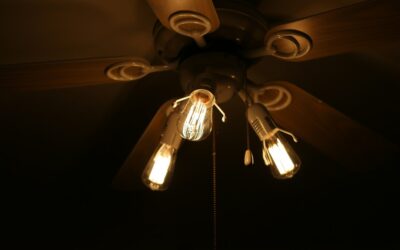
Light Kits and Bulbs
Many Hampton Bay fans include a light kit, and when the light stops working the fix ranges from simple to moderate:
- Bulbs: Confirm the bulb type and wattage rating first; many newer fans use integrated LED modules rather than replaceable bulbs.
- Light kit assembly: If the whole light fails, the socket or wiring in the light kit may be the issue, and full replacement light kits are available for many models.
- Glass shades: Cracked or missing glass globes are sold individually for many models, matched by the fitter size.
For integrated LED fans, the LED panel is sometimes replaceable as a unit, though availability depends on the model.
Down Rods, Canopies, and Mounting Parts
Structural parts like the down rod, canopy, and mounting bracket rarely fail but can be lost during a move or damaged in a fall. Down rods are sized by length and diameter, and the canopy and bracket must match your specific fan. If you are changing ceiling height, a longer or shorter down rod in the matching finish keeps the fan at the right level.
Where to Find Replacement Parts
With your model number in hand, you have several sourcing options. The Home Depot is the primary retailer and stocks or can order many Hampton Bay parts. Hampton Bay also directs customers to a parts support line for warranty and hard-to-find components. Third-party ceiling fan parts suppliers and online marketplaces carry capacitors, remotes, pull-chain switches, and universal kits that fit many models.
Because Hampton Bay periodically discontinues models, older fans may need universal replacements, a universal remote kit or a generic capacitor with matching ratings, rather than an exact original.
Repair or Replace?
Weigh the cost of parts against a new fan. A remote, capacitor, or pull switch fix costs a few dollars to $30 and is well worth doing on a fan you like. But if the motor itself is failing or multiple parts are shot on an old, discontinued model, a new fan may cost less than chasing scarce parts.
For most issues, though, finding the right Hampton Bay ceiling fan parts is an affordable way to bring a fan back to life. Start with your model number, diagnose the specific failure, and match the exact part, and you will keep your fan running for years instead of replacing the whole unit.
Troubleshooting Before You Buy Parts
Before ordering anything, rule out the simple stuff, it saves money and time. Many “dead” fans are just a tripped breaker, a wall switch off, or a remote with a dead battery. If the fan works on the pull chain but not the remote, the problem is in the remote system, not the motor. If the light works but the fan will not spin, look at the capacitor or the fan’s pull switch rather than the whole unit.
Wobble almost always comes from loose blade screws, dust buildup, or a mismatched blade, not a failing motor. Tighten everything, clean the blades, and try a balancing kit before assuming you need replacement parts. Working through these basics often solves the issue for free.
Preventing Future Failures
A little upkeep extends the life of any ceiling fan. Dust the blades regularly, since caked-on dust unbalances the fan and strains the motor. Tighten the blade and mounting screws once a year, as normal vibration slowly loosens them. Keep the fan on a compatible dimmer or control, using an incompatible wall dimmer can burn out the receiver or motor windings. And replace the remote battery proactively rather than waiting for erratic behavior.
These habits prevent the most common wear that sends people searching for replacement parts in the first place.
Frequently Asked Questions
Where is the model number?
Usually on a label on top of the motor housing, on the mounting bracket, or inside the remote’s battery compartment. You may need to lower the canopy to find it.
My fan hums but will not start, what is wrong?
Most often a failed capacitor. It is an inexpensive part, but match the microfarad ratings exactly and cut power before replacing it.
Can I use a universal remote?
Yes, many Hampton Bay fans accept a universal remote kit, which is a good option when the original remote is discontinued.