Hampton Bay is the Home Depot house brand that has sold tens of millions of ceiling fans across the US since the early 1990s. When a fan stops working, finding the right replacement part can save you $80 to $250 versus buying a new fan and dealing with the install. The trouble is that Home Depot rarely stocks parts in-store, and the original manuals get tossed long before the fan fails. A clear Hampton Bay ceiling fan parts diagram gives you the vocabulary and part numbers needed to order from Hampton Bay Parts, Home Depot online, or third-party suppliers like Replacement Remotes. Most repairs take 30 to 90 minutes with basic tools and a non-contact voltage tester.
The Major Components of a Hampton Bay Fan
From the ceiling down, a typical Hampton Bay fan includes:
- Mounting bracket: bolts to the electrical box, supports the entire fan weight
- Downrod: 4 to 72 inch metal pipe that holds the fan at the desired height
- Canopy: decorative cover that hides the mounting bracket and electrical connections
- Coupler: connects the downrod to the motor housing
- Motor housing: contains the AC motor, capacitor, and wiring
- Switch housing: holds pull chains and reverse switch on chain-pull models
- Blade arms: 4 to 6 metal arms that hold the blades to the motor
- Blades: usually 42 to 60 inches across, made of plywood, MDF, or plastic
- Light kit assembly: optional, attaches below the motor
- Glass shade and bulb holders: part of the light kit
- Receiver module: hidden inside the motor housing on remote-controlled models
- Remote control: handheld unit that pairs with the receiver
Finding Your Model Number
Before ordering any parts, find your specific model number. Hampton Bay uses a UPC code printed on a small silver sticker on the motor housing or inside the switch housing. Common formats look like UC7078T, UC7083T, or AC-552. You may need to remove the canopy or glass shade to access the sticker. Some older fans only have the model name printed (like Gazebo II, Altura, Carriage House) without a UPC.
Once you have the model, Home Depot’s parts lookup page or HamptonBayPartFinder.com can pull up exploded diagrams and part lists. Third-party sellers like CeilingFanPartsCo and PartSelect carry discontinued items that Hampton Bay no longer stocks.
Common Failure Points
Hampton Bay fans typically fail in predictable ways. Ranked by frequency:
- Pull chain breaks at the switch: $8 to $15 replacement part
- Capacitor burns out (fan runs slow or only on high): $12 to $25
- Receiver module fails (remote no longer controls fan): $25 to $60
- Light socket cracks or burns: $5 to $15 per socket
- Bearing failure (fan wobbles or makes grinding noise): replace fan
- Blade arms loosen or crack: $15 to $30 per arm
- Globe glass breaks: $10 to $40 depending on style
Capacitor failure is the most common motor problem. The fan still gets power but the speeds either do not work or the fan can only spin on the highest setting. A $15 capacitor swap brings the fan back to life.
Replacing the Pull Chain Switch
The pull chain switch is the small mechanical component inside the switch housing that ratchets through speeds when you pull the chain. After a few thousand pulls, the internal contacts wear out. Common replacement is the Zing Ear ZE-208S 3-speed switch ($8 on Amazon).
Steps to replace:
- Turn off power at the breaker, not just the wall switch
- Remove the switch housing cover (usually 2 to 4 screws)
- Note the wire colors and positions, take a photo for reference
- Disconnect old switch using wire nuts or push-in connectors
- Connect new switch matching wire colors and positions
- Reassemble housing and restore power
- Test all three speeds before reinstalling cover fully
Replacing the Capacitor
The capacitor is a small black or silver block inside the motor housing wired to the speed switch. Hampton Bay typically uses 4-wire or 5-wire CBB61 capacitors rated at 250V with values like 4uF + 5uF + 6uF for 3-speed operation. Match the original capacitor by wire count, voltage rating, and microfarad values.
Replacement steps are similar to the pull chain: kill power, photograph wiring, disconnect, replace, and test. A bad capacitor can shock you even after power is off because of stored charge. Discharge by shorting the leads with an insulated screwdriver before handling. Replacements run $12 to $25 on Amazon.
Receiver and Remote Issues
Remote-controlled Hampton Bay fans (the UC7078T, UC7083T, and UC7225T series) use a receiver module wedged into the motor housing canopy. When the remote stops working after fresh batteries, the receiver is usually the culprit. Confirm by testing the pull chains; if the fan still works manually with the receiver wired in, the remote needs replacing. If neither works, replace the receiver.
Universal replacement receivers from Anderic and HamptonBayRemote.com cost $25 to $50 and program in under 5 minutes. Match the model number exactly because dip switch codes vary between generations.
Blade Balancing
A wobbling fan is rarely a motor problem; it is almost always blade imbalance. Hampton Bay ships balance kits with new fans, but you can buy a Westinghouse Fan Balance Kit at Home Depot for $4 to $7. The kit includes adhesive weights and a clip-on gauge.
Clip the gauge weight to each blade in sequence. The blade where the gauge reduces wobble the most is the unbalanced one. Stick a small adhesive weight on the top of that blade about 4 inches from the motor housing. Test, adjust position, and repeat until the fan runs smoothly. Total time is about 20 minutes.
Light Kit and Bulb Sockets
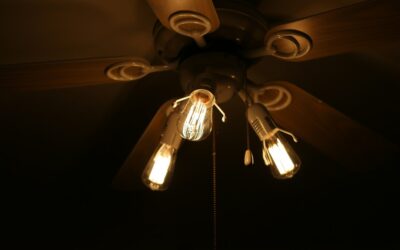
Hampton Bay light kits typically use E26 medium base sockets rated for 40 to 60 watt incandescent or LED equivalent. The sockets crack with age, especially when bulbs get over-tightened. Replacement sockets at Home Depot run $5 to $8 each.
If only one bulb out of three or four refuses to light, swap the bulb first, then check the socket. A blackened or scorched socket needs replacement. Match the wire color (black to brass terminal, white to silver terminal) and use the same wattage rating.
Where to Buy Parts
Best sources for Hampton Bay parts, ranked by reliability:
- HomeDepot.com: official parts when listed; often discontinued for older models
- HamptonBayPartFinder.com: extensive diagrams and parts catalog
- Amazon: capacitors, pull chains, universal replacements
- CeilingFanPartsCo.com: hard-to-find discontinued parts
- PartSelect.com: motor housings, blade arms, switch housings
- Anderic Receivers: replacement remote receivers and handhelds
When to Replace Rather Than Repair
If your fan needs a motor replacement ($120 to $200), or if total repairs exceed $80 on a fan that originally cost $129, replacing the fan makes more sense. Hampton Bay fans typically sell for $79 to $249 at Home Depot, so the break-even is usually around 40 to 50% of replacement cost in repairs.
For a fan over 15 years old that just lost its capacitor, the $15 fix is still worth it. For a 5-year-old fan that needs a motor and the bearings are grinding, retire the fan and install a new one. A clear Hampton Bay ceiling fan parts diagram lets you make that decision with real information instead of guessing what is wrong.