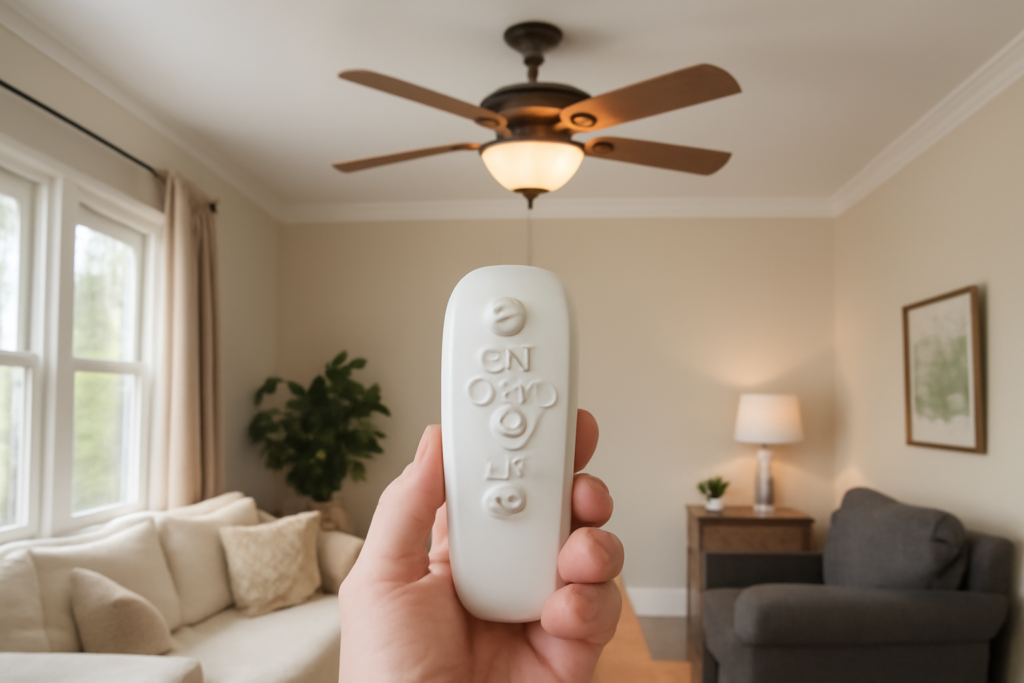
Hampton Bay is Home Depot’s house brand for ceiling fans, and most of its models ship with a handheld remote instead of pull chains. When it works, the Hampton Bay ceiling fan remote is a genuine convenience — you control fan speed, light dimming, and reverse from your couch. When it stops responding, though, it can be frustrating to figure out whether the problem is a dead battery, a mismatched code, or a failed receiver in the fan canopy. This guide covers pairing, resetting, replacing, and troubleshooting so you can get your fan back under control quickly.
- How Hampton Bay Remotes Work
- Identifying Your Remote Type
- Setting or Matching Dip Switches
- Pairing a Learning or Universal Remote
- Replacing the Battery
- Troubleshooting a Remote That Stopped Working
- Replacing a Failed Receiver
- Buying a Replacement Remote
- Adding Wall Control or Smart Control
- Preventing Future Remote Headaches
- Controlling Multiple Fans on One Remote
- Understanding Light and Fan Signals
- When to Replace the Whole Fan
- Final Thoughts
How Hampton Bay Remotes Work
A Hampton Bay remote system has two parts: the handheld transmitter and a small radio-frequency (RF) receiver tucked inside the fan’s canopy above the motor. The remote sends a signal on a set frequency, and the receiver switches power to the motor and light accordingly. Older systems use a bank of tiny dip switches to set a shared code between transmitter and receiver, while newer models pair automatically or with a button press. Understanding which type you have determines how you fix problems.
Identifying Your Remote Type
Flip the battery cover off the back of the remote and look for a row of small white or orange sliding switches:
- Dip-switch models (common on fans from roughly 2004–2015) have four or five sliders that must match the receiver’s switches exactly.
- Learning/auto-pair models (newer fans, often the “Universal” style) have no dip switches and instead pair by holding a button during a power cycle.
Knowing your type saves time — a dip-switch fix does nothing on a learning remote and vice versa.
Setting or Matching Dip Switches
If your remote and receiver aren’t communicating and you have dip switches, they may be out of sync. To fix it:
- Turn off power to the fan at the wall switch or breaker.
- Open the remote’s battery compartment and note the switch positions (each is up or down).
- Lower the fan canopy to expose the receiver and set its dip switches to the exact same pattern.
- Restore power and test.
If a nearby fan responds to your remote too, simply choose a unique switch pattern for each fan to keep them independent.
Pairing a Learning or Universal Remote
Auto-pair models sync during a short window after power is restored:
- Cut power to the fan at the wall for at least 30 seconds.
- Restore power. You typically have about 30 seconds to pair.
- Press and hold the remote’s pairing button — often labeled or accessed by holding the fan/light button — until the light blinks or the fan responds.
Universal replacement kits from Hampton Bay and third parties work the same way and are the go-to fix when the original receiver fails.
Replacing the Battery
The single most common cause of a dead remote is a weak battery. Most Hampton Bay handhelds use a 23A 12-volt battery (the small cylindrical type), while a few use a CR2032 coin cell. A fading battery causes short range or intermittent response before it dies completely. Swap it first before assuming a bigger failure — it fixes the majority of “my remote stopped working” complaints.
Troubleshooting a Remote That Stopped Working
Work through these steps in order:
- New battery: install a fresh 23A or coin cell and confirm correct polarity.
- Power cycle: flip the wall switch off for 30 seconds, then back on to reset the receiver.
- Range test: stand directly under the fan; RF range is limited and drywall or metal can weaken it.
- Re-sync the code: match dip switches or repeat the pairing sequence.
- Rule out the wall switch: make sure the switch feeding the fan is fully on — a partially depressed dimmer or a smart switch cutting power will block the receiver.
If none of that works, the receiver in the canopy has likely failed.
Replacing a Failed Receiver
Receivers do burn out, especially in humid rooms or after a power surge. To replace one:
- Kill power at the breaker — not just the wall switch — and verify with a voltage tester.
- Lower the canopy to expose the wiring and the old receiver.
- Note how the receiver connects: line in (black/white from the ceiling), and outputs to the motor and light (often black for motor, blue for light).
- Install a universal receiver kit, matching wire colors, and tuck it back into the canopy.
- Restore power and pair the new remote.
Universal kits are inexpensive and let you keep the fan even when the original part is discontinued.
Buying a Replacement Remote
If you lost the remote entirely, you have two paths:
- Exact-match replacement: find the model number on the fan or original receiver and order the matching Hampton Bay handheld. Set its dip switches to match the existing receiver.
- Universal kit: replace both the remote and the receiver together. This guarantees compatibility and often adds features like light dimming and fan reverse.
Home Depot and Hampton Bay parts lines carry both, and universal RF kits from major fan-parts makers work with most Hampton Bay motors.
Adding Wall Control or Smart Control
Many homeowners want to control the fan without hunting for a lost remote. Options include:
- Wall-mounted RF controls that dock the same style transmitter in a wall cradle.
- Smart fan controllers that add app and voice control. Be careful: never put a standard smart dimmer on a fan motor, as it can damage the motor and hum. Use a controller rated for ceiling fans.
If you go smart, a fan-rated Wi-Fi or Zigbee receiver replaces the canopy unit and preserves proper motor speed control.
Preventing Future Remote Headaches
A few habits keep things trouble-free:
- Keep a spare 23A battery in a drawer so a dead remote is a two-minute fix.
- Write down your dip-switch pattern and stick it inside the battery cover, so a replacement remote is easy to configure.
- Avoid pairing multiple fans on the same code unless you intend to control them together.
- After any power outage, expect to power-cycle the fan to restore normal response.
Controlling Multiple Fans on One Remote
Sometimes you actually want one remote to run several fans — or the opposite, several remotes each running their own fan. Dip switches make both easy:
- To control several fans together, set every fan’s receiver and the remote to the same dip-switch code. One button press then commands them all, handy in a great room with two matching fans.
- To keep fans independent, give each fan a unique dip-switch pattern and pair a separate remote to each. This prevents the common annoyance of one remote unexpectedly turning a neighboring fan on or off.
- In apartments and condos, changing your code also stops a neighbor’s identical remote from controlling your fan through the wall.
Take a moment to plan your codes when you have more than one Hampton Bay fan in the home.
Understanding Light and Fan Signals
Most Hampton Bay remotes send separate commands for the fan motor and the light kit, and understanding the buttons prevents confusion:
- The fan buttons cycle through low, medium, high, and off speeds.
- The light button toggles the light and, on dimming models, holding it raises or lowers brightness.
- Some remotes include a reverse button to switch seasonal direction without touching the motor switch.
If the fan responds but the light doesn’t, the receiver’s light circuit or the bulb itself may be the issue rather than the remote. Confirm the bulbs work by testing at the wall switch, and check that the light kit’s wire is properly connected to the receiver’s blue output lead.
When to Replace the Whole Fan
Occasionally the remote and receiver aren’t worth chasing. Consider replacing the fan entirely if the motor hums or wobbles badly, the fan is more than 15 years old and inefficient, or replacement parts for a discontinued model are impossible to find. A modern DC-motor fan with an included remote often costs little more than a premium receiver kit and delivers quieter operation, better airflow, and lower energy use. For most fans in good shape, though, a universal receiver and remote kit is the smart, economical fix.
Final Thoughts
The Hampton Bay ceiling fan remote is a simple RF system, and nearly every problem traces back to one of four things: a weak battery, a mismatched dip-switch code, a receiver that needs a power-cycle reset, or a failed canopy receiver. Start with a fresh battery, then work up to re-syncing the code and, if needed, dropping in a universal receiver kit. With those tools in your kit, you can revive an unresponsive fan, replace a lost remote, or upgrade to smart control without swapping out the whole fixture. A little know-how turns a frustrating dead remote into a quick, confident repair.