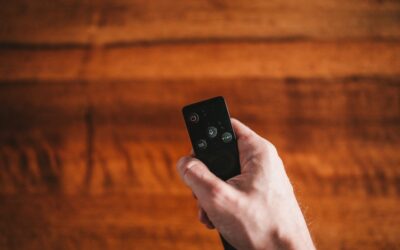
Lose a garage remote and the dealer wants $50 for a brand-specific replacement, which is exactly the problem the Clicker line was built to solve. A Clicker garage door opener remote or keypad is a universal accessory made by Chamberlain that programs to nearly any brand of opener, from LiftMaster and Chamberlain to Genie, Overhead Door, Linear, and dozens more. For $25 to $40, one Clicker replaces a lost remote, adds a keypad to a keypad-less door, or consolidates several openers onto a single control. This guide explains how the system works and how to program it.
Part of our Garage Doors guide — explore the full guide →
What “Clicker” Actually Means
Clicker is a product brand, not a type of opener. It is the universal-accessory line from Chamberlain Group, the same company behind LiftMaster and Chamberlain openers. A Clicker garage door opener product is therefore a remote control or wireless keypad designed to work across brands rather than a motor unit itself.
This distinction matters when shopping. You are not replacing the opener on your ceiling; you are replacing or adding the handheld remote or wall keypad that talks to it. Because Clicker devices are cross-compatible, they are the go-to fix when your original remote is discontinued or too expensive.
Understanding how the technology works helps demystify the programming. Garage remotes and openers communicate over radio frequency, historically around 300 to 390 MHz. Older systems used fixed codes set by physical dip switches, while modern openers use rolling code, which changes the transmitted code with every press so it cannot be intercepted and replayed by a thief. A good universal remote like the Clicker recognizes both approaches and adapts to whichever your opener uses, which is why one device can cover such a broad list of brands.
Universal Remote Models
The Clicker lineup covers a few common needs. The models you will encounter most often are:
- Clicker KLIK1U / KLIK2U remotes: visor-clip universal remotes controlling one or two doors
- Clicker KLIK2U-P2 keypad: a wireless entry keypad for keyless code access
- Clicker mini remotes: compact keychain fobs for a spare in a bag or car
Most modern Clicker remotes support both older fixed-code openers made before 1993 and newer rolling-code Security+ systems. Always check the compatibility list on the package, which spans dozens of brands and covers the vast majority of openers installed since the 1990s.
Programming a Clicker Remote
Programming looks intimidating but takes about two minutes. The exact button sequence varies slightly by opener brand, so keep the included compatibility chart handy. The general process is:
- Locate the “Learn” button on the opener’s motor unit, usually near the antenna wire
- Press and release the Learn button; an LED will light or blink
- Within 30 seconds, press the Clicker button you want to program
- Press it a second time when the opener light flashes or clicks to confirm
- Test the remote by opening and closing the door
If the opener predates rolling code, you may instead set small dip switches on both the opener and remote to matching positions. The Clicker instructions identify which method your brand uses.
Programming a second door onto a dual-button Clicker follows the same routine, just with the other button. Walk to the second opener, press its Learn button, and program the remaining Clicker button to it. Now a single visor remote operates two garage doors, which is exactly what you want for a home with a two-bay detached garage or a workshop. Label the buttons with a dab of paint or a small sticker so you do not have to remember which controls which, especially useful for guests or family members borrowing the remote.
Setting Up the Wireless Keypad
The Clicker keypad mounts outside the garage and lets you open the door with a PIN, ideal for kids without remotes, service visits, or when you go for a run without keys. Mounting takes a few screws and programming mirrors the remote process.
Press the opener’s Learn button, enter your chosen four-digit PIN on the keypad, and press Enter to sync. Test the code immediately. Choose a PIN that is not an obvious birthday or address, and you can add temporary codes on many models for guests or contractors, deleting them afterward for security.
Placement of the keypad matters more than people expect. Mount it at a comfortable height, around 5 feet, on the door frame or a stable surface where it is protected from direct rain but still reachable from a car window if that is how you plan to use it. Keypads run on a 9-volt or coin battery that lasts a year or two; a fading battery causes intermittent response, so swap it at the first sign of missed presses rather than assuming the unit failed. Keeping the keypad cover closed between uses extends both the battery and the button life.
Compatibility Considerations
Clicker covers most brands, but a few edge cases exist. Very new smart openers that rely on encrypted proprietary protocols, or openers using the Security+ 2.0 yellow-Learn-button system, sometimes need the correct Clicker model or an adapter. Check whether your opener’s Learn button is a specific color, since color signals the security generation.
If your opener has a yellow Learn button, confirm the Clicker model explicitly lists Security+ 2.0 support. For the rare opener not covered, the manufacturer’s own remote may be the only option, but those cases are uncommon across the broad Clicker compatibility list.
Troubleshooting Programming Problems
When a Clicker will not program, work through the basics before assuming incompatibility. First, replace the remote’s battery, since a weak CR2032 or 3V cell prevents a clean signal. Second, confirm you pressed the Learn button, not the light or lock button, on the motor unit.
Timing matters too; you have only about 30 seconds after pressing Learn, so be ready to press the remote promptly. If a previously programmed remote suddenly stops working, someone may have cleared the opener’s memory by holding the Learn button for six seconds, which erases all remotes and requires reprogramming each one.
Opener memory is finite, which surprises people who keep adding remotes and keypads. Most units store a limited number of devices, often around a dozen, and once full they will refuse to learn a new one until you clear the memory. If a fresh Clicker will not program even though the battery is good and the timing is right, a full memory is a likely cause. Clear it with the six-second Learn-button hold, then reprogram only the remotes and keypads you actually use, which also purges any old devices a previous owner left in the system.
Is a Clicker Worth It
For the price, a Clicker is one of the easiest home fixes going. Rather than paying a premium for a discontinued brand-specific remote or a service call, you spend $25 to $40 and program it yourself in minutes. It also lets a household standardize on one remote type across a mixed set of openers.
Keep a spare programmed Clicker in each vehicle and one keypad outside, and you eliminate the lockout scenarios that plague every garage-entry household.
Security Best Practices
A garage remote is effectively a key to your home, so treat it that way. Never leave a remote clipped to the visor of a car parked outside overnight, since a broken window plus your remote and registration gives a thief your address and a way in. Consider a compact keychain fob you carry rather than a visor clip if street parking is your norm.
If you buy a used home, clear the opener’s memory by holding the Learn button until the indicator light goes out, which erases every remote the previous owner programmed, then reprogram only your own Clickers. Change any keypad PIN to a fresh code the day you move in. These two steps take five minutes and close a security gap most new homeowners never think about.
A universal Clicker garage door opener remote is the kind of low-cost, high-convenience upgrade that solves a nagging problem for good, and it takes less time to set up than a trip to the hardware store would. For $25 to $40 you get a device that replaces discontinued remotes, adds keyless entry, and standardizes control across a mismatched set of openers, all programmed in the time it takes to read the instructions.