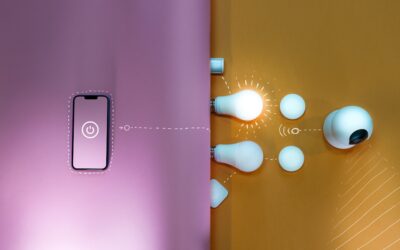
A light dimmer plug is the easiest lighting upgrade in the house. It sits between the wall outlet and the lamp cord, and it gives you full control over brightness without opening a switch box, calling an electrician or buying a new lamp. Renters use them because nothing gets modified. Homeowners use them because a reading lamp at 100 percent is harsh at 10 p.m.
The catch is compatibility. A plug in dimmer switch designed for old incandescent bulbs can make modern LEDs buzz, flicker or refuse to dim below half brightness. Choosing the right type, and pairing it with the right bulb, is what separates a smooth fade from an annoying strobe.
Here is how the main styles compare, how to set one up, and how to fix the most common LED problems.
What a Light Dimmer Plug Does
Most plug-in dimmers work like an in-wall dimmer switch. They chop part of each AC wave so the bulb receives less power. The lamp plugs into the dimmer, the dimmer plugs into the outlet, and a knob, slider, remote or app sets the brightness. Nothing about your home wiring changes, which makes a light dimmer plug a true no-tools install.
A plug-in dimmer also changes the mood of a room in a way a new bulb cannot. Dropping a table lamp to 30 or 40 percent in the evening cuts glare on screens, makes a living room feel warmer, and can stretch bulb life on incandescent and halogen lamps. Paired with a warm white LED around 2700K, a dimmed lamp gives the soft glow many people miss from older bulbs.
These devices are designed only for lighting loads. They are not meant for fans, heaters, power tools or anything with a motor. Always check the maximum wattage on the label, and note that the rating for LED bulbs is usually far lower than the incandescent rating printed next to it.
Types of Plug-In Dimmers
Rotary dimmers
A small box plugs into the wall with a round knob to turn up or down. Some models sit on the cord itself, so the knob can live on the tabletop. They are simple, inexpensive and good for a single lamp that you adjust by hand.
Slide dimmers
An inline control on a short cord with a slider. A dimmer plug for lamp use often comes in this style, and it is handy when the outlet is behind furniture because the slider can sit within reach.
Smart plug-in dimmers
A dimmable smart plug adds app control, schedules, voice commands and scenes. Some use Wi-Fi, others connect through a Z-Wave or Zigbee hub. A smart dimmer plug is the best choice when you want lamps to fade on at sunset, dim for movie night or follow a whole-room lighting scene alongside in-wall switches.
Remote-control dimmers
A plug-in receiver paired with a small handheld or wall-mounted remote. This is useful when a lamp is across the room from the door, or when you want a “switch” on a wall without cutting drywall.
LED Compatibility: The Part That Matters Most
LED bulbs have their own electronic drivers, and not all of them handle dimmed power well. Before buying a dimmer plug for LED lights, check three things:
- The bulb says “dimmable.” Non-dimmable LEDs will flicker, buzz or fail early on any dimmer. Replace them first.
- The dimmer is rated for LED or CFL. Look for LED wattage ratings, often 100 to 150 watts, on the package. An incandescent-only dimmer may leave LEDs flickering at low settings.
- The load is within range. Some dimmers need a minimum load. A single 5-watt LED may be too little for an older dimmer, causing flicker or ghost glow when it should be off.
Many LED-rated dimmers include a low-end trim adjustment, a small dial or app setting that sets the minimum brightness. Raising the trim stops the bulb from flickering at the bottom of the range.
Tools and Materials
- A plug-in lamp dimmer rated for your bulb type and total wattage
- Dimmable LED, incandescent or halogen bulbs
- A lamp with an on/off switch that can stay in the “on” position
- For smart models: the app, and a hub if the device uses Z-Wave or Zigbee
Step-by-Step Setup
- Check the lamp and bulb. Confirm the bulb is dimmable, and add up the total wattage if the lamp holds more than one bulb.
- Inspect the cord. Do not use a dimmer on a lamp with a frayed, cracked or taped cord. Replace the cord or lamp first.
- Plug the dimmer into the wall. Plug it directly into a wall outlet, not a power strip or extension cord. The fit should be snug; a loose outlet can overheat.
- Plug in the lamp. Turn the lamp’s own switch to “on” so the dimmer has full control.
- Test the full range. Slide or rotate from minimum to maximum. Listen for buzzing and watch for flicker at the low end.
- Adjust trim if available. Raise the low-end setting until the light is steady at the lowest level.
- Pair smart models. Follow the app’s pairing steps, name the device by room, then set schedules or scenes.
Fixing Buzzing, Flicker and Other Problems
Bulb buzzes or hums
This is usually a mismatch between the LED driver and the dimmer’s waveform. Try a different dimmable LED, ideally one listed as compatible with the dimmer, or switch to a dimmer labeled for LED use. A slight hum from the dimmer body itself at mid-range can be normal; loud buzzing is not.
Flicker at low brightness
Raise the low-end trim, or avoid the bottom 10 to 15 percent of the range. Adding a second bulb to reach the minimum load can also help.
Bulb glows faintly when “off”
Some dimmers leak a tiny current. Use the lamp’s own switch, or choose a dimmer with a true off position or an LED-specific design.
Dimmer feels hot
Warm is normal. Hot enough that you cannot hold your hand on it is not. Unplug it, confirm the wattage is within the rating, and replace the unit if it keeps overheating.
Smart plug drops offline
Move the Wi-Fi router or hub closer, add a mesh repeater, or reserve a fixed IP address for Wi-Fi models.
Fire and Electrical Safety
Buy a UL-listed or similarly certified dimmer, and stay under its wattage rating with some headroom, ideally no more than 80 percent of the LED rating. Never use a lamp dimmer on a space heater, fan, vacuum or other motor load. Keep the dimmer and cord uncovered, not buried under rugs or bedding, and away from heat sources. If you are dimming LED strip lights with a plug-in controller, use the power supply rated for the strip, sized with headroom, and do not coil, cover or bunch the strip while it is on. Use only outdoor-rated dimmers and cords outside, on GFCI-protected outlets.
If you decide to replace a wall switch or outlet instead, turn off the breaker and confirm power is off with a non-contact voltage tester before removing the cover plate. Never test or work on live wiring. Adding a new outlet or circuit to reach a lamp is a job for a licensed electrician.
General Cost Ranges
Basic rotary and slide plug-in dimmers usually cost $10 to $25. LED-rated models with trim adjustment run about $15 to $40. Smart dimmer plugs range from roughly $20 to $60, and hub-based models sit toward the upper end. Compare that with an in-wall dimmer installed by an electrician, which often runs $100 to $250 per switch including labor.
When to Call a Pro
Plugging in a dimmer never requires a pro. Call a licensed electrician if outlets feel loose, are warm to the touch, show scorch marks, or if you want lamps switched from a wall switch that is not wired to an outlet. An electrician can also add an in-wall dimmer for overhead lights, which a plug-in model cannot control.
Frequently Asked Questions
Can I use a light dimmer plug with LED bulbs?
Yes, as long as the bulbs are marked dimmable and the dimmer is rated for LED loads. Using a non-dimmable LED will cause flicker, buzzing or early failure.
Are plug-in dimmers safe to leave on?
A certified dimmer used within its wattage rating is safe for everyday use. Keep it uncovered, plugged directly into the wall, and replace it if it gets hot or damaged.
Why does my lamp buzz on a dimmer?
Buzzing usually comes from an LED driver that does not match the dimmer. Try an LED-rated dimmer, a different dimmable bulb, or raise the low-end trim.
Can a plug-in dimmer control a floor lamp with several bulbs?
Yes. Add the wattage of all bulbs together and make sure the total stays well under the dimmer’s LED rating.
Is a smart dimmer plug better than a regular one?
A smart plug adds schedules, scenes, remote control and voice commands. If you only adjust brightness by hand, a basic rotary or slide dimmer is cheaper and simpler.