When a smart garage suddenly stops responding to your phone, the culprit is rarely the Wi-Fi — it is usually a battery somewhere in the system quietly dying. Understanding the myQ garage door opener battery setup means knowing there are actually several batteries in play: the ones in your handheld remotes, the backup battery in openers equipped with battery backup, and the sensor batteries in certain accessories. Each has its own replacement schedule and its own warning signs. This guide sorts out which battery does what, how to replace each one, and how to fix the low-battery problems that trip up so many smart-garage owners.
Part of our Garage Doors guide — explore the full guide →
- Understanding the Different Batteries in a myQ System
- Replacing the Remote Control Battery
- The Backup Battery in myQ Openers
- Wireless Keypad and Sensor Batteries
- Recognizing Low-Battery Warning Signs
- Troubleshooting myQ Connectivity vs. Battery Issues
- How Long Each Battery Should Last
- Where to Buy the Right Replacement Batteries
- Extending Battery Life
- Final Thoughts
Understanding the Different Batteries in a myQ System
myQ is Chamberlain and LiftMaster’s smart-garage platform, built into many of their openers and available as an add-on hub for older units. Because a myQ setup can include several components, “the battery” is not one single thing. It helps to map them out:
- Remote control batteries: Small coin or A23 cells inside your handheld and visor remotes.
- Backup battery: A rechargeable battery inside openers with the battery-backup feature, which runs the door during power outages.
- Wireless accessory batteries: Coin cells in wireless keypads, door sensors, and tilt sensors.
The myQ hub itself and Wi-Fi-connected openers run on household power, not a battery, so a “myQ not responding” problem is more often a Wi-Fi or power issue than a dead battery in the smart module. Knowing which component is acting up tells you which battery, if any, to check first.
Replacing the Remote Control Battery
The most common battery swap is in the handheld or visor remote. When your remote’s range shrinks or it stops working while the wall button still functions, the remote battery is the first suspect. Most Chamberlain and LiftMaster remotes use a CR2032 coin cell or an A23 battery.
- Slide or unclip the remote’s back cover, or remove the small screw holding it shut.
- Note the orientation of the old battery before removing it.
- Insert the fresh battery with the positive side matching the marking inside.
- Close the cover and test. If range is still poor, the remote may need reprogramming or replacement.
Keep a couple of spare CR2032 cells on hand — they are inexpensive and power many household devices, so they are handy to stock.
The Backup Battery in myQ Openers
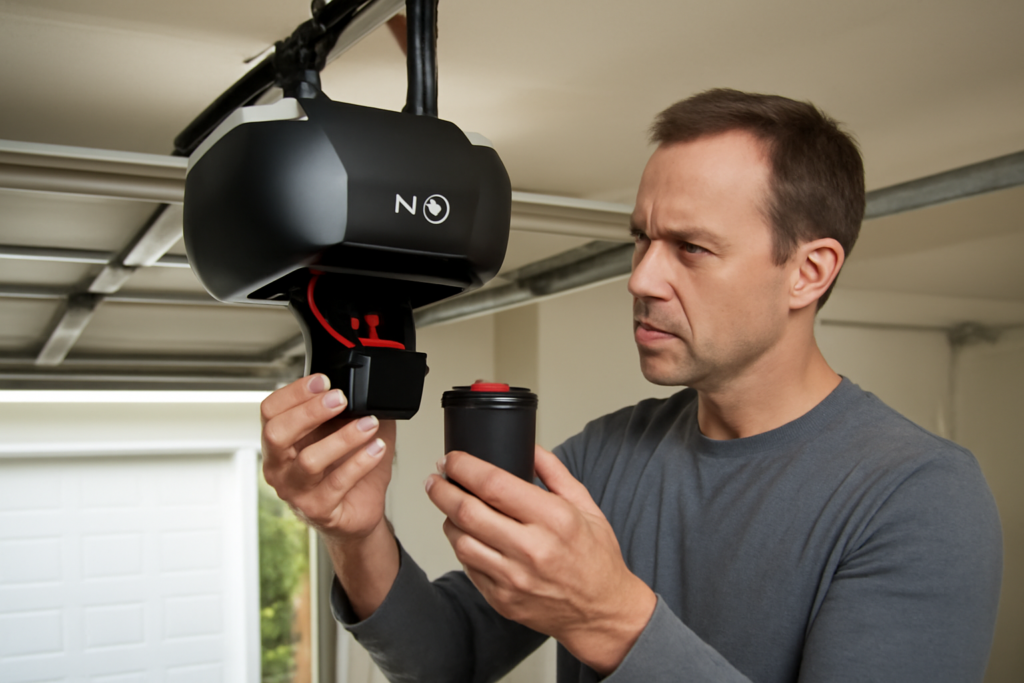
Many newer myQ-enabled openers include a battery backup so the door still opens during a power outage — a feature that is legally required on new openers in some states. This backup battery is a larger, rechargeable unit that lives inside the motor head and charges automatically from household power.
You will know the backup battery needs replacement when the opener beeps periodically, an amber or red battery light flashes on the motor head, or the myQ app reports a battery warning. A healthy backup battery lasts roughly one to three years depending on how often the power goes out and how much the door cycles on battery power.
How to Replace the Backup Battery
Replacing it is straightforward but should be done with the opener unplugged for safety:
- Unplug the opener from the outlet.
- Open the battery compartment on the motor head — usually a snap-off cover or a panel held by a screw.
- Disconnect the wiring harness from the old battery, noting the connection.
- Remove the old battery and insert the correct replacement model specified in your opener’s manual.
- Reconnect the harness, close the cover, plug the opener back in, and let it charge fully.
Always use the exact replacement battery your model calls for. The wrong voltage or size can damage the opener or fail to charge properly. Recycle the old sealed lead-acid battery at a proper drop-off point rather than the trash.
Wireless Keypad and Sensor Batteries
Wireless keypads mounted outside the garage and any wireless door sensors run on their own coin-cell batteries, typically a CR2032 or similar. When the keypad backlight dims, the buttons respond slowly, or the app reports a sensor going offline, swap the coin cell. These are exposed to temperature swings outdoors, so they may need replacing a bit more often than indoor batteries — plan on roughly once a year.
Recognizing Low-Battery Warning Signs
Catching a weak battery early prevents the frustration of a door that will not respond when you are rushing out the door. Watch for these signals across the system:
- Shrinking remote range — you have to stand closer than usual for the remote to work.
- Intermittent response — the door works sometimes but not reliably.
- Beeping from the motor head — the classic backup-battery low warning.
- Flashing battery indicator light on the opener.
- App notifications reporting a low battery on the opener or an accessory.
Troubleshooting myQ Connectivity vs. Battery Issues
Because myQ is a smart system, it is easy to blame a battery for what is really a connection problem. If the door works fine from the remote and wall button but the app cannot control it, the issue is Wi-Fi or the myQ service, not a battery. Check that the opener’s Wi-Fi light is solid, that your router is working, and that the myQ app shows the device online.
Conversely, if the physical remotes and keypad are failing but the app still works, you are looking at a battery in those handheld devices. Isolating whether the failure is on the smart side or the physical-control side is the key diagnostic step. When both fail at once, check household power to the opener first.
How Long Each Battery Should Last
Knowing the normal lifespan of each battery helps you plan replacements before something fails. Batteries do not last forever, and the ones under the most stress wear out fastest.
- Remote coin cells (CR2032): roughly one to three years of typical use, longer if the remote lives indoors.
- Remote A23 batteries: similar, often about two years depending on how often you press the button.
- Backup battery in the opener: one to three years, shorter if your area has frequent power outages that force it to discharge often.
- Outdoor keypad cells: about a year, since temperature swings shorten their life.
Because these intervals overlap, it is worth doing a quick annual check of every battery in the system at the same time — say, when you change your smoke detector batteries — so you are never caught by a dead remote on a rushed morning.
Where to Buy the Right Replacement Batteries
Coin cells and A23 batteries are sold everywhere from hardware stores to grocery checkout aisles, so the remotes and keypad are easy to keep stocked. Buy a reputable brand, since bargain coin cells often test fine but fail quickly under the pulse load a remote demands. Store spares in a cool, dry drawer rather than a hot garage, where heat degrades them before you ever install them.
The backup battery inside the opener is the one to be careful with. It is a specific rechargeable model, and using the wrong size or chemistry can prevent proper charging or even damage the opener. Order the exact replacement listed in your opener’s manual, available from the manufacturer, home centers, and battery specialty stores. When the old one comes out, recycle it at a battery drop-off point rather than throwing it in the trash, since sealed lead-acid and lithium batteries should never go to a landfill.
Extending Battery Life
A few habits keep every battery in the system lasting longer. Keep remotes out of extreme heat, such as a car dashboard in summer, which shortens coin-cell life. Make sure the opener stays plugged into a working, non-switched outlet so the backup battery charges continuously; a backup that never gets to fully charge will fail early. For outdoor keypads, a small dab of dielectric grease on the battery contacts helps fight corrosion in humid climates.
Final Thoughts
Managing your myQ garage door opener battery setup is really about knowing which battery does which job. Keep spare CR2032 and A23 cells for the remotes and keypads, watch for the beeping and flashing light that signal a tired backup battery, and remember that app-only failures usually point to Wi-Fi rather than power. Replace batteries with the exact models your manual specifies, recycle the old ones responsibly, and your smart garage will keep opening reliably whether the power is on or off.