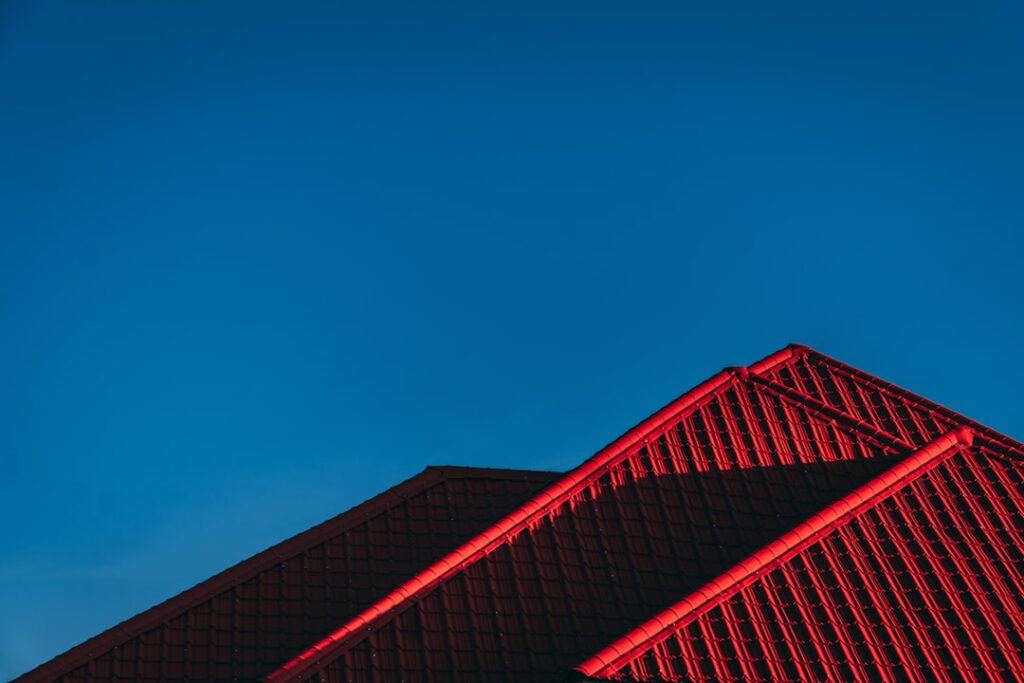
Choosing a roof color from a 2-inch shingle chip is how houses end up wearing colors their owners regret for 30 years. A roof color visualizer — software that renders shingle or metal colors onto a photo of a house — has become the standard first step, and the major manufacturers now offer genuinely capable free tools. None of them is accurate enough to be the last step, though. Here is a working tour of the best visualizers, what each does well, where screen previews lie to you, and the shortlist-then-sample workflow that actually produces a confident color decision.
Part of our Roofing guide — explore the full guide →
The Manufacturer Tools Worth Your Time
GAF Virtual Home Remodeler
GAF’s free web tool lets you either pick from a library of stock home styles or upload a photo of your own house, then applies the Timberline HDZ and designer lineups (Charcoal, Weathered Wood, Barkwood, Slate, and the rest). Masking your own photo — telling the software which pixels are roof — is manual but tolerable, and you can simultaneously change siding and trim colors to test whole-exterior schemes. Strengths: fast, no login required for basic use, covers the best-selling shingle line in America. Weakness: the shingle textures render slightly flatter than real HDZ, which hides how much contrast colors like Barkwood carry in sunlight.
Owens Corning Design EyeQ
Owens Corning’s visualizer offers the same upload-your-photo flow with noticeably better automatic roof detection than most rivals — it finds roof planes with less manual polygon drawing. The Duration and Oakridge palettes are all present, including the TruDefinition high-contrast colors, and the tool generates a shareable link plus a summary you can hand to a contractor. It also suggests curated color pairings (roof plus siding plus trim), which is useful if you are starting from zero.
CertainTeed ColorView
ColorView is the most full-featured of the big three: roofing, siding, stone, and trim in one scene, with both stock homes and photo upload. CertainTeed’s Landmark line renders with good texture fidelity, and the tool’s side-by-side comparison view — two colors on the same photo simultaneously — is the single most useful feature for narrowing a shortlist. Expect to spend ten minutes on careful masking for a clean result; sloppy masking bleeds shingle texture into gutters and skylights and ruins the illusion.
Metal Roofing Visualizers
For metal, check Sheffield Metals’ and McElroy Metal’s visualizers for standing seam colors on stock modern-farmhouse and ranch elevations, and Matterhorn/CertainTeed for stamped metal profiles. Many regional roll formers license the Renoworks engine, so the interface will feel identical across brands. Metal color chips shift more between screen and sun than asphalt does — treat metal visualizer output as directional only, and insist on physical panel samples before ordering.
Upload-Your-Photo vs Stock Homes
Stock homes are fine for a first gut check — finding out you hate green roofs takes thirty seconds on anybody’s house. But stock rendering flatters every color because the photos are professionally lit and the architecture is generic. Your own photo captures the things that actually make or break the choice: your brick’s undertone, your mature trees’ shade patterns, your neighbor’s adjacent color, the way your roof dominates (or barely shows on) the elevation. Shoot the upload photo straight-on from across the street, mid-morning on an overcast day, at the highest resolution the tool accepts; harsh sun creates shadows the masking tools misread. If your roof is barely visible from the street — common on low-pitched ranches — that is itself a finding: color matters less than you feared, and you can prioritize algae resistance or price instead.
Where Visualizers Lie: Accuracy Limits
- Your screen is not calibrated. The same Weathered Wood renders warm on one phone and gray-green on another. Never compare colors across two devices, and never decide from a phone screen in a bright room.
- Lighting is a single condition. The render shows one simulated lighting state. Real roofs read two shades lighter at noon in full sun and dramatically darker under overcast; north-facing planes run cooler-toned than south-facing ones all day.
- Texture and dimension compress. Laminated shingles get their character from shadow lines between tabs. Renders flatten this, which makes high-contrast blends (Owens Corning Sedona Canyon, GAF Mission Brown class colors) look tamer on screen than on a roof.
- Scale distortion. Visualizers tile a texture across the roof plane; on large uploads the shingle pattern often renders slightly oversized, exaggerating blend variation.
Treat the visualizer as an elimination tool, not a selection tool. It reliably answers “definitely not” and “worth sampling.” It cannot answer “final.”
The Shortlist-Then-Sample Workflow
- Eliminate on screen. Use one visualizer with your uploaded photo to cut the field to two or three colors. Test each against your siding and any fixed masonry.
- Order or collect physical samples. Contractors hand out full-size shingle boards free; manufacturers ship sample sets cheaply. For metal, request actual painted panel offcuts, not printed color cards.
- View samples on the roof, not in your hand. Lay boards on the actual roof slope (or have your contractor do it) and view from the street at 10 a.m., 2 p.m., and dusk, in sun and cloud. Colors read one to two values lighter at roof distance and angle than at arm’s length.
- Drive the neighborhood. Ask your contractor for addresses wearing your finalists — every established roofer keeps a mental map. A full roof in the wild beats every render ever generated.
Pairing Roof Tools With Siding Visualizers
If a siding project is anywhere on the horizon, sequence matters: the roof outlives two siding colors, so choose a roof that tolerates multiple palettes (the argument for near-neutrals like Weathered Wood, Charcoal, and Slate blends). James Hardie’s Home Color Tool and the Sherwin-Williams ColorSnap visualizer let you lock a roof color and cycle siding around it; CertainTeed ColorView does both natively in one scene. Screenshot the winning whole-exterior scheme and file it with your paint codes — future-you repainting trim in eight years will be grateful.
Common Visualizer Mistakes to Avoid
A few patterns account for most bad outcomes. First, deciding at night on a phone with the brightness cranked — evaluate on the largest, most color-neutral screen in the house, in daylight, and have a second person look. Second, masking the roof loosely and letting the render bleed onto fascia and gutters; the eye reads the whole smeared area as “the color,” and everything looks muddier than reality. Third, comparing a rendered roof against your memory of the siding instead of the photo’s actual siding — repaint jobs and fading mean the house in your head is not the house on screen. Fourth, ignoring fixed elements: the driveway’s concrete tone, the front door, and especially stone or brick that is never changing should be visible in every render you judge. And fifth, letting the tool’s novelty push you toward drama — visualizers make bold colors fun to try, but the roof is a 30-year decision viewed daily and sold once. When two finalists tie on screen, the safer blend wins the tiebreak.
Free vs Paid Options
Homeowners never need to pay: every manufacturer tool above is free, funded by the brand’s interest in selling you their shingles (which is also their limitation — GAF’s tool will not show you Owens Corning colors). Paid platforms like Renoworks Pro and Hover ($20 to $100+ per property, aimed at contractors) build a measured 3D model of your house from photos and produce more accurate, presentation-grade renders across multiple brands — worth asking your roofer whether they subscribe, since many will run your house through Hover for free as part of an estimate. That contractor render, plus two sample boards viewed on your actual roof in real weather, is the closest thing to certainty this decision offers. Budget an hour for the screen work and a week for the samples — a trivial investment against three decades of pulling into the driveway either pleased or quietly annoyed.