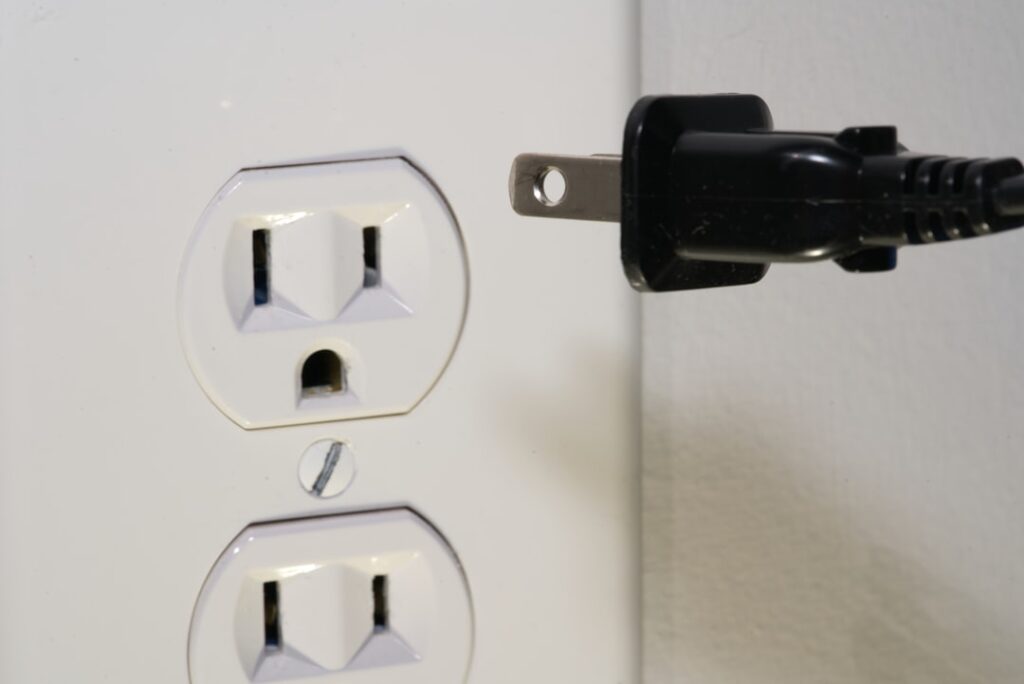
A smart plug outlet is the cheapest, easiest entry point into a smart home — a small adapter that plugs into any wall outlet and lets you control whatever you plug into it from your phone or by voice. No wiring, no electrician, no commitment. This guide explains how they work, what to use them for, the safety limits that matter, and how to choose one, with most smart plugs priced between $8 and $30.
- What a Smart Plug Does
- How They Connect
- What to Use a Smart Plug For
- Energy Monitoring
- Voice Control and Automation
- Safety and Load Limits
- Indoor vs. Outdoor and Single vs. Multi
- Setting One Up
- Cost Summary
- Smart Plug vs. Smart Outlet vs. Smart Switch
- Troubleshooting Common Issues
- Building a Simple Automation Routine
What a Smart Plug Does
A smart plug sits between the wall and your device, acting as a remote-controlled switch. Plug a lamp, fan, coffee maker, or space heater into it, and you can turn that device on or off from an app, on a schedule, or with a voice command. Some models add energy monitoring so you can see how much power a device draws. It’s the definition of low-risk home automation: if you don’t like it, you unplug it and nothing has changed about your home.
How They Connect
Smart plugs talk to your phone one of a few ways, and the connection type affects setup and reliability:
- Wi-Fi: The most common. Connects straight to your home router, no extra hardware. Simple, but many plugs only join 2.4 GHz networks, so you may need to separate your bands during setup.
- Zigbee / Z-Wave: Talk to a hub (like a SmartThings or Hubitat hub), which then connects to your network. More reliable in large homes with many devices, but you need the hub.
- Matter / Thread: The newer cross-brand standard. Matter smart plugs work across Apple Home, Google Home, and Amazon Alexa, future-proofing your setup.
- Bluetooth-only: Cheapest, but only controllable when your phone is nearby — no remote access.
For most people, a Wi-Fi or Matter plug is the right choice — no hub required and works with the major voice assistants.
What to Use a Smart Plug For
The best uses are simple, high-frequency ones:
- Lamps: Turn ordinary lamps into scheduled, voice-controlled lighting without smart bulbs.
- Coffee maker: Schedule it to brew before you wake, if the machine’s own switch stays “on.”
- Space heaters and fans: Turn on before you get home; auto-off on a timer for peace of mind.
- Holiday and accent lights: Sunset-to-bedtime schedules with zero fiddling.
- “Vacation mode”: Randomize lamp on/off times to make an empty house look occupied.
- Phantom-load control: Cut standby power to entertainment centers overnight.
Energy Monitoring
Mid-range and better smart plugs report real-time and cumulative energy use in the app. This turns a plug into a diagnostic tool — you can see that an old fridge draws more than expected, find which devices bleed standby power, and track the cost of running a space heater. If lowering your electric bill is a goal, spend the extra few dollars for a plug with energy monitoring; the insight often pays for itself.
Voice Control and Automation
Nearly all Wi-Fi and Matter smart plugs pair with Amazon Alexa, Google Assistant, and often Apple HomeKit. Once linked, you can say “turn off the living room lamp” or build routines — for example, “Good night” turns off every plugged-in light at once. You can also chain plugs into automations with other smart devices, like turning on a fan when a temperature sensor reads high. This is where a handful of cheap plugs start to feel like a real smart-home system.
Safety and Load Limits
This is the part people skip, and it matters. Every smart plug has a maximum rated load, usually 10 to 15 amps (about 1,200 to 1,800 watts). Exceeding it is a fire risk.
- Check the wattage of what you plug in. A lamp or fan is trivial; a space heater at 1,500 watts pushes many plugs to their limit — use only a plug rated for that draw.
- One high-draw device per plug. Don’t run a power strip of heaters off a single smart plug.
- Indoor vs. outdoor: Use only outdoor-rated (weatherproof) smart plugs outside; indoor plugs are not sealed against moisture.
- Look for UL or ETL certification on the box — proof the plug passed safety testing. Avoid uncertified no-name plugs for anything drawing real current.
Match the plug’s amp rating to the appliance and you’re on safe ground.
Indoor vs. Outdoor and Single vs. Multi
Smart plugs come in a few form factors. A single-outlet plug controls one device. A dual-outlet or mini design controls two independently, and a smart power strip switches several. Compact “mini” plugs are popular because they don’t block the second wall outlet. Outdoor smart plugs are weather-sealed with multiple ports for lights and yard equipment. Pick the form that fits where you’ll use it.
Setting One Up
- Download the brand’s app (or use Apple/Google/Alexa Home for a Matter plug).
- Plug the smart plug into the wall.
- In the app, add a device; connect it to your 2.4 GHz Wi-Fi if it’s a Wi-Fi model.
- Name it clearly (“Bedroom Lamp”) so voice commands work naturally.
- Plug your device in, make sure the device’s own switch is left “on,” and set your schedules.
The whole process takes about five minutes per plug.
Cost Summary
- Basic Wi-Fi smart plug: $8 to $15
- Plug with energy monitoring: $15 to $25
- Matter or outdoor-rated plugs: $20 to $35
Smart Plug vs. Smart Outlet vs. Smart Switch
The terms get muddled, so it helps to separate them. A smart plug is the plug-in adapter this guide covers — no wiring, moves with you, controls whatever is plugged in. An in-wall smart outlet replaces the receptacle itself, giving a permanent built-in look with one or both sockets controllable, but it requires wiring into the electrical box and turning off the breaker. A smart switch replaces a wall light switch to control hardwired ceiling fixtures and can’t be done with a plug at all. For renters and quick wins, the plug-in smart plug is the answer every time. For a finished, clutter-free look in a home you own, an in-wall smart outlet is worth the small wiring job — or hire an electrician for an hour. Choose based on whether you value flexibility or a permanent install.
Troubleshooting Common Issues
Most smart plug headaches trace to a few causes. If a plug won’t connect during setup, it’s almost always the Wi-Fi band — many plugs only join 2.4 GHz networks, so temporarily separate your bands or use your router’s guest 2.4 GHz network. If a plug drops offline randomly, it may be too far from the router; a mesh node or moving the router helps. If voice control stops working, re-link the plug’s skill in the Alexa or Google Home app. And if a device plugged in doesn’t respond, check that the device’s own power switch is left in the “on” position — the smart plug only controls power to the outlet, so anything with its own switch must stay switched on. Keeping the plug’s firmware updated through its app also resolves many intermittent glitches.
Building a Simple Automation Routine
The real magic of smart plugs shows up when you chain them into routines rather than toggling each one. A “Good morning” routine can turn on the bedroom lamp and start the coffee maker at 6:30 a.m. A “Leaving home” routine cuts power to the space heater, iron, and entertainment center in one command so you never wonder if you left something on. A “Movie night” routine dims the plugged-in lamps to set the mood. Sunset-triggered schedules turn porch and accent lights on automatically as the days change length, with no clock resetting needed. Start with one useful routine — most people begin with lamps on a sunset schedule — and add more as you see the value. Because everything lives in the same app (Alexa, Google Home, or Apple Home), building these routines is a matter of tapping through menus, not writing code, and a few well-chosen automations quickly make a handful of cheap plugs feel like a genuinely smart home.
A smart plug outlet is the highest-value, lowest-commitment smart-home upgrade you can make — schedule your lamps, control devices by voice, monitor energy, and fake an occupied house on vacation, all for the price of a takeout meal. Just respect the amp rating, use outdoor-rated plugs outside, and stick to UL or ETL-certified models, and you’ll get all the convenience with none of the risk.