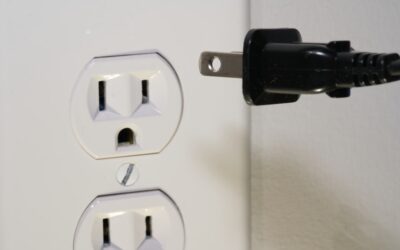
An outdoor smart plug is a weatherproof Wi-Fi outlet that plugs into an exterior wall receptacle and lets you switch string lights, holiday displays, fountains, or a patio heater on and off from your phone or a schedule. The critical difference from an indoor version is the housing: a true outdoor smart plug carries a weather rating like IP44 or IP64, sealed against rain and dust, and it must be plugged into a GFCI-protected outdoor outlet for safety. Get those two things right and the rest is easy.
Part of our Windows & Doors guide — explore the full guide →
- Safety first: weather rating and GFCI
- What you can actually control
- Check the wattage before you buy
- Wi-Fi versus hub, and single versus dual outlet
- Scheduling, sunset, and away features
- How to set one up
- Cold-weather and durability notes
- Understanding IP ratings in plain terms
- Placement and cord management
- Troubleshooting a plug that drops offline
- Bottom line
Safety first: weather rating and GFCI
Two requirements are non-negotiable outdoors, because you are combining electricity with rain, sprinklers, and snow.
- Weatherproof (IP) rating. Look for an IP rating printed on the unit. IP44 means protected against splashing water from any direction — fine for a covered porch or an outlet under an eave. IP64 or IP65 is dust-tight and protected against stronger water jets — better for a fully exposed location that takes direct rain. Never use an indoor smart plug outside; the seams and buttons are not sealed.
- GFCI outlet. Plug the outdoor smart plug into a GFCI-protected receptacle (the kind with TEST and RESET buttons). Outdoor outlets have been required to be GFCI-protected by code for decades because a ground fault outside can be lethal. If your exterior outlet is old and not GFCI, have an electrician replace it before adding automation.
Even a well-sealed plug benefits from being under an overhang. Keep the connection off the ground so it does not sit in a puddle, and let the cord drip loop downward so water runs away from, not into, the plug.
What you can actually control
An outdoor smart plug is just a switched outlet, so it controls anything that turns on with power alone:
- String and patio lights — the most popular use, set to come on at dusk.
- Holiday and Christmas light displays — schedule on at 5 p.m., off at midnight, no ladder needed.
- Fountains and pond pumps — run only during the day.
- Landscape and pathway lights that plug in.
- Patio heaters or fans — check the wattage first (see below).
It cannot dim a light or control anything with its own electronic on/off state that resets when power cuts. It simply gives or removes power.
Check the wattage before you buy
Every smart plug has a maximum load, usually printed as a wattage or amperage. Common outdoor plugs handle up to 1,800 watts (15 amps) resistive, but many are rated lower. Add up what you will plug in:
- LED string lights draw very little — often under 50 watts for a whole run, so you can chain several.
- A patio heater can pull 1,300 to 1,500 watts on its own, near the plug’s limit — run nothing else on it.
- Old incandescent holiday strands add up fast; switch to LED and the load problem disappears.
Overloading a plug is a fire risk. When in doubt, stay well under the rated maximum.
Wi-Fi versus hub, and single versus dual outlet
Most outdoor smart plugs connect straight to your home Wi-Fi with no hub — brands like Kasa (TP-Link), Wyze, Govee, and Amazon Basics all sell them for $15 to $40. A few use a Zigbee or Z-Wave hub for a more reliable mesh in a large yard, but for most homes standalone Wi-Fi is simpler. Confirm the plug supports 2.4 GHz Wi-Fi — nearly all do, and range matters more outdoors, so a plug far from the router may need a mesh extender.
Dual-outlet models give you two independently controlled sockets in one weatherproof box — handy to run lights on one schedule and a fountain on another. Expect to pay $25 to $40 for a good dual outdoor unit.
Scheduling, sunset, and away features
The real payoff is automation. In the app you can:
- Set sunrise/sunset triggers so lights follow the changing daylight all year without you resetting a timer.
- Build daily or weekly schedules — on at dusk, off at 11 p.m.
- Use “away” or vacation mode to randomize on/off times so the house looks occupied.
- Link to voice assistants — Alexa, Google Home, and often Apple HomeKit — to say “turn on the patio lights.”
Look for a plug that keeps its schedule locally, so lights still cycle on time even if your internet drops. Cloud-only plugs go dumb during an outage.
How to set one up
- Confirm the outlet is GFCI and, ideally, under cover. Test the RESET button works.
- Plug in the smart plug and download the maker’s app.
- Connect to 2.4 GHz Wi-Fi during pairing — hold your phone near the plug for the initial handshake, then it can sit farther away.
- Name each outlet (“Patio Lights,” “Fountain”) so voice control and schedules are clear.
- Create a sunset schedule and test it before you rely on it.
- Route cords with a drip loop so water sheds away from every connection.
Cold-weather and durability notes
Check the operating temperature range if you live where winters are harsh — many plugs are rated down to about -4°F (-20°C), which covers most of the country, but budget units may quit in extreme cold. The buttons and seals hold up for years when the plug stays under an eave; fully exposed plugs in blowing rain age faster, which is where the higher IP64/IP65 rating earns its keep. At the end of the holiday season, unplug and store the unit indoors if it is not needed, and it will last many more years.
Understanding IP ratings in plain terms
The two digits after “IP” tell you exactly what a plug survives. The first digit is dust protection on a 0-to-6 scale; the second is water protection on a 0-to-9 scale. So IP44 means limited solid-object protection and resistance to splashing from any direction, while IP64 means fully dust-tight and resistant to stronger sprays. For a covered porch, IP44 is plenty. For an exposed fence post, garden bed, or anywhere sprinklers hit, step up to IP64 or IP65. Ignore any outdoor plug that does not print an IP rating at all — that silence usually means it is really an indoor plug in outdoor-colored plastic.
Placement and cord management
Where and how you mount the plug matters as much as the rating. Position the plug so its own body shields the socket from falling rain, and keep it off the ground so it never sits in standing water or a snowbank. Every cord that leaves the plug should hang in a downward drip loop — a low point in the cable below the connection — so rainwater collects and drips off there instead of tracking back into the plug. If you are running lights along a fence or into a garden bed, use outdoor-rated extension cords, never indoor ones, and tuck connections up under an eave or inside a weatherproof cord-connection box for the wettest spots.
Troubleshooting a plug that drops offline
The most common outdoor-plug headache is a weak Wi-Fi connection, since the plug sits at the edge of your network behind exterior walls. If it keeps going offline, the fix is almost always range: add a mesh node or Wi-Fi extender toward that side of the house, or relocate the plug a few feet closer to a window. Confirm you connected it on the 2.4 GHz band, which reaches much farther through walls than 5 GHz. And favor a plug that stores its schedule locally, so even a brief internet outage will not leave your holiday lights dark on the one evening the neighbors are visiting.
Bottom line
An outdoor smart plug turns any exterior outlet into a scheduled, phone-controlled, voice-friendly switch for $15 to $40. The two rules that keep it safe are simple: buy one with a real IP44 or IP64 weather rating, and plug it into a GFCI outlet, ideally under cover with a downward drip loop. Match the plug’s wattage to your load, pick a model that keeps schedules locally, and your lights and displays will run themselves all season.