That intermittent chirp from the ceiling of your garage is rarely random, and it’s almost never a sign the whole opener is failing. If you’re asking why is my garage door opener beeping, the good news is that most causes are minor and fixable in a few minutes. Modern openers use beeps as a communication tool, warning you about a dying backup battery, an automatic closing sequence, or a blocked safety sensor. This guide walks through every common reason and exactly how to silence it.
Part of our Garage Doors guide — explore the full guide →
- The Most Common Cause: Backup Battery Alert
- Timer-to-Close Warning Beeps
- Blocked or Misaligned Safety Sensors
- Power Interruption or Reset Mode
- Programming and Learn-Mode Signals
- Brand-Specific Beep Patterns
- Wall Console and Smart Feature Alerts
- Quick Troubleshooting Checklist
- Is the Beeping Ever an Emergency?
- When the Beeping Won't Stop
- Preventing Future Beeping
The Most Common Cause: Backup Battery Alert
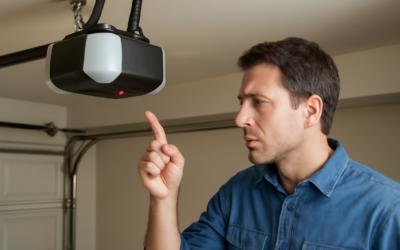
If your opener has a battery backup, and most units made in the last decade do, a periodic beep every 30 to 60 seconds usually means that battery is low or has failed. The backup battery lets the door operate during a power outage, and manufacturers program a chirp to warn you before it dies completely. In fact, in states like California, battery backup is required by law on new residential openers.
Look for a small indicator light on the powerhead, often flashing red or amber. A steady or blinking battery light confirms the diagnosis. The battery typically lasts one to two years and is an inexpensive, tool-free swap.
How to Replace the Backup Battery
Unplug the opener for safety, locate the battery compartment on the powerhead (usually a slide-off cover), and note the battery model, commonly a 12-volt sealed unit. Disconnect the old battery, connect the new one to the matching terminals, snap the cover back, and restore power. The chirping should stop immediately once the fresh battery is recognized.
Timer-to-Close Warning Beeps
Many newer openers, including LiftMaster and Chamberlain models with MyQ, offer a “timer-to-close” feature that automatically shuts the door after a set delay. When that timer is counting down, the opener beeps and flashes a warning light so no one is caught under a closing door. This is working as designed, not a malfunction.
If the beeping only happens right before the door closes on its own, timer-to-close is the culprit. You can adjust the delay or disable the feature entirely in the opener’s settings or through the companion app. Check your model’s manual for the exact menu steps, since they vary by brand.
Blocked or Misaligned Safety Sensors
The photo-eye sensors near the bottom of each track prevent the door from closing on a person, pet, or object. When something breaks that beam, or the sensors drift out of alignment, some openers beep and refuse to close, or reverse mid-travel. A leaf, a stored box, a spiderweb, or a bumped bracket is often all it takes.
Inspect both sensors. They should sit no more than six inches off the floor, face each other directly, and show a steady (not blinking) indicator light on each unit. Wipe the lenses clean, clear anything in the beam’s path, and gently adjust the brackets until both lights glow solid. Realigning the sensors resolves a surprising share of beeping and closing complaints.
Power Interruption or Reset Mode
After a power outage, brownout, or surge, some openers beep to signal they’ve switched to battery power or entered a standby state. Once utility power returns and stabilizes, the alert usually clears on its own. If it doesn’t, a simple reset often helps: unplug the opener for 30 seconds, then plug it back in to force a clean restart.
Frequent power flickers can trip these alerts repeatedly. A surge protector rated for the opener adds a layer of protection and can prevent nuisance beeping tied to unstable power.
Programming and Learn-Mode Signals
When you pair a new remote, keypad, or car button, the opener chirps to confirm each step of the learning process. If you were recently programming a device and the beeping started then, the unit may simply be confirming or waiting for input. Complete or exit the programming sequence and the tones should stop.
A single beep in response to a button press is normal feedback, not a fault. It’s the repeating, unprompted beeping that signals something needs attention.
Brand-Specific Beep Patterns
Different manufacturers use beeps in slightly different ways, so knowing your brand helps you decode the sound faster. LiftMaster and Chamberlain openers, which share the same parent company, commonly beep and flash during the timer-to-close countdown and chirp a distinct warning when the backup battery runs low. Many of their battery-equipped models beep once every so often specifically to nag you toward a battery replacement.
Genie openers may beep to confirm programming steps or signal an Aladdin Connect smart-control action, while smart-enabled units across brands sometimes beep when a scheduled auto-close is about to fire or when they lose Wi-Fi connection to the app. If you recently added or changed a smart-home integration, a new beeping habit may simply be that feature announcing itself. Your owner’s manual translates the exact pattern, number of chirps, timing, and any paired light flashes, into a specific meaning, so it’s worth keeping handy or downloading a digital copy.
Wall Console and Smart Feature Alerts
Not every beep comes from the motor unit overhead. Some multifunction wall consoles, the panel mounted inside your garage by the door, have their own speaker and will chirp to signal a low battery, a motion-detected light activation, or that a scheduled close is imminent. If the sound seems to come from the wall rather than the ceiling, check the console’s settings and indicator lights.
Smart openers add another layer. When linked to a phone app, some will beep to confirm a remote open or close command you sent from away, a safety measure so anyone in the garage hears the door about to move. If your beeping started right after you set up app control or a smart-home routine, dig into the app’s notification and audible-warning settings, since you can usually adjust or silence those alerts while keeping the safety countdown that fires before the door actually closes.
Quick Troubleshooting Checklist
Work through these in order and you’ll pin down the cause in minutes:
- Check for a flashing battery indicator light; replace the backup battery if lit.
- Note whether beeping occurs only before the door closes; if so, it’s timer-to-close.
- Inspect and realign the photo-eye sensors until both lights are solid.
- Clear any object breaking the sensor beam or blocking the tracks.
- Unplug the opener for 30 seconds to reset after a power event.
- Confirm you’re not mid-way through a remote or keypad programming step.
Most homeowners solve the mystery at step one or three.
Is the Beeping Ever an Emergency?
For most homeowners the honest answer is no, a beeping opener is almost never a fire or safety emergency, but it shouldn’t be ignored indefinitely either. A chirp tied to a low backup battery simply means you’ll lose outage protection until you swap the battery, and a timer-to-close warning is the system doing exactly its job. Neither requires panic.
The one situation worth prompt attention is beeping paired with a door that reverses, refuses to close, or moves erratically, since that points to a safety sensor or mechanical issue you don’t want to leave unresolved. A door that won’t close is a security gap, and one that behaves unpredictably around the sensors could fail to reverse on an obstruction. In those cases, stop using the door with the remote until you’ve realigned the sensors or had it inspected. For a plain, steady chirp with a door that otherwise works normally, you have time to work through the checklist above at your own pace.
When the Beeping Won’t Stop
If you’ve replaced the battery, aligned the sensors, and reset the unit but the chirp persists, the logic board or a failing internal component may be at fault. A consistent error pattern, a specific number of beeps or a flashing code, points to a diagnostic code you can look up in your manual. At that point, contact the manufacturer’s support line or a qualified garage door technician rather than continuing to guess.
Preventing Future Beeping
A little routine care keeps the opener quiet. Replace the backup battery proactively every 18 to 24 months, wipe the sensor lenses when you clean the garage, and keep stored items clear of the door tracks and photo-eye beam. Plug the opener into a surge protector to guard against power-related alerts. Do that and the answer to why is my garage door opener beeping will almost always be a quick, known fix rather than a stressful mystery, letting you get back to a garage that opens, closes, and stays reassuringly silent.