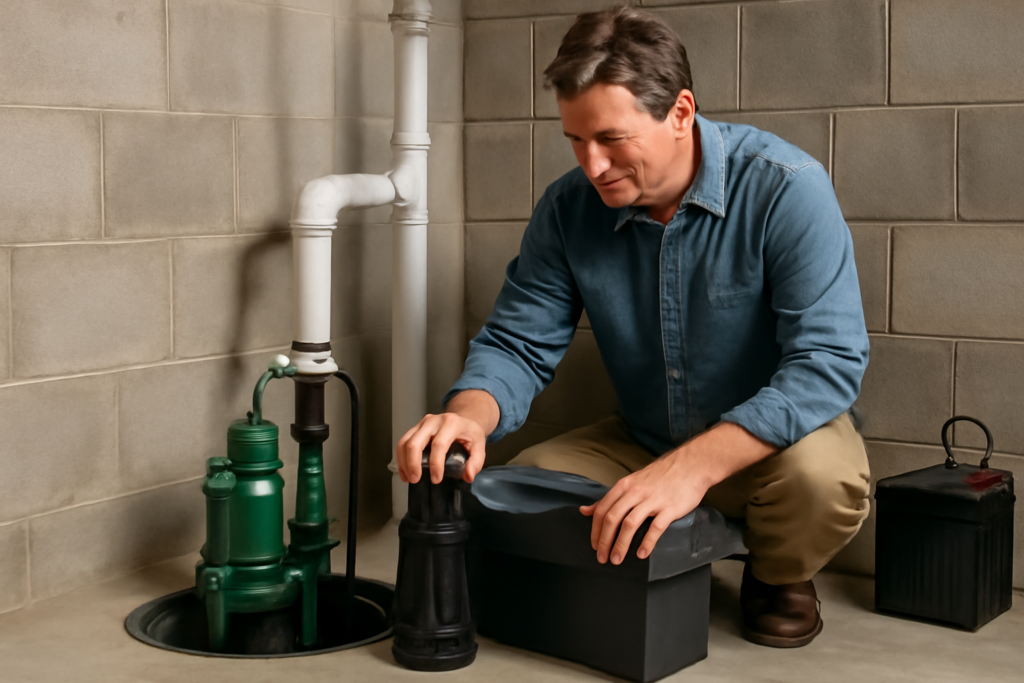
The worst basement floods almost never happen because a sump pump broke. They happen because the power went out during the exact storm that overwhelmed the yard, leaving a perfectly good primary pump sitting dead in a rising pit. A Zoeller backup sump pump exists to prevent precisely that disaster, kicking in automatically on battery power the moment the grid or the main pump fails. Zoeller is one of the most trusted names in the business, and this guide covers their backup lineup, run times, pricing, and what to expect from installation.
Why a Backup Pump Matters
A primary sump pump runs on household 120-volt power. When a storm knocks out the electricity, the primary pump stops, but the groundwater keeps rising. Within an hour or two, an unprotected basement can take on inches of water, ruining flooring, drywall, and stored belongings, easily $10,000 to $30,000 in damage.
A backup system solves two failure modes at once: power outages and primary-pump failure. Because it runs on a dedicated battery, it keeps pumping when the grid is down, and because it is a separate pump, it also covers you if the main unit’s motor or float simply dies. For anyone with a finished basement in a wet region, it is not a luxury; it is insurance.
Zoeller’s Backup Pump Lineup
Zoeller’s backup systems mostly fall under the Aquanot and ProPak families. The most popular options include:
- Aquanot 508 / ProPak53: a reliable battery backup with a solid-state controller and audible alarm.
- Aquanot 590: a higher-capacity system with Wi-Fi connectivity for smartphone alerts.
- Zoeller 507 series: combination systems pairing a primary pump with an integrated backup.
Most Zoeller backups are 12-volt battery systems. The Wi-Fi enabled models are worth the premium if you travel, because they text or email you the instant the backup activates or the battery runs low, turning a silent catastrophe into an early warning.
How Battery Backup Systems Work
A battery backup sump pump sits in the same pit as your primary pump, mounted slightly higher so it only activates when water rises above the primary’s normal range. It draws power from a deep-cycle marine-style battery kept constantly topped off by a smart charger plugged into the wall.
Under normal conditions the primary pump handles everything and the backup sits idle, battery fully charged. When the power fails or the primary cannot keep up, the backup’s float switch triggers and it pumps on battery power. A good system also sounds an alarm and, on connected models, sends an alert so you know the backup is carrying the load and the battery clock is ticking.
Understanding Run Time and Capacity
The number everyone wants to know is how long a Zoeller backup will run during an outage, and the honest answer is that it depends heavily on the battery and how often the pump cycles. A single fully charged deep-cycle battery typically powers a Zoeller backup for roughly 5 to 7 hours of continuous pumping, or considerably longer under intermittent, real-world cycling where the pump runs a few minutes at a time.
Capacity in gallons per hour also matters. A Zoeller backup can move somewhere in the range of 1,000 to 2,500 gallons per hour at a typical lift height, enough to keep pace with heavy inflow. For longer outages, you can wire two batteries together to roughly double the run time. Homeowners in areas prone to multi-day outages often run a dual-battery setup for exactly this reason.
What a Zoeller Backup System Costs
Pricing breaks down into the system and the battery:
- Basic Aquanot backup system: $300 to $450 for the pump, controller, and charger.
- Wi-Fi connected models: $450 to $650.
- Deep-cycle battery: $150 to $250 each, not always included.
- Professional installation: $200 to $500 depending on complexity.
All in, expect $600 to $1,200 for a fully installed Zoeller backup sump pump with a quality battery. Set against the cost of a flooded finished basement, it is one of the highest-return purchases a homeowner in a wet climate can make.
Installation Overview
Installing a Zoeller backup alongside an existing primary pump is a manageable job for a handy homeowner, though many opt for a plumber. The general steps are:
- Mount the backup pump in the pit, positioned above the primary pump’s normal shutoff level.
- Connect the backup’s discharge to the existing discharge line using a check valve so water cannot flow backward.
- Set and adjust the backup float switch height so it activates only when the primary falls behind.
- Place the battery and charger nearby, ideally on a shelf off the floor to protect it from flooding.
- Plug in the charger, connect the battery, and test by unplugging the primary pump to confirm the backup takes over.
That final test is essential. Pour water into the pit with the primary unplugged and verify the backup activates, pumps, and sounds its alarm. Do not skip this validation; you want to discover any problem now, not during the storm.
Maintenance to Keep It Ready
A backup pump is only useful if it works on the one night you need it, so maintenance matters. Test the system every three to four months by unplugging the primary and letting the backup run a full cycle. Check the battery terminals for corrosion and clean them with a baking-soda paste if needed.
Standard lead-acid batteries need their fluid levels checked and topped with distilled water, while sealed AGM batteries are maintenance-free but should still be replaced every three to five years before they lose capacity. Mark the installation date on the battery with a marker so you know when its clock is running out. A dead battery in a good pump is just as useless as no backup at all.
Battery Backup vs Water-Powered Backup
Zoeller makes battery backups, but it is worth knowing the alternative so you choose wisely. A water-powered backup pump uses your home’s municipal water pressure to create suction that pumps out the pit, with no battery to maintain or replace. Its huge advantage is unlimited run time, since it works as long as city water flows, making it attractive for areas with long, multi-day outages.
The trade-offs are real, though. Water-powered units only work on municipal water, not wells, they use several gallons of city water for every gallon they pump out, and many jurisdictions require a backflow preventer to protect the drinking supply. Battery backups like Zoeller’s Aquanot work anywhere, including on well systems, and do not run up your water bill, but they are limited by battery capacity. For most homeowners on city or well water, a battery backup is the more practical and widely compatible choice.
Sizing the System to Your Home
Matching the backup to your actual water problem prevents both under-protection and overspending. Start by observing how often your primary pump cycles during a heavy storm; a pump that runs every minute during rain has high inflow and needs a higher-capacity backup and likely a dual-battery setup. A pump that cycles only occasionally can be well served by a single-battery Aquanot.
Consider your outage history too. If your area rarely loses power for more than an hour or two, a standard 5-to-7-hour single battery is ample. If you live where ice storms or hurricanes cause multi-day outages, invest in two batteries or even consider pairing a battery backup with a portable generator for the primary pump. Also measure your pit’s depth and the vertical lift to the discharge point, since higher lift reduces a pump’s gallons-per-hour output and may push you toward a more powerful model.
The Bottom Line
A Zoeller backup sump pump is proven, reliable protection against the exact scenario that causes the most basement floods, a storm that takes out the power right when the water peaks. Choose a Wi-Fi model for remote alerts if you travel, add a second battery if your area sees long outages, test it quarterly, and replace the battery on schedule. For a total investment in the low four figures, you gain genuine peace of mind that your basement stays dry no matter what the grid does during the next big storm.