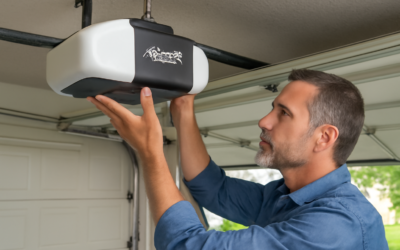
Most people assume a smart garage opener means Wi-Fi, but a bluetooth garage door opener takes a different and sometimes smarter approach for the right household. Instead of routing every command through the internet, it talks directly from your phone to the opener over a short-range wireless link. That distinction changes how you use it, how secure it is, and whether it fits your garage at all. Before you spend $150 to $400 on a new unit, it is worth understanding exactly what a bluetooth garage door opener does well and where it falls short compared with a Wi-Fi model.
Part of our Garage Doors guide — explore the full guide →
How a Bluetooth Garage Door Opener Works
Bluetooth is a short-range radio protocol, typically effective within about 30 to 100 feet. When your phone comes within range of the opener, the two devices pair and your phone can send open and close commands directly, no home network or cloud server required. Some units use this proximity to trigger auto-open as you pull into the driveway.
Because the connection is local, there is no monthly fee and no dependence on your internet being up. If your Wi-Fi goes down or the power company’s outage takes your router offline, a Bluetooth link still functions as long as the opener has power. The tradeoff is range: you can only control the door when you are physically near it. You cannot check from the office whether you left the door open.
Bluetooth Versus Wi-Fi: Which You Actually Need
This is the decision that trips up most buyers, so let me lay it out plainly. Neither is universally better; they solve different problems.
- Bluetooth strengths: no monthly fees, works without internet, lower latency, simpler pairing, often cheaper
- Bluetooth limits: local control only, no remote access, no away-from-home alerts
- Wi-Fi strengths: control and monitor from anywhere, integrates with smart home platforms, remote alerts
- Wi-Fi limits: depends on your network, sometimes a subscription for full features, more latency
If your priority is walking up and having the door open hands-free, or you simply want to ditch the clip-on remote, Bluetooth is elegant and reliable. If you want to grant your dog walker access at 2 p.m. from across town or get a phone alert when the door is left open, you need Wi-Fi. Many current openers, including popular Chamberlain and LiftMaster models with myQ, actually include both radios so you get proximity convenience plus remote access.
Key Features Worth Paying For
Not every feature justifies the price bump, but a few genuinely improve daily life. When comparing units, look past the marketing and check for these.
- Automatic proximity open: the door opens as your paired phone approaches, so you never touch a button
- Battery backup: keeps the door working during a power outage, required by law in some states
- Belt drive: quieter than chain drive, worth it if a bedroom sits above the garage
- Motion-activated LED lighting: lights the garage as you enter
- Multiple user profiles: pairs several family phones without swapping devices
A belt-drive unit with proximity Bluetooth and battery backup typically runs $250 to $400. A basic chain-drive Bluetooth opener starts closer to $150. If you already have a functioning opener, a plug-in Bluetooth retrofit controller can add phone control for $30 to $80 without replacing the whole motor.
Installing a Bluetooth Opener
A full opener replacement is a moderate DIY project that takes a capable homeowner three to five hours. If you are only adding a retrofit Bluetooth controller to an existing opener, budget under an hour. Either way, safety around the torsion spring is non-negotiable; never touch a wound spring.
Full replacement basics
- Disconnect power at the outlet before removing the old unit.
- Assemble the rail and mount the motor head to the ceiling, centered on the door.
- Attach the trolley and connect the door arm to the top of the door.
- Wire the wall console and safety sensors, then set the travel and force limits per the manual.
- Restore power, download the manufacturer app, and pair over Bluetooth.
Retrofit controller basics
These clip onto the wall-button terminals of your existing opener and mount a sensor on the door. You pair the app, calibrate the open and closed positions, and you are done. It is the fastest path to phone control if your current opener still runs fine.
Pairing and App Setup
Once installed, download the manufacturer’s app, create an account, and enable Bluetooth and location permissions on your phone. Location access is what lets proximity auto-open work, since the app needs to know when you are approaching. Follow the in-app pairing flow, hold your phone near the opener, and confirm the connection.
Test the range in your actual driveway. Walk out to where you would want the door to trigger and confirm the phone still reaches the opener. Thick masonry walls and metal doors can shorten Bluetooth range, so real-world testing beats the spec sheet. Add each household member’s phone as its own profile so everyone gets access without sharing a login.
Security Considerations You Should Not Skip
A garage door is a full-size entry to your home, so treat its controls like any other lock. Bluetooth’s short range is actually a security asset, since an attacker has to be physically close to attempt anything. Still, follow basic hygiene.
- Use a strong, unique password on the manufacturer app account
- Enable rolling-code encryption if the opener offers it, which nearly all modern units do
- Remove old phones from the paired-device list when you replace them or sell them
- Keep the app and opener firmware updated to patch any vulnerabilities
- Never leave the physical remote clipped to a car visor if the car sits unlocked outside
Handled sensibly, a Bluetooth opener is at least as secure as the old rolling-code remote it replaces, and often more so. For many homeowners the sweet spot is a dual-radio opener: Bluetooth for the seamless walk-up-and-open experience and Wi-Fi for peace of mind when you are away. Match the technology to how you actually live, and the garage becomes one less thing you think about.
Troubleshooting Connection Problems
Bluetooth is generally reliable, but when it acts up the causes are predictable and usually quick to fix. The most common complaint is the phone failing to connect or the auto-open not triggering, and it almost always traces to a permissions or range issue rather than a hardware fault.
- Auto-open not working: confirm the app has location permission set to “Always,” not just “While Using,” since the trigger needs background access
- Phone will not pair: toggle Bluetooth off and on, and make sure the phone is within about 30 feet of the opener
- Intermittent drops: a metal garage door or masonry wall can block the signal; reposition or add a range extender if the unit supports one
- App not responding: update both the app and the opener firmware, then restart the app
If a family member’s phone stops working after a software update, delete and re-add the device in the app. Battery-optimization settings on some Android phones also shut down the app in the background, which kills auto-open, so exclude the opener app from battery optimization. These fixes resolve the vast majority of Bluetooth complaints without a service call.
Retrofit Controllers for an Existing Opener
You do not always need to replace the whole motor to get phone control. If your existing opener still runs well, a plug-in smart controller adds connectivity for a fraction of the cost. These devices, priced around $30 to $80, wire into the opener’s manual push-button terminals and mount a tilt or contact sensor on the door to report whether it is open or closed.
Installation takes under an hour: mount the hub near the opener, run the two low-voltage wires to the wall-button terminals, stick the door sensor on the top panel, and pair it in the app. It works with most openers made in the last couple of decades, though very old units without a safety-reversing sensor may not be compatible for remote closing, which is a safety requirement. A retrofit is the smart move when your opener is mechanically sound and you simply want to add your phone as a control and a status monitor. It bridges the gap until the day the motor itself needs replacing, at which point a fully integrated Bluetooth or dual-radio opener becomes the natural upgrade.
Before you buy anything, take a moment to match the technology to your household’s real routine, because the flashiest feature is worthless if it does not fit how you come and go. If you have teenagers, guests, or service people who need access, prioritize either shared app profiles on a Bluetooth unit or the remote-grant ability of a Wi-Fi system. If you simply hate fumbling for a remote when your hands are full of groceries, proximity auto-open is the feature that will delight you daily. And if power outages are common where you live, battery backup jumps to the top of the list regardless of the connectivity type. Write down your top two must-haves, then shop for the unit that nails those rather than the one with the longest feature list. A garage opener is a ten-to-fifteen-year purchase, so a little clarity now pays off every single day you pull into the driveway.