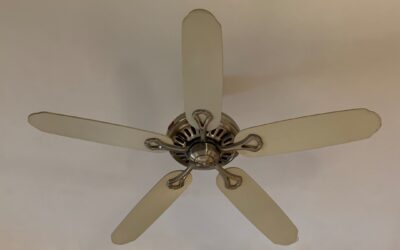
Pull-chains were fine in 1985, but reaching up to yank a chain in the dark is a poor way to run a modern fan. A ceiling fan controller puts speed, lighting, and even blade direction at your fingertips — from a wall switch, a handheld remote, or your phone. Choosing the right type means understanding how your fan is wired and what features actually matter for how you live. This guide walks through the controller types, wiring realities, and smart upgrades so you pick the one that fits your fan and home.
What a Ceiling Fan Controller Does
At its core, a fan controller manages three things: motor speed, the integrated light, and sometimes the direction of rotation. Basic models offer high, medium, and low speeds. Better ones add dimming for the light kit and a reverse function that switches the blades from the summer downdraft to a winter updraft that pushes warm air off the ceiling.
The controller replaces or supplements the pull-chains inside the fan housing. Some work through the existing wall switch box, while others use radio frequency signals to a receiver tucked into the fan canopy, meaning you don’t have to run new wires.
Wall-Mounted Controllers
A wall control lives in a standard switch box and looks like a fancy dimmer. It gives you a clean, permanent control point that guests can find without hunting for a remote. There are two main varieties:
- Dedicated fan-and-light wall controls: Require two conductors — a separate switched line for the fan and one for the light. Ideal when the fan was wired with a 3-conductor cable.
- Single-line wall controls with a canopy receiver: Work over a single switched hot by pairing with a receiver in the fan, so you can separate fan and light without rewiring.
Never use a standard incandescent dimmer to control a fan motor. It can overheat the motor windings and buzz loudly. Fan speed control requires a control specifically rated for motor loads.
Remote Controls
Remote kits are the easiest upgrade, especially for high ceilings or rooms without a convenient switch. A small receiver installs in the fan canopy between the house wiring and the fan, and a handheld transmitter operates it. Installation typically takes 20 to 30 minutes and needs no wall work.
The trade-off is the remote itself — it wanders under couch cushions and eats batteries. Many kits include a wall-mount cradle so the remote doubles as a wall control, which solves both problems. Look for kits with a good RF range and multiple frequency codes so a neighbor’s remote can’t accidentally command your fan.
Smart Wi-Fi Controllers
Smart controllers connect the fan to your home network for app and voice control. Once installed, you can adjust speed and lighting from your phone, set schedules, and command the fan through Alexa, Google Assistant, or a smart home hub. Some tie into temperature sensors to speed up automatically when a room warms.
Smart control comes as either a wall switch that replaces your existing one or a canopy module inside the fan. Wall-switch versions are cleaner for guests and don’t depend on the fan brand, while canopy modules add smarts to a fan whose wall box has only a single wire. Confirm the device supports your voice platform and, ideally, a local hub so control still works if the internet drops.
Matching a Controller to Your Fan
Compatibility is where projects go sideways. Before buying, verify these points:
- DC vs AC motor: Efficient DC fans usually require the manufacturer’s own controller and won’t work with universal wall controls.
- Wiring in the box: Count the conductors. A single switched hot limits you to receiver-based or smart solutions unless you run new cable.
- Light kit type: Dimmable LED light kits need a compatible dimming control to avoid flicker.
- Existing receiver: Some fans ship with a proprietary receiver that must be removed or matched.
When in doubt, a universal receiver-based remote kit is the most broadly compatible option for standard AC fans.
Installation Basics
Whatever type you choose, safety starts at the breaker. Turn off power at the panel, not just the wall switch, and verify with a non-contact tester before touching wires. For a canopy receiver, lower the fan from the mounting bracket, connect the receiver’s line-in leads to the house wiring and its load leads to the fan and light, then tuck it into the canopy.
For a wall control, match the labeled leads — line, load, and neutral — to the box wiring. Smart wall switches almost always require a neutral wire, which older homes may lack in the switch box. If your box has no neutral, choose a canopy-based smart module instead. Take a photo of the existing connections before you disconnect anything so you have a reference.
Troubleshooting Common Issues
If a new controller won’t operate the fan, the usual causes are a dip-switch code mismatch between remote and receiver, a light kit set to the wrong dimming mode, or the fan’s internal pull-chains left in the off position. Set the fan’s pull-chains to high and its light chain to on, then let the controller manage everything downstream.
Buzzing or humming almost always means an incompatible dimmer or an overloaded control. Swap in a properly rated fan speed control and the noise disappears. Get the match right and a good ceiling fan controller turns a basic fan into a genuinely convenient, year-round comfort tool.
Controlling Multiple Fans
Larger rooms and covered patios sometimes run two or more fans, and how you control them affects both cost and convenience. Wiring several fans to a single wall control works only if the combined motor load stays within the control’s rating — most fan speed controls handle around 1.5 amps, which covers two typical AC fans but not a bank of them. For bigger installations, a smart controller shines: it groups fans in the app so one command runs them together, yet still lets you address each one individually. Just make sure every fan in the group uses the same type of controller so they respond in sync. Mixing a canopy receiver on one fan with a wall control on another usually leads to fans that won’t stay coordinated.