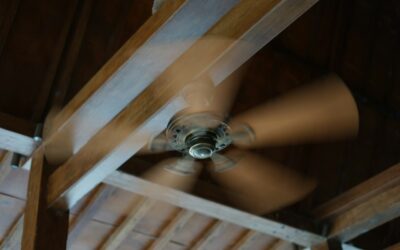
A humming fan that will not turn is one of the most common calls handymen get, and nine times out of ten the fix costs less than a pizza. If your ceiling fan not spinning is driving you up the wall on a hot afternoon, the good news is that most causes are cheap, safe to diagnose, and well within reach of an average homeowner. The bad news is that people often replace the whole fan when a five-dollar part would have done the job.
When a ceiling fan not spinning still hums, buzzes, or clicks, that noise is a clue. It usually means power is reaching the motor but something is stopping the blades from turning. When there is no sound at all, the problem is more likely upstream in the switch, the wiring, or the power supply. Sorting those two situations apart is the first move.
- Safety First: Kill the Power
- Start With the Simple Stuff
- The Capacitor: The Usual Suspect
- Stuck Bearings and Blade Drag
- Wiring, Wall Controls, and Loose Connections
- When Only the Light Works but the Fan Does Not
- When to Repair and When to Replace
- Diagnosing a Fan That Runs Slow or Wobbles
- Thermal Overload and Overheating Motors
Safety First: Kill the Power
Before you touch anything beyond a wall switch or a pull chain, cut the power at the breaker, not just the switch. Fans are wired to line voltage, typically 120 volts in US homes, and that is enough to seriously hurt you. Flip the breaker, then confirm the fan is dead by trying the switch. A non-contact voltage tester held near the wiring gives you a second confirmation before you open anything up.
Give the motor a few minutes to cool if it has been running hot, and set up a stable ladder rather than balancing on a chair. Most of the diagnosis below happens from the ground or a step or two up, so you rarely need to work overhead for long.
Start With the Simple Stuff
Skip straight to the exotic causes and you will waste an afternoon. Run the basics first, because they solve the majority of no-spin fans:
- Confirm the wall switch is on and, if there are two switches, that you are using the fan switch and not just the light.
- Check the pull chain. Cycle it through all its speeds; sometimes it is simply set to off between clicks.
- If the fan uses a remote or wall control, replace the batteries before anything else. Dead remote batteries mimic a dead fan.
- Look for a reversing switch on the motor housing stuck halfway between summer and winter positions, which can stop the blades.
- Verify the breaker has not tripped, and reset it once if it has.
It feels too easy, but weak remote batteries and a half-clicked pull chain probably account for a third of all no-spin complaints. Rule them out before you grab a screwdriver.
The Capacitor: The Usual Suspect
If the fan hums but the blades sit still, or you have to spin them by hand to get them going, the capacitor is the prime suspect. This small box wired into the motor gives the fan the electrical kick it needs to start turning and to hold its speeds. Heat and age break capacitors down, and a failed one leaves the motor energized but unable to start on its own.
You can often spot a bad capacitor by sight or smell. It may look swollen, blackened, or melted, and sometimes there is a faint burnt odor near the switch housing. Replacements are inexpensive, frequently under 10 dollars, and they are usually marked with a rating like a combined value for a three-speed fan. Match the replacement to the numbers printed on the old part. If wiring makes you nervous, this is a fair job to hand to an electrician, but it is well documented for the confident DIYer.
Stuck Bearings and Blade Drag
Sometimes the electrical side is fine and the mechanical side has seized. Over years of dust and heat, the motor bearings can dry out and bind. A telltale sign is a fan that starts slowly, labors, or stops when you set it to low but runs on high. Turn the blades by hand with the power off; they should coast freely. If they feel gritty or refuse to turn, the bearings are the issue.
Dust buildup on the blades and motor also adds drag and throws off balance, which stresses the motor. Clean the blades, and on models that allow it, apply a light machine oil to the oil port if the manufacturer specifies one. Many modern sealed motors are not serviceable, and in that case a truly seized motor means replacing the fan. Weigh a new fan at 60 to 150 dollars against the labor of chasing a dying motor.
Wiring, Wall Controls, and Loose Connections
No hum at all points toward a break in the power path. Over time, the twist-on wire connectors inside the ceiling box or the switch box can loosen, especially with the constant vibration a fan produces. With the breaker off, open the switch or the canopy and check that all connections are snug and that no wire has slipped free of its connector.
Wall speed controls and dimmers cause their own trouble. A standard dimmer should never run a ceiling fan motor; it can burn out the motor or the control and leave the fan dead. Make sure any wall control is a fan-rated speed control. If the fan shares a control with a light and only the fan is out, suspect that control or the fan-specific wiring rather than the whole circuit.
When Only the Light Works but the Fan Does Not
It is common to have a working light and a stalled fan on the same fixture, and that pattern narrows things down fast. Since the light proves power is reaching the fixture, the fault lives in the fan motor circuit, its capacitor, its pull chain, or its remote receiver. Focus your diagnosis there and ignore the light side entirely.
Remote-controlled fans add a receiver tucked into the canopy. These modules fail, and when they do, the light half often keeps working while the motor half goes dead, or vice versa. Some homeowners bypass a failed receiver to run the fan on the wall switch, but that removes remote control and should be done only if you understand the wiring.
When to Repair and When to Replace
Match the fix to the fan’s value. A capacitor, a pull chain switch, or a fresh set of remote batteries are all cheap and worth doing on any fan. A seized sealed motor, a cracked flywheel on an older unit, or a fan that has wobbled for years is often not worth chasing when a solid replacement runs well under 150 dollars and comes with a fresh warranty.
Work through the list in order and most of the time you will land on a five- or ten-dollar answer long before you reach the ladder-and-toolbox stage. A ceiling fan not spinning is rarely the disaster it feels like on a hot day. Cut the power, check the easy stuff, then move to the capacitor and the bearings, and you will have air moving again with a minimum of fuss.
Diagnosing a Fan That Runs Slow or Wobbles
Sometimes the fan technically spins but crawls along or shakes badly, which is a different problem than a dead stop. A fan that runs slow on every speed usually points back to a weakening capacitor, since that part governs how much starting and running torque the motor gets. If low speed barely moves and high speed is fine, the capacitor is losing the section that drives the slower windings. A single failed capacitor can produce that exact split behavior.
Wobble is its own issue and worth fixing because it accelerates wear. The most common causes are bent blades, blades of unequal weight, loose blade screws, or a mounting bracket that is not tight against the ceiling box. Tighten every blade screw first, then use an inexpensive balancing kit, which comes with a clip and small stick-on weights, to find and correct the heavy blade. A fan that wobbles for years can loosen its own wiring and eventually stop, so do not ignore a shaky fan just because it still turns.
Thermal Overload and Overheating Motors
Many fan motors include a thermal protector that shuts the motor down when it gets too hot, then resets once it cools. If your fan runs for a while and then quits, sits dead for an hour, and later works again, an overheating motor tripping its overload is a strong suspect. Heat comes from dry bearings, heavy dust load, or a motor near the end of its life working harder than it should.
Clean the blades and motor housing, confirm the fan is not jammed, and make sure nothing is obstructing airflow around the motor. If the fan keeps overheating after cleaning and lubrication, the motor windings may be breaking down internally, and that generally means the fan has reached the end of its service life. At that point, replacement is the practical call rather than pouring money into a failing motor.