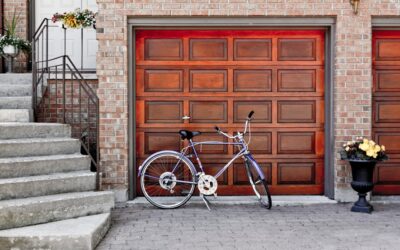
Waking up at 3 a.m. to the sound of your garage door rising in the driveway is equal parts spooky and alarming. A garage door opening by itself almost always has a logical, fixable cause — and it is rarely a ghost or a hacker targeting your house. The common culprits are a stuck wall button, neighbor remote interference, shorted low-voltage wiring, or a rogue universal remote that was programmed to your frequency. Walk through these fixes in order and you will find the answer before you need to call a repair tech.
Part of our Garage Doors guide — explore the full guide →
Start With the Wall Button
The simplest cause of random openings is a wall button with a stuck contact. If the plastic button is cracked, has spider webs inside it, or has had water or bug spray dripped on it, the internal contacts can short and send a constant open signal to the opener.
Unplug the opener, remove the wall console, and inspect the back of the button. Clean dust and insect debris with compressed air. If the button sticks physically, replace it — a basic Chamberlain or LiftMaster wall console costs about $20 and wires up in 10 minutes with a Phillips screwdriver.
Check Remote Controls and Keypads
Remotes occasionally open doors when buttons get pressed inside a purse, glove box, or couch cushion. If you have a remote clipped to a visor that just got hot enough in summer sun to soften, the button sticks and your opener hears a continuous signal.
Look at your keypad outside. If the rubber buttons are swollen from UV damage, the number pad can send random codes. Pull the 9V battery, inspect for corrosion, and replace the keypad if any button feels stuck or mushy. A new Genie or LiftMaster keypad runs $30 to $45.
Reset the Opener’s Memory
Modern openers store up to 30 remote codes. If you recently bought a used universal remote or moved into a home where the previous owner shared codes with neighbors, any of those paired devices can trigger the door.
- Find the learn button on the back or side of the opener motor unit.
- Press and hold the learn button for 6 to 10 seconds until the LED turns off.
- This clears all programmed remotes, keypads, and car HomeLink systems.
- Reprogram only the devices you actually use by pressing learn for one second, then pressing the remote button within 30 seconds.
This simple reset fixes about a third of mystery-opening cases, especially in homes where the opener is more than 10 years old.
RF Interference From Neighbors or Electronics
Older garage door openers made before 2011 used fixed-code remotes on 315 or 390 MHz. They are vulnerable to interference from LED light drivers, cheap LED bulbs screwed into the opener itself, nearby cell towers, and even military base radio traffic in some neighborhoods.
If your opener uses an LED bulb, swap it for an incandescent rough-service bulb or a garage-door-rated LED like the Feit GDR or Genie LED lamp ($12). Regular LEDs bleed electrical noise that masks or mimics the 315 MHz remote signal.
If the openings always happen when a specific neighbor pulls in their driveway, their remote may share your code. Rolling-code openers made after 2011 solve this permanently because the code changes with every press.
Inspect Low-Voltage Wiring
The thin bell wire running from the opener to the wall button and safety sensors carries 12 to 24 volts. If that wire is stapled too tightly to a stud, pinched in drywall, or chewed by a mouse, two conductors can short together and fire the opener exactly like a button press.
Walk the wire from the motor unit down to the wall console. Look for staples biting into the insulation, black spots, or exposed copper. Replace any damaged run with fresh 20-gauge two-conductor bell wire ($0.40 per foot). Do not splice in the middle of a long run — a cleaner pull prevents future shorts.
Safety Sensor Glitches
The photo eye sensors at the base of each door track do not open the door by themselves, but a misaligned or dying sensor can cause the door to reverse partway down and look like it is opening on its own. If the door closes, stops halfway, and reopens, one of the sensors is blinking or unaligned.
Wipe each sensor lens with a microfiber cloth. Confirm both LEDs (one on each bracket) glow steady green or amber. Loosen the wing nut on each sensor and tilt until both lights come on solid, then tighten.
Environmental Triggers to Rule Out
In cold climates, a frozen weatherstrip sticks the door to the concrete. When the opener tries to close, it senses resistance and backs off — exactly the behavior of a door that opens by itself. Pour warm water along the bottom gasket or break the ice free with a plastic ice scraper, never metal.
Heavy wind can also press against the panels hard enough to trigger the opener’s safety obstruction sensor. Newer openers have wind-load settings adjustable with a small screwdriver on the motor head.
When to Replace the Opener Entirely
If your opener predates 2011, has no rolling-code security, and is still opening by itself after you clear the memory, it is time to replace. A solid Chamberlain B4603T or LiftMaster 8500W runs $250 to $450, comes with encrypted rolling codes, and pairs with a smartphone app that logs every open event. The logs alone are worth the upgrade because you can finally see whether the door opened at 3 a.m. from a remote, a keypad, or an internal glitch — and chase the right fix.