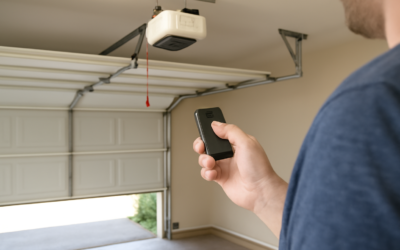
Genie garage door opener programming looks intimidating until you realize the whole process hinges on one component: the small “Learn” or “Program” button on the motor unit. Once you know where that button is and how the indicator light behaves, pairing a new remote, a wireless keypad, or your car’s built-in buttons takes under a minute. Genie has used a consistent programming logic across its Intellicode models for years, so the same basic steps cover most units you’ll encounter in a home.
Part of our Garage Doors guide — explore the full guide →
Whether you lost a remote, bought a new car, or just installed a fresh opener, Genie garage door opener programming follows a predictable pattern. This guide walks through each scenario step by step, plus how to erase old codes and fix the most common snags.
- Find the Learn Button First
- Programming a Genie Remote
- Programming a Wireless Keypad
- Programming Your Car’s Built-In Buttons
- Erasing All Programmed Codes
- Troubleshooting Common Problems
- Range and Interference Issues
- Understanding Intellicode Rolling Security
- Programming Multiple Doors or Openers
- Programming After a Power Outage or Reset
- Final Programming Tips
Find the Learn Button First
Everything starts at the motor head mounted to your garage ceiling. On most Genie Intellicode units, you’ll find the programming button on the back or side of the powerhead, often behind a small light lens cover you may need to slide off. It’s usually labeled “Program Set,” “Learn Code,” or simply marked with a symbol, and there’s an LED indicator right next to it.
Get a sturdy ladder and locate this button before you touch any remote. The color and blink pattern of that LED tell you whether the unit is in programming mode and whether pairing succeeded.
Programming a Genie Remote
Pairing a handheld remote is the most common task. The window to complete each step is short — usually about 30 seconds — so have the remote in hand before you begin.
- Press and release the Program Set button on the powerhead; the LED should turn on or blink to show it’s ready
- Within 30 seconds, press the desired button on your remote once
- Press that same remote button a second time
- The opener light will flash or the LED will change, confirming the code is learned
- Test the remote from inside the garage before closing up the ladder
If nothing happens, the timeout likely lapsed. Simply start over — Genie units are forgiving and you can repeat the sequence as many times as needed.
Programming a Wireless Keypad
A wall-mounted or gatepost keypad lets you open the door with a PIN — handy for kids without remotes or for letting in a house sitter. The process adds one step: setting your own code first.
- On the keypad, enter a PIN of your choice (typically 3 to 8 digits) and press Enter or the up/down arrow, depending on the model
- Go to the powerhead and press the Program Set button
- Return to the keypad and enter your PIN, then press Enter again
- Press it one more time to confirm; the opener should respond
- Test the full PIN entry from outside the door
Keep the PIN somewhere secure and change it if you ever suspect it’s been shared beyond people you trust.
Programming Your Car’s Built-In Buttons
Most vehicles built after the mid-2000s include HomeLink or Car2U buttons in the visor or mirror. Genie’s Intellicode uses a rolling code, so newer cars pair directly, but many require a specific sequence and sometimes a Genie Intellicode-to-HomeLink bridge for older vehicles.
For a standard HomeLink pairing, first train the car button to the remote by holding the car button and the remote together until the car light flashes rapidly. Then press the Program Set button on the powerhead and tap the trained car button twice to sync the rolling code. If your vehicle won’t hold the code, you likely need Genie’s HomeLink compatibility bridge, a small $30 to $40 accessory.
Erasing All Programmed Codes
If you move into a new home, lose a remote, or want to wipe every paired device for security, clear the opener’s memory. This deletes all remotes, keypads, and car buttons at once, so you’ll need to re-pair the ones you keep.
- Press and hold the Program Set button on the powerhead
- Keep holding for about 10 seconds until the LED turns off or the light flashes
- Release the button — all codes are now erased
- Re-program each remote and keypad you intend to use
Do this immediately after buying a used home. You have no idea how many remotes the previous owners handed out over the years.
Troubleshooting Common Problems
When programming won’t take, the cause is almost always simple. Work through these before assuming the unit is faulty.
- Dead remote battery: the most frequent culprit — swap in a fresh coin cell first
- Timed out: you exceeded the 30-second window; restart the sequence
- Too far away: stand within a few feet of the powerhead while programming
- Wrong button pressed: confirm you’re pressing Program Set, not the light or lock button
- Memory full: older units hold a limited number of codes; erase all and start fresh
Range and Interference Issues
If a newly programmed remote works only up close, you likely have an antenna or interference problem, not a programming one. Make sure the thin antenna wire hanging from the powerhead is fully extended and not coiled up. LED shop lights and some smart bulbs in the garage are notorious for causing radio interference that shrinks remote range — swapping to a garage-rated LED bulb often restores full range instantly.
Understanding Intellicode Rolling Security
Genie’s Intellicode technology is worth understanding because it explains why programming works the way it does. Every time you press a paired remote, the opener and remote both advance to a new access code from a sequence of billions. This rolling code means a would-be intruder can’t record your signal and replay it to open the door — the code that just worked is already expired.
The practical upshot is that you never have to set matching DIP switches like the old fixed-code openers of the 1990s. The pairing process simply syncs the remote and opener to the same rolling sequence. If a remote ever falls badly out of sync — usually from being pressed hundreds of times out of range — just re-run the programming steps to resync it. That’s why re-pairing fixes so many mysterious remote problems.
Programming Multiple Doors or Openers
If you have two or three garage doors, a single multi-button remote can control them all, with each button paired to a different opener. The process is the same — you just program each button separately at its corresponding powerhead.
- Take the remote to the first opener and press Program Set on that powerhead
- Press and confirm button one on the remote
- Move to the second opener and press its Program Set button
- Press and confirm button two on the same remote
- Repeat for any additional doors, using a fresh button each time
Label the buttons with a small sticker so family members know which one opens which door. The same logic lets multiple remotes control one opener — each remote is simply learned to the powerhead in turn, and the opener happily remembers them all up to its memory limit.
Programming After a Power Outage or Reset
Good news for anyone who has panicked after a blackout: Genie openers retain their programmed codes in non-volatile memory, so a power outage does not erase your remotes. When the power returns, your remotes and keypads should work exactly as before with no reprogramming needed.
What can change after an outage is the travel calibration. If the door starts stopping short or reversing after the power came back, the opener may need its open and close limits re-set — a separate process from remote programming, usually done with the limit-adjustment buttons or a learn sequence in the manual. Do not confuse this with a code problem; the remotes are fine, the opener simply forgot how far to travel. Recalibrating the limits takes a couple of minutes and restores normal operation.
Final Programming Tips
Keep your opener’s model number and manual handy; Genie posts model-specific instructions online, and steps vary slightly between the older Intellicode and newer Intellicode 2 and Aladdin Connect systems. If your unit has a smartphone app option, pairing through Aladdin Connect lets you open and monitor the door from your phone, though the physical button process above still governs remotes and keypads. Master the Learn button, respect the short timing window, and Genie garage door opener programming becomes a two-minute job you can handle confidently any time you add a device.