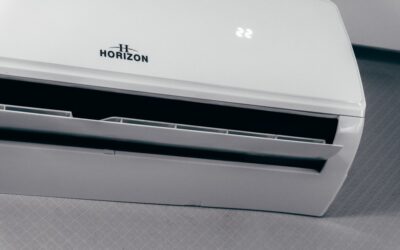
Gree is one of the largest manufacturers of ductless mini split heat pumps in the world, powering many systems sold under both the Gree name and other brands. If you own one and cannot find the paperwork, a practical Gree mini split manual overview can help you understand the remote, set the modes correctly, keep the unit clean, and decode the error messages that flash on the indoor unit. This guide pulls together the everyday operation and troubleshooting information homeowners most often need.
Always keep your specific model’s official manual for exact specifications, but the following covers the common controls and issues shared across most Gree mini split systems.
Understanding the System
A mini split has two main parts: an outdoor condenser unit and one or more indoor air handlers, connected by refrigerant lines. The system both heats and cools using a heat pump, moving heat rather than burning fuel. Because it is ductless, each indoor head conditions its own zone, letting you control temperatures room by room. The wireless remote is your primary interface for setting modes, temperature, and fan speed.
Using the Remote Control
The remote is where most homeowners spend their time, and learning its buttons unlocks the system’s efficiency. Common functions include:
- Mode: cycles through Auto, Cool, Dry, Fan, and Heat. Choose Cool for summer, Heat for winter, and Dry to reduce humidity.
- Temperature up and down: sets your target temperature, usually adjustable in one-degree steps.
- Fan speed: low, medium, high, and often Auto, which adjusts the fan to reach the set temperature.
- Swing: controls the louver to direct airflow up, down, or in a sweeping motion.
- Timer: schedules the unit to turn on or off after a set number of hours.
- Sleep and Turbo: Sleep gently shifts the temperature for comfortable overnight use, while Turbo runs at maximum to quickly heat or cool.
Understanding the Modes
Choosing the right mode saves energy. Use Cool and Heat for direct temperature control, Auto to let the unit switch between heating and cooling automatically, Dry to dehumidify on muggy days without overcooling, and Fan to circulate air without conditioning it.
Filter Cleaning and Maintenance
Clean filters are the single most important thing for performance and efficiency. Clogged filters restrict airflow, reduce cooling and heating, and can trigger errors. Clean the indoor unit filters every two to four weeks during heavy use.
- Open the front panel of the indoor unit by lifting it upward.
- Slide out the mesh filters gently.
- Vacuum off loose dust, then wash with lukewarm water and mild soap if needed.
- Let the filters dry completely before reinstalling; never run the unit with wet filters.
Also keep the outdoor unit clear of leaves, snow, and debris, and schedule a professional service annually to check refrigerant and coils.
Common Error Codes
Gree mini splits display error codes on the indoor unit or blink the indicator lights to signal faults. While exact codes vary by model, some common examples include:
- E1 or H codes: often relate to high-pressure protection or system pressure faults.
- E2: frequently indicates an anti-freeze protection on the indoor coil.
- E5: commonly signals a low-voltage or overcurrent protection.
- E6: typically points to a communication error between indoor and outdoor units.
- F codes: usually indicate sensor faults, such as a temperature sensor open or short circuit.
Because code meanings differ between models, always confirm the exact definition in your unit’s manual. An error that clears after a filter cleaning or a power cycle may be minor, but one that returns needs professional attention.
Basic Troubleshooting
Before calling for service, run through these common fixes.
Unit Not Turning On
Check that the remote has fresh batteries, the breaker is on, and the unit is receiving power. Try the manual button on the indoor unit, usually hidden under the front panel, to confirm the unit works without the remote.
Weak Heating or Cooling
Clean the filters first, since dirty filters are the most common cause. Confirm the mode and temperature are set correctly, make sure doors and windows are closed, and check that the outdoor unit is not blocked or iced over.
Unit Not Responding to Remote
Replace the batteries, confirm you are pointing the remote at the indoor unit’s receiver, and check that the mode is not set to something unexpected. A quick power cycle at the breaker often resets communication faults.
Water Dripping or Leaking
Indoor leaks usually mean a clogged condensate drain line. The drain hose should slope downward to drain freely; a blockage or kink causes water to back up and drip from the indoor head.
Tips for Efficient Operation
- Set a moderate temperature and use Auto fan to let the inverter run efficiently rather than cycling hard.
- Use the timer and sleep modes to avoid conditioning empty rooms.
- Keep filters clean and the outdoor unit clear year-round.
- Avoid extreme setpoints; a few degrees of comfort costs far more energy than a moderate setting.
When to Call a Professional
Handle filter cleaning, remote settings, and simple resets yourself, but call a licensed HVAC technician for refrigerant issues, persistent error codes, electrical faults, or any leak of refrigerant. Mini splits use sealed refrigerant systems that require certified handling, so anything beyond routine care belongs with a pro.
Understanding the Indicator Lights
Beyond the display codes, the indoor unit uses small indicator lights to communicate its status, and learning to read them helps you know what the system is doing. A steady operation light typically means the unit is running normally, while blinking patterns often signal a specific mode or a fault in progress. During defrost in heating mode, for example, the unit may pause airflow and blink a light while it clears frost from the outdoor coil, which is normal behavior and not a malfunction. If a light blinks in an unusual repeating pattern paired with no heating or cooling, cross-reference it with your model’s manual, since the blink count often corresponds to an error code.
Seasonal Setup Tips
Getting the most from your mini split means adjusting how you use it with the seasons:
- Cooling season: set a moderate temperature, use the swing function to spread cool air, and run Dry mode on humid days to feel comfortable without overcooling.
- Heating season: allow the unit time to reach temperature, expect occasional defrost cycles, and keep the outdoor unit clear of snow and ice.
- Shoulder seasons: Auto mode lets the system switch between heating and cooling as outdoor temperatures swing.
- Before each season: clean the filters and check that the outdoor unit is unobstructed.
Extending the Life of Your Unit
A Gree mini split can provide 15 to 20 years of service with proper care, so a little attention protects a significant investment. Beyond regular filter cleaning, keep the indoor unit’s coils and blower clean, either as part of an annual professional service or with a gentle DIY cleaning where accessible. Make sure the condensate drain stays clear so water flows away freely, and keep the area around the outdoor condenser free of leaves, grass clippings, and debris that restrict airflow. Avoid running the system at extreme temperature setpoints, which forces the compressor to work harder and shortens its life. An annual professional check of refrigerant levels and electrical connections rounds out a maintenance routine that keeps the unit efficient and reliable for the long haul.
Keeping a practical Gree mini split manual reference on hand makes day-to-day operation simple: master the remote modes, clean the filters on schedule, and learn to read the error codes. With that basic knowledge, you can run your system efficiently, solve the most common hiccups yourself, and know exactly when a problem calls for professional service.