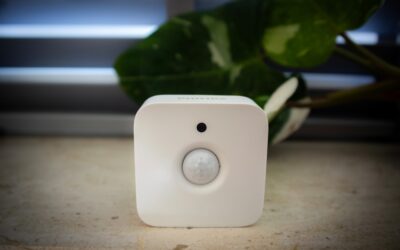
Walking into a dark laundry room with an armful of clothes is the exact moment you wish the light turned itself on. A motion light switch does precisely that, sensing when you enter a room and switching the lights on automatically, then off again after you leave. Beyond the convenience, these switches cut wasted electricity in closets, garages, hallways, and bathrooms where lights routinely burn for hours after everyone has gone. They install in the same box as a standard switch, and once you understand the sensor types and wiring, upgrading a room takes about twenty minutes.
How Motion Switches Detect You
Most residential motion switches use passive infrared, or PIR, technology. A PIR sensor watches for changes in infrared heat across its field of view, so it triggers when a warm body moves into the room. It cannot see through walls and needs a relatively clear line of sight, which is why placement matters. A smaller number of switches add ultrasonic sensing, which bounces high-frequency sound waves and detects motion even around corners, and the best units combine both technologies to avoid false triggers and missed detections.
Occupancy vs. Vacancy Switches
This distinction confuses many buyers, and it changes how the switch behaves. Choose based on the room:
- Occupancy sensors turn the light on automatically when they detect motion and off after the room is empty. Ideal for hands-full spaces like laundry rooms, pantries, and garages.
- Vacancy sensors require you to turn the light on manually but shut it off automatically when the room empties. Better for rooms where you do not always want the light, such as a bathroom you enter briefly at night.
Many switches let you toggle between the two modes, giving you flexibility as your needs change. For energy codes in some regions, vacancy sensors are actually required in certain rooms because they never turn lights on unnecessarily.
Wiring: The Neutral Wire Question
Before you buy, check what is in your switch box. Older homes often have switch boxes with only two wires, called a switch loop, and no neutral. Many motion switches need a neutral wire to power their electronics continuously. If your box lacks a neutral, look specifically for a “no neutral required” or single-pole model designed to work on a switch loop. Installing a neutral-dependent switch without a neutral leads to flickering, buzzing, or a switch that simply will not work.
Also confirm your bulb compatibility. LED bulbs draw very little current, and some cheaper sensors need a minimum load to operate correctly, causing LEDs to glow faintly or flash when off. Look for a switch rated for LED loads to avoid that headache.
Installing a Motion Light Switch
The swap mirrors a standard switch replacement. Take these steps:
- Turn off the circuit at the breaker and verify it is dead with a non-contact voltage tester.
- Remove the cover plate and unscrew the old switch from the box.
- Note the wiring — you will typically have a line (incoming hot), a load (going to the light), a ground, and possibly a neutral.
- Connect the new switch: line to line, load to load, ground to ground, and neutral to neutral if required.
- Tuck the wires back, screw the switch to the box, and attach the cover plate.
- Restore power and test by leaving the room to confirm the timer and sensitivity feel right.
Dialing In the Settings
A motion switch is only as good as its adjustments. Nearly all models offer a time delay that controls how long the light stays on after the last detected motion, adjustable from about 15 seconds up to 30 minutes. Set a short delay in a closet and a longer one in a home office where you sit still at a desk. Sensitivity controls how much motion is needed to trigger the light; turn it down if a passing pet or a draft-blown curtain keeps switching it on. Many also include a daylight or ambient-light setting that stops the light from activating when there is already enough sunlight.
Best Rooms for a Motion Switch
Some spaces benefit far more than others. Prime candidates include garages, basements, laundry rooms, walk-in closets, pantries, hallways, stairwells, and bathrooms. These are places people leave lights on or walk into with full hands. Avoid installing an occupancy sensor in a room where you sit still for long stretches, like a media room, unless it has a generous time delay or ultrasonic sensing, or the light will click off during a movie.
What It Costs and What You Save
A basic single-pole motion light switch runs $15 to $30, while dual-technology and smart Wi-Fi models reach $30 to $70. Installation is DIY-friendly, but hiring an electrician adds roughly $75 to $150 per switch. The payback comes from eliminated waste: a single 60-watt-equivalent fixture left on needlessly for hours a day adds up over a year, and multiplied across a garage, basement, and several closets, the savings are real. In rentals and shared spaces where lights are chronically left on, the switch often pays for itself within a season.
Is It the Right Upgrade?
A motion light switch is one of the highest-value small upgrades in a home because it delivers convenience and energy savings at once. Confirm you have the right wiring, choose occupancy or vacancy mode to match the room, and pick an LED-rated model. Tune the delay and sensitivity after installing, and you will wonder how you lived with fumbling for a switch in the dark.