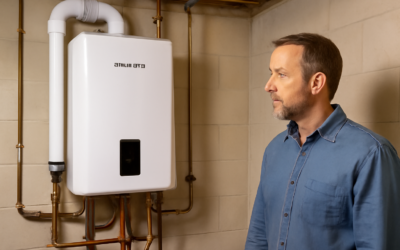
Navien units are packed with features, from recirculation to Wi-Fi control, and that capability means the paperwork matters more than with a simple tank heater. The navien tankless water heater manual is the single most useful document you own for setup, adjustment, and troubleshooting, and knowing how to navigate the navien tankless water heater manual saves you service calls and helps you get the performance you paid for. This guide walks through what the manual contains and the sections homeowners actually need.
- Finding the Right Manual for Your Model
- Installation and Owner Sections
- Setting Temperature Safely
- Understanding Error Codes
- Maintenance the Manual Recommends
- Recirculation and Smart Features
- Warranty and Registration
- Understanding the Control Panel
- Freeze Protection and Cold-Weather Operation
- Troubleshooting Before You Call
- Keeping the Manual and Records Together
- Get the Most From Your Unit
Finding the Right Manual for Your Model
Navien makes several product families, and the manual is model-specific, so start by identifying yours. Look at the rating label on the side of the unit for the model number, such as the NPE-240A2, NPE-180S2, or an NR series unit. The “A” models include a built-in recirculation pump and buffer tank; the “S” models do not. The distinction changes which settings and features apply to you.
Every unit ships with a printed installation and operation manual, and Navien also hosts current PDFs on their website by model number. Keep the printed copy near the unit; the model and serial number you will need for warranty or support are on that same rating plate.
Installation and Owner Sections
Navien manuals split into an installation manual, aimed at the licensed installer, and an owner’s information section for you. The installation portion covers gas line sizing, venting, and clearances, work that must be done by a professional to keep your warranty and meet code.
The owner’s section is where you live day to day. It explains the front control panel, how to set temperature, how to read the display, and basic maintenance. Even if a pro installed your unit, read the owner’s section once so you understand the controls before something goes wrong.
Setting Temperature Safely
One of the most-used features is the temperature setpoint on the front panel. Navien units let you dial in a precise outlet temperature, unlike an old tank with a vague warm-to-hot dial.
The manual recommends a default around 120°F, which balances comfort, energy use, and scald safety. Households with young children or elderly members should stay at or below 120°F, since water at 140°F can cause a serious burn in seconds. If you want hotter water for a specific appliance, the manual explains any lockout or child-safety settings that prevent accidental changes.
Understanding Error Codes
The most valuable pages for troubleshooting are the error-code tables. When something goes wrong, the front panel shows a code, and the manual translates it into a cause and a recommended action. Common ones include:
- Code E003: Ignition failure, usually a gas supply or venting issue.
- Code E012: Flame loss during operation, often gas pressure or a dirty flame rod.
- Code E016 or E030: Overheating or abnormal temperature, sometimes tied to scale buildup.
- Code E109 or vent-related codes: Blocked or improperly sloped venting.
The manual tells you which codes a homeowner can safely address, such as clearing a blocked vent, and which require a technician. Always match the code to your specific model’s table, since numbering can differ between series.
Maintenance the Manual Recommends
Tankless units need periodic care that the manual spells out, and skipping it shortens the unit’s life. The two big items are descaling and cleaning the inlet filter.
- Descaling: In hard-water areas, flush the heat exchanger with white vinegar or a descaling solution every 12 months, or more often with very hard water. The manual shows the isolation valve setup and flush procedure.
- Inlet water filter: Clean the small screen filter on the cold inlet periodically to keep flow and pressure up.
- Air/intake filter and condensate: Condensing models produce acidic condensate; the manual explains the drain and any neutralizer maintenance.
Installing isolation valves at the time of install makes annual descaling a 45-minute DIY job instead of a service call.
Recirculation and Smart Features
If you have an “A” model with the built-in recirculation pump, the manual explains how to set schedules so hot water is ready at the tap without a long wait. It covers HotButton on-demand recirculation and any external recirculation wiring. Newer units add NaviLink Wi-Fi control, and the manual walks through pairing the unit to the app so you can adjust temperature, view usage, and get error alerts on your phone.
Warranty and Registration
The manual includes the warranty terms, which typically cover the heat exchanger for up to 15 years, parts for around 5 years, and labor for a shorter period, with residential installation by a qualified installer required. Register your unit online with the model and serial number soon after install; the manual explains how, and registration protects your coverage.
Understanding the Control Panel
The front control panel is where you interact with the unit daily, and the manual dedicates a section to decoding its display and buttons. Most Navien panels show the current outlet temperature, the operating status, and any active error code on a digital readout.
The manual explains the function of each button: the power toggle, the temperature up and down arrows, and any mode or menu buttons. On models with a temperature lock, it shows how to engage a child-safety lock so the setpoint cannot be changed accidentally. It also explains the small icons that indicate burner operation, recirculation status, and Wi-Fi connection. Spending a few minutes learning these symbols means you can read the unit’s status at a glance instead of guessing what a blinking light means.
Freeze Protection and Cold-Weather Operation
Navien units include built-in freeze protection, and the manual explains how it works and its limits, which matters enormously in cold climates. The unit uses internal heaters and, in some cases, the burner to keep the heat exchanger from freezing, but this protection only functions when the unit has both power and gas.
The manual warns that a power outage during a hard freeze disables freeze protection, which can crack the heat exchanger, an expensive, non-warranty failure. For units in unconditioned spaces like garages, the manual recommends draining the unit if it will lose power in freezing weather, and it details the drain procedure. Understanding this section can save you a several-hundred-dollar repair after a winter storm knocks out the power.
Troubleshooting Before You Call
The manual includes a homeowner troubleshooting section that walks through the checks to make before paying for a service call. Many issues that feel alarming have simple fixes spelled out in these pages.
- No hot water: Verify the unit has power, the gas is on, and the isolation valves are open.
- Lukewarm water: Check the setpoint and whether flow to the fixture is too low to trigger the burner.
- Fluctuating temperature: Often a low-flow fixture or scale buildup; the manual points to descaling.
- Error code displayed: Look it up in the code table and follow the recommended action.
Working through this checklist first resolves a surprising share of complaints without a technician, and when you do call, you can describe exactly what you have already ruled out.
Keeping the Manual and Records Together
Because the manual references your model and serial number throughout, keep a simple maintenance file alongside it. Note the install date, the installer’s contact information, the model and serial numbers, and the date of each descaling and filter cleaning. This record proves your maintenance history if you ever file a warranty claim, since Navien can deny coverage on units that were neglected.
Store the printed manual near the unit in a zip bag so it stays clean and dry, and download the PDF to your phone or computer as a backup. When you sell the home, hand the manual and maintenance log to the new owner; a documented service history is a genuine selling point for an appliance this sophisticated, and it helps the next owner run the unit correctly from day one.
Get the Most From Your Unit
Your Navien tankless water heater manual is not just a formality to toss in a drawer; it is the operating guide for a sophisticated appliance. Identify your exact model, read the owner’s section, bookmark the error-code and maintenance pages, and keep the model and serial numbers handy. Do that, and you will run the unit safely, catch small problems before they become failures, and get the long, efficient service life these heaters are built to deliver.