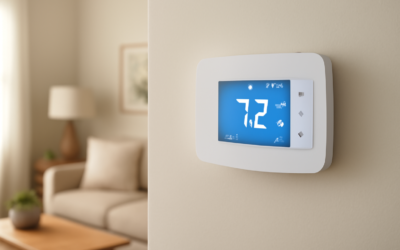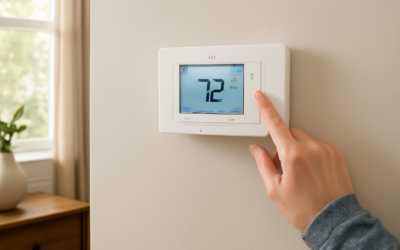
Smart thermostats have quietly split into two camps: the pricey learning models that cost $200-plus and the honest, no-frills Wi-Fi units that just let you control your heat from your phone. The Sensi Lite smart thermostat lands firmly in that second, sensible camp. Made by Emerson, it strips away the color touchscreen and auto-learning gimmicks and delivers reliable app control, scheduling, and energy monitoring for around $50 to $70. For a lot of homeowners, that is exactly the right amount of “smart.”
What the Sensi Lite Actually Offers
The Lite is the entry point in Emerson’s Sensi family. It provides Wi-Fi connectivity, a companion smartphone app for iOS and Android, flexible scheduling, and remote temperature control from anywhere you have a signal. What it deliberately leaves out is the fancy stuff: there is no full-color touchscreen, no motion-sensing auto-away, and no machine-learning that guesses your habits. You set the schedule; it follows it.
That simplicity is the point. If you found the Nest’s constant “helpful” adjustments annoying, or you just want a dependable thermostat you can bump up from bed on a cold morning, the Lite covers the essentials without the overhead.
Key Features and Specs
Here is what you get with the Sensi Lite:
- Connectivity — 2.4 GHz Wi-Fi, no separate hub required
- Control — Sensi app for remote adjustment and scheduling
- Display — simple backlit LCD, not a color touchscreen
- Voice control — works with Amazon Alexa and Google Home
- Scheduling — flexible 7-day programming through the app
- Alerts — high and low temperature and humidity notifications
- Power — runs on a C-wire or batteries depending on the model configuration
One genuinely useful touch is that Emerson designed Sensi thermostats to be DIY-friendly, with clear in-app wiring guidance and a design that fits most existing wall plates without a lot of fuss.
Will It Work With Your System?
Before you buy, confirm compatibility, because no smart thermostat works with every HVAC system. The Sensi Lite handles the vast majority of common residential setups:
- Standard forced-air furnaces and central AC — fully supported
- Heat pumps — supported, including auxiliary and emergency heat on the standard Sensi
- Single and multi-stage systems — check the app’s compatibility checker for your exact stages
What it does not do is control high-voltage electric baseboard heaters, which run on 120 or 240 volts. The Sensi is a low-voltage (24V) thermostat. Emerson provides a free online compatibility checker where you enter your current wiring, and it takes two minutes to confirm before you spend a dime.
The C-Wire Question
The single biggest install headache for any smart thermostat is the common wire, or C-wire, which provides continuous 24V power. The Sensi Lite may require a C-wire for full Wi-Fi functionality, unlike some higher Sensi models that can run on batteries. Before ordering, pop off your existing thermostat and look for a wire in the “C” terminal.
If you have no C-wire, you have options: run a new wire, use a C-wire adapter kit (about $20 to $30), or choose a battery-capable model instead. Do not assume; look at your wall first, because discovering a missing C-wire mid-install is the most common source of frustration.
Installing It Yourself
For most homeowners, installation is a 30-to-45-minute DIY job. The Sensi app walks you through it, but here is the flow:
- Turn off power to your HVAC system at the breaker for safety.
- Remove the old thermostat faceplate and photograph the existing wiring before disconnecting anything.
- Label each wire with the included stickers, matching them to their terminal letters.
- Mount the new Sensi base plate, leveling it, and connect each wire to its matching terminal.
- Snap on the Sensi, restore power, and follow the app to connect it to your 2.4 GHz Wi-Fi.
That wiring photo in step 2 is your safety net. If anything goes sideways, you can always restore the original configuration exactly.
Living With the Sensi Lite
Day to day, the appeal is remote control and scheduling. Set a weekday program that drops the heat while everyone is at work and warms the house before you get home, and you capture most of the energy savings a smart thermostat can offer. From the app you can override the schedule anytime, check the current indoor temperature and humidity, and receive an alert if the house drops below a set threshold, which is a genuine benefit for catching a failed furnace before pipes freeze.
Voice control through Alexa or Google Home means you can say “set the temperature to 68” without touching your phone. The scheduling is manual, so you invest a few minutes up front, but many people prefer that predictability to a learning thermostat second-guessing them.
Sensi Lite vs. Nest and Ecobee
Against the premium competition, the trade-offs are clear:
- Price — the Lite costs roughly a third of a Nest Learning or an Ecobee Premium
- Learning — Nest auto-learns your habits; the Sensi Lite does not, by design
- Sensors — Ecobee includes remote room sensors; the Lite does not
- Display — the premium units have color touchscreens; the Lite has a simple LCD
The honest verdict is that if you want maximum automation and are willing to pay for it, an Ecobee or Nest gives you more. If you want reliable app control and scheduling at a fraction of the cost, the Sensi Lite delivers the 80 percent of value that most households actually use.
Setting Up an Effective Schedule
The energy savings from any programmable thermostat come from the schedule, so it pays to set yours thoughtfully. Build your program around the times your house is genuinely empty or everyone is asleep, and let the temperature drift then. A common approach in winter is to hold 68°F when the house is occupied and awake, drop to about 62°F overnight and during work hours, and warm back up shortly before wake-up and homecoming.
The Department of Energy estimates you can save around 10 percent a year on heating and cooling by setting back the temperature 7 to 10 degrees for eight hours a day. The Sensi app makes it easy to create separate weekday and weekend schedules, so a household that is home on Saturdays keeps comfortable while still saving during the workweek. Adjust the setpoints gradually over a few weeks until you find the balance of comfort and savings that fits your family.
Wi-Fi and Connectivity Notes
The Sensi Lite connects only to 2.4 GHz Wi-Fi networks, not the 5 GHz band, which trips up some owners with modern dual-band routers. If your router broadcasts both bands under one name, you may need to temporarily separate them or ensure the 2.4 GHz band is enabled during setup. Once connected, the thermostat is reliable, and the 2.4 GHz band actually reaches farther through walls than 5 GHz, which suits a thermostat tucked in a hallway.
Troubleshooting Common Setup Issues
Most Sensi installation problems trace back to a handful of causes, and they are usually quick to resolve:
- No power or blank display — a missing C-wire; add a C-wire adapter or verify the wire in the C terminal
- Won’t connect to Wi-Fi — the network is on 5 GHz; switch to the 2.4 GHz band
- System won’t heat or cool — a wire is in the wrong terminal; recheck against your labeled photo
- Short cycling — verify the system-type setting in the app matches your equipment
Emerson’s phone and chat support has a good reputation for walking homeowners through wiring questions, and the in-app compatibility checker prevents most issues before they start. Take that photo of your old wiring before you disconnect anything, and the vast majority of problems become a two-minute fix rather than a service call.
Is It Worth It?
For the budget-minded homeowner who wants phone control and a programmable schedule without paying premium prices, the Sensi Lite smart thermostat is a strong, sensible choice. Confirm your system is low-voltage and check for a C-wire before you buy, plan on a half-hour DIY install, and you will have dependable remote climate control for well under $100. It skips the flashy features, but for most homes, the features it keeps are the ones that actually matter.