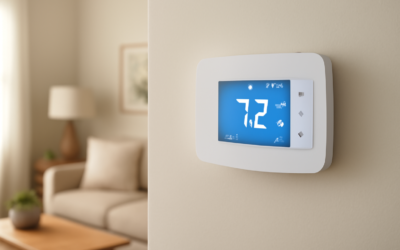
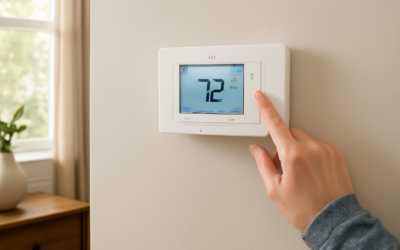
Smart thermostats promise lower energy bills and remote comfort control, but many carry a $200-plus price tag and a reputation for tricky wiring. The emerson sensi smart thermostat takes a different approach: easy DIY installation, broad HVAC compatibility, and a price that undercuts flashier competitors while still delivering the scheduling, remote control, and savings that matter. This guide covers the models, wiring requirements, app features, and whether Sensi is the right smart thermostat for your home.
- The Sensi Lineup Explained
- HVAC Compatibility and the C-Wire Question
- Installing the Sensi Yourself
- App Features and Everyday Use
- Smart Home Integration
- Energy Savings and Efficiency
- Sensi Versus Nest and Ecobee
- Troubleshooting Common Sensi Issues
- Warranty and Long-Term Reliability
- Is the Sensi Right for Your Home?
The Sensi Lineup Explained
Emerson sells the Sensi under a few distinct models, and picking the right one depends on your priorities around display, features, and budget. All of them connect to Wi-Fi and work with the same Sensi app.
- Sensi (ST55/1F86U): The original workhorse, priced around $80 to $100. Simple button interface, broad compatibility, and often installable without a C-wire.
- Sensi Touch 2: A color touchscreen model around $150 to $170, adding a customizable display, room sensor support, and a more premium look.
- Sensi Lite: A budget entry near $50 to $70, stripping features for buyers who just want basic app scheduling and remote control.
For most homeowners, the standard Sensi hits the sweet spot of price and capability. If you want a screen you will actually look at on the wall, the Touch 2 justifies its premium.
HVAC Compatibility and the C-Wire Question
The single most common obstacle with smart thermostats is the C-wire, or common wire, which supplies continuous power. Many older homes lack one at the thermostat. The standard Sensi’s headline advantage is that it can often run without a C-wire on common 24-volt heating and cooling systems, using batteries plus power-sharing to stay connected.
Sensi supports a wide range of systems: single and multi-stage heat and cool, heat pumps with auxiliary and emergency heat, and gas, oil, or electric furnaces. It does not work with high-voltage baseboard or line-voltage systems, and the Touch 2 does require a C-wire for reliable operation of its screen. Before buying, snap a photo of your current thermostat’s wiring and run it through the Sensi compatibility checker on Emerson’s site.
Installing the Sensi Yourself
Sensi is designed around DIY installation, and the app walks you through it step by step. Most homeowners finish in 20 to 30 minutes with nothing but a screwdriver.
- Turn off power to your HVAC system at the breaker to avoid shorting the control board.
- Photograph the existing wiring before disconnecting anything, so you have a reference.
- Label the wires using the stickers Sensi includes, matching each to its terminal letter.
- Mount the base plate and thread the wires through, then insert each into its labeled terminal.
- Attach the faceplate, restore power, and follow the in-app setup to connect Wi-Fi and configure your system type.
The app’s guided flow and clear terminal labeling make this one of the least intimidating smart thermostat installs on the market. If you are uncertain about your system type, choosing wrong during setup can cause short-cycling, so take your time on the configuration screen.
App Features and Everyday Use
The Sensi app is the heart of the experience, and it covers the essentials well. From your phone you can adjust the temperature anywhere, view the current indoor temperature and humidity, and set flexible schedules.
Scheduling supports 7-day flexible programming, letting you set different temperatures for morning, day, evening, and night on each day of the week. Geofencing uses your phone’s location to adjust the temperature when you leave and return, so the system is not heating or cooling an empty house. Usage reports and maintenance reminders round out the package, nudging you to change filters and flagging unusual runtime that might signal a problem.
Smart Home Integration
Sensi plays well with the major smart home ecosystems, which matters if you already use voice assistants or automation. It works with the following platforms.
- Amazon Alexa: Adjust temperature and set modes by voice.
- Google Assistant: Full voice control through Google Home devices.
- Apple HomeKit: The Touch 2 supports HomeKit, letting you control it through the Apple Home app and Siri.
- SmartThings and Wink: Broader home automation routines.
This wide integration means Sensi slots into most existing setups without forcing you into a single brand’s ecosystem, a practical advantage over thermostats locked to one platform.
Energy Savings and Efficiency
Emerson cites average savings around 23 percent on heating and cooling costs for households that use the smart features fully. Real savings depend heavily on how you use it. A thermostat that simply sits at 72 degrees around the clock will not save much regardless of how smart it is.
The savings come from behavior the app makes easy: setting back the temperature while you sleep or are away, using geofencing to avoid conditioning an empty house, and following energy-usage reports to spot waste. The standard Sensi is also ENERGY STAR certified, and pairing thoughtful scheduling with the remote control can realistically trim 10 to 20 percent off a typical bill in the first year.
Sensi Versus Nest and Ecobee
The obvious question is how Sensi stacks up against the better-known Nest and Ecobee. The honest answer is that Sensi trades flashy features for value and reliability. It lacks the auto-learning schedule of a Nest and the bundled remote sensor of an Ecobee.
What it offers instead is a lower price, easier no-C-wire installation on many systems, and a proven track record of stable Wi-Fi connectivity, an area where pricier rivals have sometimes stumbled. If you want a thermostat that learns your habits automatically and looks like a design object, Nest or Ecobee may appeal more. If you want dependable remote control and scheduling at half the price, Sensi is hard to beat.
Troubleshooting Common Sensi Issues
No smart thermostat is entirely trouble-free, but the Sensi’s most common issues have straightforward fixes. Knowing them ahead of time saves a frustrating afternoon.
- Wi-Fi disconnects: Usually a weak signal at the thermostat; a mesh node or extender nearby solves it. The Sensi works only on both 2.4 and 5 GHz depending on model, so confirm your network name.
- Short-cycling: Almost always a wrong system type selected during setup. Recheck the configuration for heat pump versus conventional and staging.
- Screen goes blank (battery models): Replace the AA batteries; without a C-wire the batteries power the display.
- Fan runs constantly: Check the G-wire terminal and the fan setting in the app, which may be set to On rather than Auto.
Emerson’s support and the app’s built-in troubleshooting guides handle the vast majority of these, and the active user community has documented fixes for nearly every wiring scenario. Because the thermostat is so widely used, help is easy to find when something acts up.
Warranty and Long-Term Reliability
Reliability is where the Sensi has quietly built a strong reputation. The standard models carry a limited warranty, typically three years, and Emerson has decades of HVAC-controls heritage behind the product, which shows in the stable firmware and dependable connectivity.
Unlike some flashier competitors that have suffered from buggy updates or connectivity drops, the Sensi tends to just work year after year. There is no motion-sensing screen to fail, no complex learning algorithm to misfire, and the simple, robust design means fewer things can break. For homeowners who value a thermostat that fades into the background and does its job for a decade, that track record is a meaningful selling point, arguably as important as any single feature on the spec sheet.
Is the Sensi Right for Your Home?
The emerson sensi smart thermostat is an excellent choice for homeowners who want the core benefits of a smart thermostat, remote control, flexible scheduling, geofencing, and energy reporting, without overpaying or wrestling with a difficult install. Its broad compatibility and frequent ability to run without a C-wire make it especially appealing for older homes.
Choose the standard Sensi for the best balance of price and features, or step up to the Touch 2 if you want a color touchscreen and HomeKit support. Either way, you get a reliable, DIY-friendly thermostat that delivers real energy savings and dependable comfort control for a fraction of what the marquee brands charge.