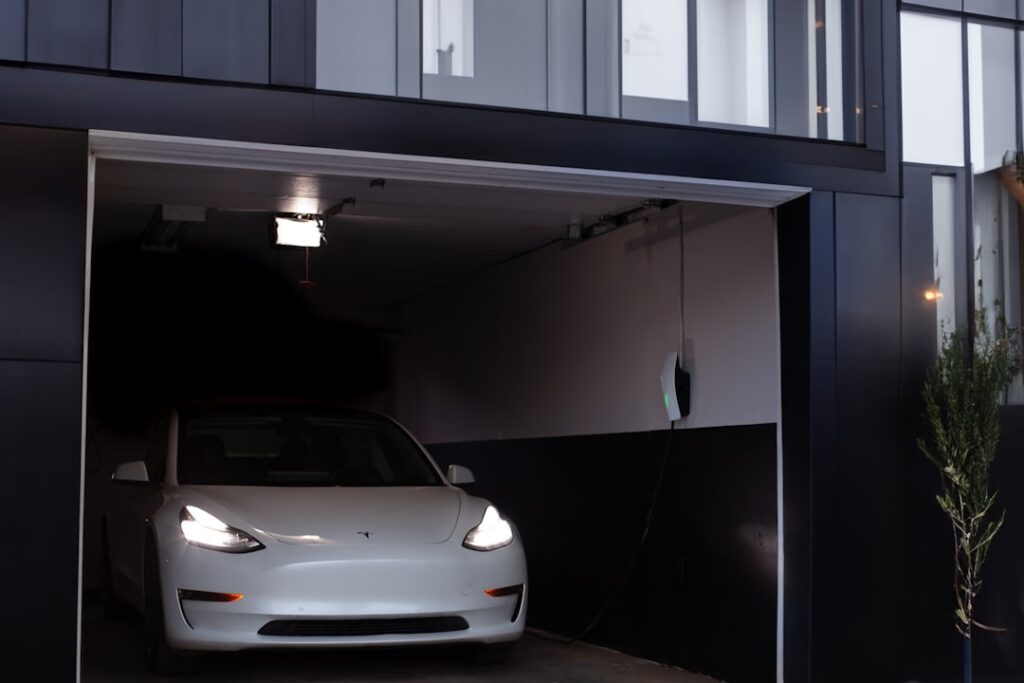
One of the quiet luxuries of owning a Tesla is pulling into your driveway and watching the garage door glide open before you even reach for a button. The Tesla garage door opener feature is not a separate product you buy but a built-in capability, delivered through the HomeLink module and the car’s GPS-aware software, that turns the vehicle itself into your remote. Once it is dialed in with the automatic open-on-arrival, you never want to go back to a clip-on remote.
Part of our Garage Doors guide — explore the full guide →
- Two Ways Your Tesla Controls the Door
- Is HomeLink Standard on Your Tesla?
- Setting Up HomeLink
- The Killer Feature: Auto-Open on Arrival
- Controlling the Door From the Tesla App
- Troubleshooting Common Issues
- The Bottom Line
- HomeLink Compatibility With Older Openers
- Security Considerations
- Getting the Most From Auto-Open
Two Ways Your Tesla Controls the Door
There are actually two distinct systems here, and understanding the difference clears up most confusion.
- HomeLink: a built-in radio transmitter, the same technology found in many cars, that learns and mimics your existing garage remote’s signal
- Tesla app garage control: a newer feature that lets you open and close a compatible smart garage opener from the phone app, even when you are away from home
HomeLink is the classic, reliable method that works with almost any opener and enables the marquee auto-open feature. The app-based control depends on having a compatible internet-connected opener and adds remote operation from anywhere.
Is HomeLink Standard on Your Tesla?
This is the first thing to check, because HomeLink is not included on every car. On the Model 3 and Model Y, HomeLink is an optional hardware module that costs around $300 to $350 and must be installed, either factory-ordered or added later at a service center. On most Model S and Model X vehicles, HomeLink is included as standard equipment.
You can confirm whether your car has it by opening the Controls menu and looking for a HomeLink icon, or by checking whether the small module is mounted near the mirror or dash. If it is not installed, that is the piece you will need before the auto-open feature can work.
Setting Up HomeLink
Programming HomeLink pairs the car with your existing opener. The exact steps vary slightly by opener brand, but the process follows a consistent pattern.
- Park within range of the garage door, ideally right in the doorway
- On the touchscreen, tap the HomeLink icon and select Create HomeLink
- Name the location and hold your existing garage remote near the module while pressing its button until the car registers the signal
- For rolling-code openers, press the Learn button on the opener’s motor unit, then trigger the door from the car within 30 seconds to complete pairing
- Test the door and adjust the geofence and auto-open settings
That opener Learn button step trips up a lot of people. Nearly all openers made after the mid-1990s use rolling codes and require you to press Learn on the motor head to authorize the new transmitter. Skip it and the door simply will not respond.
The Killer Feature: Auto-Open on Arrival
Once HomeLink is programmed, enable Auto Open and Auto Close in the settings. The car uses GPS to detect when you are approaching the saved location and automatically triggers the door as you arrive, then can close it as you drive away. You set the trigger distance so the door starts moving with enough lead time to be fully open when you reach it.
A few practical notes make this work reliably. The auto-open works best with a clear GPS signal and a consistent approach route. If your door opens too early or too late, adjust the auto-open distance. And because the feature relies on the car recognizing the location, it will only fire at the specific saved position, not at a friend’s identical opener across town.
Controlling the Door From the Tesla App
Separate from HomeLink, newer software supports opening a garage door directly from the Tesla phone app if you have a compatible smart opener connected to your account. This lets you close a door you forgot about from the office, or open it for a delivery while you are away. Compatibility here is narrower than HomeLink, so verify your specific opener model is supported before relying on it. HomeLink remains the universal, in-car method for the vast majority of setups.
Troubleshooting Common Issues
When the Tesla garage door opener acts up, the fix is usually one of a handful of things.
- Door will not respond after programming: you likely missed the opener’s Learn button step; repeat the rolling-code pairing
- Auto-open fires too early or not at all: adjust the auto-open distance and confirm GPS accuracy at the location
- Worked before, now dead: the opener may have cleared its memory or lost power; re-program HomeLink
- Very old opener incompatible: extremely old fixed-code units sometimes need a HomeLink repeater bridge kit
If none of that helps, a factory reset of the HomeLink module followed by fresh programming clears most lingering glitches.
The Bottom Line
The Tesla garage door opener capability turns your car into the most convenient remote you will ever use, especially with auto-open on arrival handling the door hands-free. Confirm your model has the HomeLink module, program it correctly including the opener’s Learn button, and tune the geofence to your driveway. Do that, and the small daily friction of fumbling for a garage remote simply disappears.
HomeLink Compatibility With Older Openers
HomeLink works with the overwhelming majority of garage door openers, but the very oldest units can be a special case. Openers made before roughly 1993 often use fixed-code technology, where the door responds to a single unchanging signal. HomeLink can usually learn these directly and easily. Openers made after the mid-1990s use rolling codes, which change with each use for security, and these require the extra step of pressing the Learn button on the motor head.
The rare trouble spot is an extremely old opener whose fixed code HomeLink cannot capture cleanly. In that case a HomeLink repeater bridge kit, wired at the opener, translates the signal so the car can operate it. Before assuming your opener is incompatible, check its manufacture date and confirm whether it has a visible Learn button, which nearly all modern units do.
Security Considerations
Convenience should not come at the cost of security, and the Tesla setup is designed with that in mind. HomeLink transmits the same rolling-code signal your original remote uses, so it is no less secure than the remote that came with your opener. The auto-open feature only triggers at the specific saved GPS location, meaning your door will not open at a stranger’s identical opener elsewhere.
A few sensible habits keep things tight. If you sell the car, clear the HomeLink programming so the new owner cannot access your garage. If your car is a shared or valet situation, be aware that anyone driving it to your saved location could trigger the door. And as with any garage entry, keep the interior door from the garage into the house locked, since the garage itself is only as secure as that second door.
Getting the Most From Auto-Open
To make the hands-free experience reliable, dial in a few settings after the initial programming. Set the auto-open distance so the door begins moving early enough to be fully open by the time you reach it, but not so early that it exposes the garage while you are still down the street. A consistent approach route helps the car’s GPS recognize your arrival cleanly.
- Enable both Auto Open and Auto Close in the HomeLink settings for full hands-free operation
- Adjust the trigger distance if the door opens too early or too late
- Confirm strong GPS reception at your driveway; dense tree cover or urban canyons can delay recognition
- Keep the HomeLink location named and saved accurately to your home address
Once these are tuned, the door simply opens as you turn into the driveway and closes as you pull away, which is the moment most owners realize they will never go back to a clip-on remote.