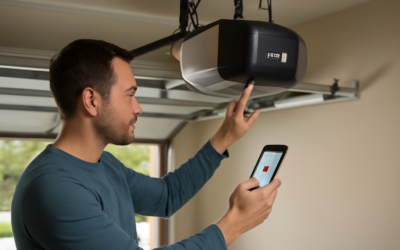
The most common garage security lapse is not a broken lock; it is a door left open for hours while nobody notices. A garage door opener app fixes that by putting a live door status and a remote control button on your phone, so you can close up from the office or the airport. If you have ever driven back home to check whether the door was down, this is the upgrade you actually feel every week.
Part of our Garage Doors guide — explore the full guide →
A modern garage door opener app pairs with a Wi-Fi-enabled opener or an add-on controller, then talks to your door over your home network and the cloud. You get open and close commands, real-time alerts, scheduled auto-close, and shared access for family members, all without buying another wall remote.
- What a Garage Door Opener App Does
- The Two Main Systems: myQ and Aladdin Connect
- How to Set Up Your Garage Door Opener App
- Security and Privacy Considerations
- Smart-Home Integration and Automation
- Costs, Subscriptions, and Value
- Choosing Between a Retrofit Hub and a New Opener
- Battery Backup and Power Outages
- Troubleshooting Common Problems
What a Garage Door Opener App Does
At its core, the app replaces the clip-on remote with something smarter. You see whether the door is open or closed in real time, tap to operate it, and receive a push notification each time it moves. Most apps let you set an auto-close timer so the door shuts itself after 10, 15, or 30 minutes if you forget.
Beyond the basics, the better apps log every open-and-close event with a timestamp, so you can confirm when the kids got home from school or when a package was delivered. You can grant temporary access to a dog walker, a cleaner, or a contractor, then revoke it later without changing any physical codes.
The Two Main Systems: myQ and Aladdin Connect
Two ecosystems dominate the US market. Chamberlain and LiftMaster openers use the myQ app, while Genie openers use Aladdin Connect. Both work well, but they differ in hardware and integrations:
- myQ (Chamberlain/LiftMaster): Built into most openers made after 2017, or added with the myQ Smart Garage Hub for about $30. Huge installed base and wide accessory support.
- Aladdin Connect (Genie): Built into newer Genie openers or added with a retrofit kit for roughly $50. Notably keeps free Google Home and Amazon Alexa integration.
The big catch with myQ is that free Google Assistant and Alexa voice control were discontinued, and some integrations now require a paid subscription of about $1 per month or $10 per year. Aladdin Connect kept its smart-home hooks free, which matters if voice control is important to you.
How to Set Up Your Garage Door Opener App
Installation is straightforward and rarely takes more than 30 minutes. Here is the typical flow for a retrofit hub on an older opener:
- Download the app and create an account, then confirm your phone and the hub are on the same 2.4 GHz Wi-Fi band. Most hubs do not support 5 GHz.
- Mount the hub on the garage ceiling near the opener, within reach of a power outlet, and plug it in.
- Stick the included door-position sensor on the top panel of the garage door so it can detect open versus closed.
- Wire the hub’s two low-voltage leads to the opener’s terminals, or pair wirelessly if your opener supports it.
- Follow the in-app pairing steps, learn the door, and test a full open-and-close cycle.
If your opener predates 1993, it may lack the safety photo-eyes required for remote operation. In that case, upgrade the opener itself rather than forcing a retrofit; safe remote closing depends on those sensors reversing the door if something is in the path.
Security and Privacy Considerations
Because the app can open a large entry to your home, treat its account like a bank login. Enable two-factor authentication, use a unique strong password, and never share your master credentials; use the guest-access feature instead. Keep the app and opener firmware updated, since manufacturers patch vulnerabilities through both.
Wi-Fi reliability is the practical weak point. If your router sits far from the garage, a dropped connection means the app cannot reach the door. A mesh Wi-Fi node or a range extender near the garage, or a simple Ethernet-fed access point, keeps status accurate. Always keep at least one physical remote and the wall keypad as a backup for when the internet is down.
Smart-Home Integration and Automation
The real payoff comes when the garage joins your broader smart home. With geofencing, the app can remind you to close the door when your phone leaves a set radius, or trigger the door as you arrive. Many systems tie into smart lights so the garage lights come on when the door opens after dark.
Delivery integration is another draw. myQ partners with Amazon for in-garage delivery, letting couriers place packages inside a secured garage and relock it. If you run a home security system from Ring, Wyze, or SmartThings, check compatibility first, because integrations shift as manufacturers change their paid tiers.
Costs, Subscriptions, and Value
The hardware is inexpensive. A retrofit hub runs $30 to $60, and a new Wi-Fi-native opener costs $200 to $400 installed. The ongoing cost is the wildcard: expect roughly $10 per year if you want certain smart-home or delivery features on myQ, while Aladdin Connect currently charges nothing for voice control. Read the current subscription terms before you buy, because vendors adjust them.
For most homeowners, the value is clear. You stop worrying whether the door is down, you gain a timestamped log of comings and goings, and you can let in a repair tech without leaving a code hidden under a rock. That peace of mind, for the price of a nice dinner, is why the garage is often the first thing people connect.
Choosing Between a Retrofit Hub and a New Opener
If your existing opener is under about 10 years old and runs reliably, a retrofit hub is almost always the smart move. For roughly $30 to $60 you add app control without touching the motor, and installation takes half an hour. Confirm your opener has “safety sensors,” the two photo-eyes near the floor, because remote closing is only safe with them, and check that the model appears on the hub maker’s compatibility list before buying.
When the opener itself is aging, noisy, or a loud chain-drive unit, consider replacing it with a Wi-Fi-native model instead. A modern belt-drive opener like a Chamberlain B4643T or a LiftMaster 87504-267 runs far quieter, includes the smart features built in, and often adds a battery backup so the door still opens during a power outage, a requirement in some states. Expect $200 to $400 installed. You get one clean, integrated system rather than a hub bolted onto old hardware, and the quieter belt drive alone is worth it if bedrooms sit above or beside the garage.
Battery Backup and Power Outages
A point people overlook: a Wi-Fi opener still needs power and internet to accept an app command, so a blackout takes the smart features offline. Openers with an integrated battery backup keep working for roughly 20 cycles or more during an outage, and the app can still reach them if your router and modem are on a small uninterruptible power supply. For under $80, putting your networking gear on a UPS keeps door status and control alive through short outages, which is exactly when you want to confirm the garage is secured.
Troubleshooting Common Problems
If the app shows the door offline, power-cycle the hub and check that your Wi-Fi password did not change. A door that reports the wrong status usually means the tilt sensor shifted; repositioning it flat on the top panel fixes most cases. Notifications that stop arriving are typically an app permission issue, so confirm the app is allowed to send alerts in your phone settings. When commands lag, weak signal is the usual culprit, and moving the router or adding a mesh point restores instant response.
If you share the home with family or roommates, take a few minutes to set up individual guest accounts rather than passing around one login. Everyone gets their own access you can revoke independently, and the activity log then tells you exactly who opened the door and when. For short-term needs, a contractor or house-sitter, use a time-limited guest invite that expires on its own, which is far safer than handing out a permanent code or a spare remote you may never get back.
Choose the system that matches your opener brand, put a strong network in the garage, and lock the account down with two-factor. Do that, and a garage door opener app quietly becomes one of the most-used smart upgrades in the whole house.