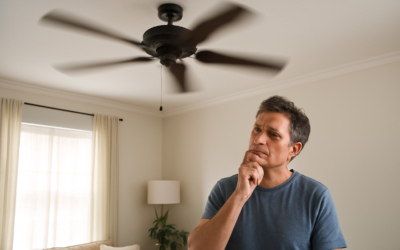
A wobbling ceiling fan is unnerving to watch, and the fear that it might come crashing down keeps plenty of homeowners up at night. If you are asking why is my ceiling fan wobbling, the reassuring news is that a wobble is almost never a sign the fan is about to fall — it is usually a minor balance or hardware issue you can fix in under an hour with basic tools. The unsettling news is that ignoring it lets vibration loosen screws over time, so it is worth addressing. This guide covers every common cause, from bent blades to a loose mounting box, and exactly how to correct each one.
- First, Rule Out the Dangerous Cause
- The Most Common Causes of Wobble
- Start With the Easy Checks
- 3. Check for Bent Blades and Alignment
- 4. Use a Balancing Kit
- 5. Inspect the Downrod and Canopy
- 6. Confirm the Mounting Box Is Fan-Rated
- What Not to Do
- When to Call an Electrician
- Does a Wobbling Fan Damage the Motor?
- Preventing Future Wobble
First, Rule Out the Dangerous Cause
Before chasing balance issues, confirm the fan is securely mounted. A ceiling fan must hang from a fan-rated electrical box that is fastened to a joist or a rated brace, not a standard light box. Turn the fan off, let it stop completely, and gently try to wiggle the entire fan where it meets the ceiling. If the mounting plate or the box itself moves, stop using the fan until you fix the mount — that is the one wobble cause that actually is a safety concern. Everything else on this list is a comfort and longevity issue, not a falling hazard.
The Most Common Causes of Wobble
Fan wobble almost always traces back to one of these:
- Unbalanced blades — the single most frequent cause. Even a few grams of weight difference between blades throws the fan off.
- Loose blade screws where each blade attaches to its bracket or the motor.
- Bent or warped blades, often from humidity, cleaning, or being knocked.
- Loose blade brackets (blade irons) that have flexed out of a matched plane.
- A loose canopy or downrod connection at the top of the fan.
- A wobbly or under-rated ceiling box.
- Dust buildup distributed unevenly across the blades.
Start With the Easy Checks
Work from simplest to most involved. You will often solve the wobble before reaching the harder steps.
1. Clean the Blades
Dust accumulates unevenly, and a heavy coat on one blade can nudge the whole assembly out of balance. Wipe every blade with a damp cloth, top and bottom, so they all carry the same negligible weight. This alone fixes surprisingly many wobbles and should always be step one.
2. Tighten Every Screw
Vibration slowly backs screws out. With the fan off and stopped, check and snug:
- The screws holding each blade to its blade iron (bracket).
- The screws holding each blade iron to the motor housing.
- The screws securing the downrod to the motor and the canopy to the ceiling plate.
- The set screw on the downrod ball joint, if your fan has one.
Do not overtighten and strip the threads — snug and secure is the goal. Loose blade-iron screws are one of the most overlooked causes of a persistent wobble.
3. Check for Bent Blades and Alignment
Blades must all sit in the same plane and hang at the same height. To check, hold a yardstick vertically from the ceiling to the leading edge of one blade tip, and note the distance. Rotate each blade by hand to that same spot and measure again. Every blade should read the same distance from the ceiling. If one is higher or lower, the blade or its iron is bent.
You can gently flex a slightly warped metal blade iron back into alignment with careful hand pressure. A badly warped wooden or MDF blade that has absorbed moisture should be replaced — and replace it with the matching blade or, ideally, a full matched set so weights stay even.
4. Use a Balancing Kit
If the fan still wobbles after cleaning, tightening, and aligning, the blades have slightly different weights and need balancing. Most fans come with a balancing kit, and they are cheap to buy separately. It contains a plastic clip and small stick-on weights. Here is the method:
- Run the fan and note whether it wobbles on high — pick the worst speed to balance against.
- Turn it off. Clip the plastic balancing weight to the middle of one blade, run the fan, and see if the wobble improves or worsens.
- Move the clip from blade to blade until you find the one where it reduces the wobble most.
- On that blade, slide the clip in and out along the blade’s length to find the exact spot that smooths the fan the most.
- Stick a self-adhesive balancing weight to the top of the blade at that position, near the clip location, and remove the clip.
Repeat as needed — sometimes two blades need a small weight. Patience here pays off; a properly balanced fan runs almost perfectly still even on high.
5. Inspect the Downrod and Canopy
If the whole fan sways rather than the blades shimmying, the issue is higher up. Remove the canopy cover and check that the downrod is fully seated, the cross pin is in place, and the set screws are tight. Confirm the hanger ball is properly seated in the mounting bracket and not sitting crooked. A downrod that is not fully engaged lets the entire fan pivot and produces a slow, sweeping wobble.
6. Confirm the Mounting Box Is Fan-Rated
If the box or bracket moves when you wiggle the fan, this is the real problem. Standard plastic light boxes are not built to carry a fan’s dynamic load. Replace it with a UL-listed fan-rated box mounted to a joist or an adjustable fan brace that spans between joists from the attic or through the opening. This is the one repair worth doing before any further use of the fan.
What Not to Do
- Do not add household objects like coins taped to blades — use proper balancing weights that stay put.
- Do not run a fan you know is loosely mounted in hopes it settles; it only gets worse.
- Do not mix blade sets from different fans, as differing weights guarantee imbalance.
- Do not overtighten plastic components or you will crack them.
When to Call an Electrician
Most wobbles are a DIY fix. Call a professional if the mounting box needs replacement and you cannot access it safely, if the fan is on a high or vaulted ceiling beyond ladder reach, or if you notice electrical issues like flickering, buzzing, or a burning smell alongside the wobble. Otherwise, work through the steps above in order — clean, tighten, align, balance, and check the mount — and your ceiling fan will spin smooth and quiet again.
Does a Wobbling Fan Damage the Motor?
A mild wobble will not immediately harm the motor, but sustained vibration over months does take a toll. The constant shaking loosens screws throughout the assembly, wears the motor bearings faster, and can fatigue the blade irons where they bolt to the housing. It also transmits noise into the ceiling structure, producing that annoying rattle or hum you hear in a quiet room. None of this is an emergency, but it is a slow-motion problem that only gets worse, which is why addressing a wobble early is worth the fifteen minutes it usually takes.
There is also the matter of your own peace of mind. A visibly shaking fan is distracting and unsettling to sit beneath, even when it is perfectly safe. Balancing it restores both quiet operation and the confidence to actually run it on high when you want the airflow.
Preventing Future Wobble
- Dust the blades monthly so buildup never accumulates unevenly.
- Recheck all screws once or twice a year, since normal running slowly loosens them.
- Handle blades carefully when cleaning so you do not bend them out of plane.
- Buy a quality fan with sealed bearings and matched, balanced blades — cheap fans wobble more readily and are harder to balance.
- Use the correct downrod length for the ceiling height so the fan hangs stable rather than swaying on an overly long rod.
A little routine attention keeps a balanced fan balanced, so you rarely have to repeat the full tuning process. Most fans, once properly set up and periodically maintained, run smooth and quiet for their entire service life.