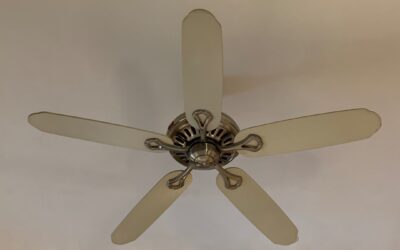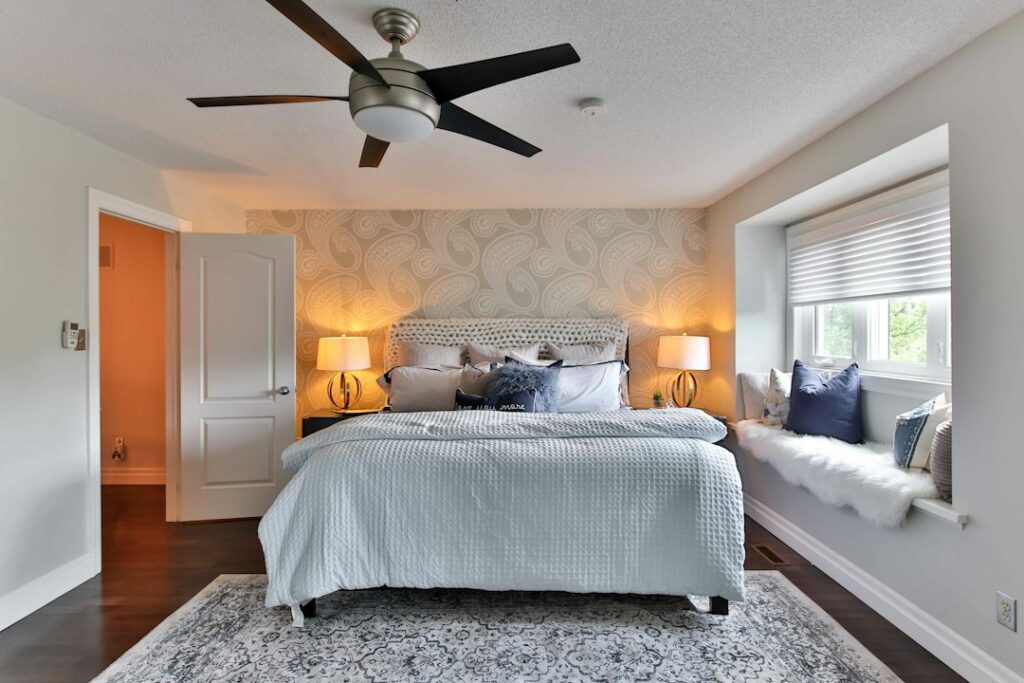
Controlling a ceiling fan from your phone sounds like a gimmick until the first summer night you speed it up without leaving bed. A wifi ceiling fan connects to your home network so you can adjust speed, lighting, and direction from an app, a voice assistant, or an automated schedule. Beyond convenience, smart fans genuinely trim energy bills by running only when needed and coordinating with your thermostat. This guide covers how they work, what to look for, and the wiring realities that decide whether you can install one.
How a WiFi Ceiling Fan Works
A smart fan contains a Wi-Fi radio and controller either built into the motor housing or added as a canopy module. Once connected to your 2.4 GHz home network, the fan talks to a manufacturer app and, in most cases, to voice platforms like Amazon Alexa and Google Assistant. You can turn it on, change speeds, dim the light, and reverse the blades — all without a pull-chain or even getting up.
Because control runs over Wi-Fi rather than a simple RF remote, you also get scheduling, remote access from anywhere, and automation. Set the fan to spin up when the room hits a target temperature, or to shut off automatically at bedtime.
Key Features Worth Paying For
Not all smart fans are equal. When comparing models, prioritize these capabilities:
- Voice assistant support: Confirm Alexa, Google, or Apple HomeKit compatibility for hands-free control.
- DC motor: Efficient DC motors use up to 70 percent less energy than AC motors and run whisper-quiet with more speed steps.
- Reversible direction from the app: Switch to updraft in winter without a ladder.
- Dimmable integrated light: Adjust brightness and often color temperature.
- Scheduling and scenes: Automate by time or link to other smart devices.
A DC motor paired with true app control is the combination that delivers both the convenience and the energy savings people buy a smart fan for.
Wiring Requirements Before You Buy
The biggest install obstacle is your existing wiring, so check it first. A wifi ceiling fan’s controller usually needs constant power to keep its radio alive, which means it should be wired to a switch that stays on, or installed where the smart module manages power itself. Consider these scenarios:
- Constant power at the box: Ideal — the smart controller stays powered and you control everything through the app.
- Single switched hot: Works if you leave the wall switch on and control via app, but flipping the wall switch off cuts the fan’s connection.
- Separate fan and light wires: Some smart fans use both, giving traditional wall control alongside app control.
If your only control is a wall switch you habitually flip off, plan to leave it on permanently or replace it with a smart switch so the fan’s brain never loses power.
Integrated Smart Fans vs Smart Controllers
You have two paths to a smart fan. Buy a fan with Wi-Fi built in, or add a smart controller to a fan you already own. Built-in smart fans offer the cleanest experience, with the app tuned to that exact fan and features like precise DC speed steps fully supported. Prices start around $150 and climb past $400 for designer DC models.
A smart controller — either a canopy receiver or a smart wall switch — brings app control to an existing AC fan for $30 to $80. It’s the budget route and avoids replacing a fan you like, though you won’t get DC efficiency or the seamless single-app feel of a purpose-built smart fan.
Installation Overview
Installing a smart fan follows the same core steps as any ceiling fan, with an extra network setup at the end. Always cut power at the breaker and verify with a tester before wiring. Mount a fan-rated ceiling box — a standard light box cannot safely carry a fan’s weight and vibration. Hang the bracket, connect line, neutral, and ground per the labeled leads, then secure the canopy.
Once mechanically installed, download the manufacturer’s app, put the fan in pairing mode, and join it to your 2.4 GHz network. Most smart fans won’t connect to a 5 GHz band, so if your router combines both under one name, you may need to temporarily separate them during setup.
Energy Savings and Comfort
The real payoff is efficiency. Running a fan lets you raise the thermostat about 4°F with no loss of comfort because moving air makes skin feel cooler, and a smart fan automates that by spinning up only when a room is occupied or warm. A DC-motor smart fan sips as little as 5 to 30 watts, a fraction of an older AC fan’s draw.
In winter, reverse the fan to a low updraft and it pulls warm air down from the ceiling, easing the load on your heating. Scheduling this seasonal switch through the app means you actually do it, instead of forgetting the reverse switch exists.
Choosing the Right Fan for Your Room
Size the fan to the space regardless of smarts. A room up to 75 square feet suits a 44-inch or smaller fan, medium rooms up to 175 square feet take 44 to 54 inches, and large rooms need 54 inches or more. Mount the blades 8 to 9 feet off the floor and at least 18 inches from any wall for good airflow.
Match the finish and light kit to your décor, confirm the voice platform you use is supported, and verify your wiring can keep the controller powered. Nail those details and a wifi ceiling fan becomes one of the most-used and genuinely useful smart devices in the house.
Troubleshooting Connectivity
Most smart-fan headaches come down to the network, not the fan. If the fan won’t pair, confirm you’re joining the 2.4 GHz band and that you’re standing near the fan during setup — thick ceilings and distance weaken the signal a controller tucked into a metal canopy already struggles with. A Wi-Fi extender or mesh node in a far room often cures a fan that keeps dropping offline.
If voice control stops responding, re-linking the fan’s skill in the Alexa or Google app usually restores it after a firmware or app update. And because these fans depend on your network, choose a model that keeps basic manual or RF remote control working when the internet is down, so a router outage never leaves you unable to turn off the fan. That local fallback is worth prioritizing when you compare models.