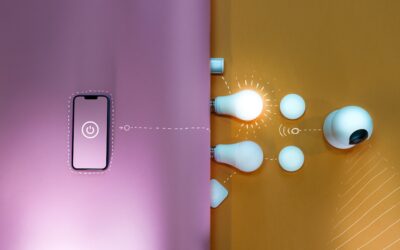
Most homes have between 40 and 75 electrical outlets, and only a handful ever need to be smart. A wifi outlet turns any standard receptacle or plug into a remote-controlled, schedulable, voice-activated power source for under $15 in most cases. After installing more than two hundred of them across rental properties and personal projects, the lesson is simple: pick the right outlet for the job and you will never miss a switch again.
What a WiFi Outlet Actually Does
A wifi-enabled outlet sits between your device and the wall, communicating with your home network on the 2.4 GHz band. Once paired through an app like Kasa, Smart Life, or Amazon Alexa, you can toggle power, set on/off schedules down to the minute, group outlets into scenes, and monitor real-time energy draw on models that support metering. Some plug-in versions also include USB-A or USB-C ports for charging phones without burning an outlet face.
The physical form factor matters. Plug-in models slide into an existing receptacle and accept any standard 2- or 3-prong device. In-wall versions replace the receptacle entirely and require basic wiring knowledge plus a neutral wire in the box. Outdoor-rated units carry an IP44 or higher rating and stand up to rain, snow, and pollen without corroding.
Plug-In vs. In-Wall Models
Plug-in smart outlets are the easiest entry point. The TP-Link Kasa EP25 four-pack runs around $35, sets up in five minutes, and works with both Alexa and Google Assistant without a hub. They are renter-friendly because nothing is hardwired and they leave with you when you move.
In-wall smart receptacles cost more, around $25 to $45 per unit, but they look like normal outlets and replace dual receptacles so both halves stay smart. The Leviton Decora Smart D215P-2RW is a popular choice for kitchens and home offices where plug-in adapters look cluttered. Installation takes about 15 minutes per box if you have a neutral wire and basic comfort with line-voltage wiring.
Top Brands Worth Considering
Stick with brands that have shipped millions of units and pushed firmware updates for at least three years. The reliable list is short:
- TP-Link Kasa and Tapo — best app, no hub required, $8 to $15 per plug
- Amazon Smart Plug — $24, perfect Alexa integration, no extra app
- Leviton Decora Smart — premium in-wall units, $30 to $45
- Wemo (by Belkin) — Apple HomeKit support, $25 per plug
- Lutron Caseta — uses a hub, but rock-solid for whole-home setups
Avoid no-name plugs from marketplaces. They often phone home to overseas servers, lose firmware support within a year, and ship with hardcoded passwords that have already been exposed in security databases.
Setup and Network Requirements
Almost every wifi outlet on the market connects only to 2.4 GHz networks because that band penetrates walls better and uses less power. If your router broadcasts a single combined SSID for both 2.4 GHz and 5 GHz, you may need to temporarily separate the bands or use the manufacturer’s app on your phone with 5 GHz disabled during pairing.
Place the outlet within reasonable range of the router. A typical 2.4 GHz signal weakens after two interior walls or one masonry wall. For outlets in detached garages or basements, plan to add a mesh node or wifi extender, or pick a Z-Wave or Zigbee device that hops through a hub instead.
Best Uses Around the House
Once you start automating, the obvious applications appear quickly. Bedside lamps that turn on with a voice command beat fumbling for a switch. Christmas lights that follow sunset times save the daily ritual of plugging and unplugging. Coffee makers that warm up at 6:15 a.m. mean fresh coffee while you are still in the shower.
Practical placements that pay back almost immediately:
- Holiday lights inside and outside, scheduled by sunset
- Window air conditioners that pre-cool a bedroom before bedtime
- Towel warmers and bathroom space heaters on morning timers
- Aquarium pumps, lights, and CO2 systems
- Slow cookers and Instant Pots set to start mid-day
- Dehumidifiers in basements with humidity-trigger automations
- Garage shop tools that auto-shut-off after 4 hours
Energy Monitoring and Real Savings
Roughly half the wifi outlets sold today report watt-by-watt energy use back to the app. The TP-Link KP125M and Emporia Smart Plug both offer this for around $18. Plug an old chest freezer in for a week and you may discover it draws 180 kWh per month, costing $25 at average US rates of $0.16 per kWh. That single discovery often pays for a half-dozen smart plugs.
Phantom loads add up too. Game consoles, cable boxes, and gaming PCs left in standby can pull 15 to 40 watts apiece around the clock. Cutting power overnight with a scheduled outlet trims roughly $20 to $60 per device per year.
Security and Privacy Considerations
A wifi outlet is a tiny computer on your network, so basic hygiene applies. Put smart-home devices on a separate guest or IoT network so a compromised plug cannot reach your laptops or NAS. Change the default app password to something unique, enable two-factor authentication, and apply firmware updates within a week of release.
Be cautious about cloud accounts that store your home schedule, location, and energy data. Brands like Lutron and Apple HomeKit-certified plugs process commands locally whenever possible, while many cheaper devices route every on/off through a Chinese or US data center. If privacy matters, lean toward Matter-compatible plugs released after 2023, which work locally and across ecosystems.
Common Problems and How to Fix Them
Pairing failures are the number one complaint. Nine times out of ten the cause is the 5 GHz issue mentioned earlier. The second most common issue is plugs going offline after a router reboot. Most apps have a “rediscover” function that re-establishes the connection in under a minute. If you reboot often, assign each plug a static DHCP reservation in your router so the IP never changes.
For in-wall units that suddenly stop responding, kill the breaker for 60 seconds before troubleshooting. Smart receptacles occasionally lock up when the firmware updates mid-cycle, and a hard power-cycle clears the fault. Replace any plug that runs noticeably warm to the touch — a properly working unit should feel cool even at 10 amps of load.
Final Buying Advice
Start with two or three plug-in models from a major brand, automate the lights or coffee maker first, and let the rest of your home gradually fill in around what you actually use daily. A modest $50 investment in three good plugs delivers more day-to-day convenience than a $400 lighting overhaul. Once you understand which devices you actually want to schedule, then move to in-wall units in visible rooms and outdoor-rated plugs for porches and patios.