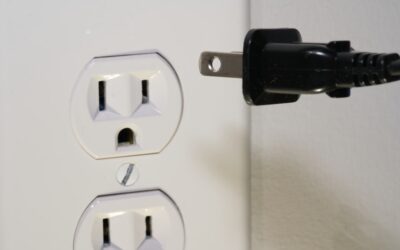
A WiFi smart plug is one of the cheapest and easiest ways to make an ordinary appliance smart. It sits between your wall outlet and any plug-in device, letting you switch that device on or off from your phone, a voice assistant, or an automated schedule. This guide explains how smart plugs work, what to look for, how to set one up, and the many practical ways to use them.
- What a WiFi Smart Plug Does
- How They Connect and Work
- Key Features to Compare
- Indoor vs Outdoor Models
- Safety Certifications to Look For
- Step-by-Step Setup
- Practical Uses Around the Home
- Using Energy Monitoring to Save Money
- Voice Control and Automation
- Limitations to Keep in Mind
- Troubleshooting Common Problems
- Buying Tips
- WiFi Smart Plugs vs Smart Bulbs and Switches
- Understanding the Cloud Dependence
- Building a Smart Home Starter Kit
- Final Thoughts
What a WiFi Smart Plug Does
At its core, a smart plug is a remote-controlled relay with WiFi built in. Whatever you plug into it, a lamp, fan, coffee maker, space heater, or holiday lights, becomes controllable from anywhere with an internet connection. There is no hub required for WiFi models; the plug connects directly to your home router and communicates through a companion app.
Because it controls power at the outlet, a smart plug works best with devices that turn on automatically when they receive power. A lamp with a physical on switch left in the “on” position is perfect. A device that requires a button press after power is restored is less ideal.
How They Connect and Work
Most WiFi smart plugs use the 2.4 GHz WiFi band, which offers better range and wall penetration than 5 GHz, even though it is slower. When you set one up, you connect it to your home network through the manufacturer’s app. Once online, commands you send from the app travel over the internet to the manufacturer’s cloud servers and back to the plug, which is why an internet outage can temporarily disable remote control.
Newer plugs increasingly support Matter, an industry standard that lets devices from different brands work together and can enable local control that keeps working even if the cloud is down.
Key Features to Compare
- Energy monitoring: Higher-end plugs track wattage and kilowatt-hours, letting you see exactly what a device costs to run.
- Amperage rating: Standard plugs handle 10 to 15 amps. For a space heater or other high-draw appliance, verify the plug is rated for at least 15 amps and 1,800 watts.
- Voice assistant support: Look for Amazon Alexa, Google Assistant, or Apple Home (HomeKit) compatibility.
- Scheduling and automation: Timers, sunrise/sunset triggers, and routines that link the plug to other devices.
- Size and outlet spacing: Slim designs avoid blocking the second outlet on a duplex receptacle.
Indoor vs Outdoor Models
Standard smart plugs are for indoor use only. If you want to control string lights, fountains, or landscape features, buy a model specifically rated for outdoor use with a weather-resistant enclosure and a gasketed cover. These carry an IP (ingress protection) rating such as IP44 or higher and are built to survive rain and temperature swings. Never use an indoor plug outdoors, as moisture can cause a short or shock hazard.
Safety Certifications to Look For
Because a smart plug carries household current, safety matters more than the low price suggests. Choose plugs that carry a recognized safety certification such as UL or ETL listing in the United States. These marks indicate the product passed independent testing for fire and shock resistance. Avoid uncertified imports, especially for high-wattage devices, and never chain a smart plug into a power strip that pushes it beyond its rated load.
Step-by-Step Setup
- Download the manufacturer’s app and create an account.
- Plug the smart plug into an outlet within good WiFi range of your router.
- Put the plug into pairing mode, usually by holding its button until the indicator light blinks.
- In the app, choose “add device,” select your 2.4 GHz network, and enter the WiFi password.
- Once connected, name the plug something clear like “Living Room Lamp” for easy voice control.
- Link the app to Alexa, Google, or Apple Home if you want voice commands.
If pairing fails, confirm you are on the 2.4 GHz band and that the password is correct, since these are the two most common setup snags.
Practical Uses Around the Home
The versatility of a smart plug is what makes it so popular. Common uses include:
- Turning lamps on at sunset and off at bedtime automatically for a lived-in look while you travel.
- Starting a coffee maker from bed in the morning.
- Shutting off a space heater or iron remotely if you forgot to unplug it.
- Scheduling holiday lights so you never have to crawl behind the tree.
- Cutting standby power to entertainment centers and chargers to trim phantom energy use.
Using Energy Monitoring to Save Money
Plugs with energy monitoring reveal how much electricity individual devices consume. You might discover an old refrigerator or a gaming console in standby is quietly adding several dollars a month to your bill. Once you can see the numbers, you can decide whether to replace an inefficient appliance or automate it to shut off during idle hours. Many apps estimate cost based on a per-kWh rate you enter, so accurate savings depend on entering your utility’s actual rate.
Voice Control and Automation
Linking a smart plug to a voice assistant lets you say “turn off the fan” without touching your phone. Beyond simple commands, you can build routines: a single “good night” command can shut down multiple plugs at once. Geofencing automations can turn devices off when the last person leaves home, and if-this-then-that logic lets a smart plug respond to sensors, such as switching on a lamp when a motion detector trips.
Limitations to Keep in Mind
Smart plugs are not right for every device. They cannot dim a lamp unless the bulb itself is dimmable and controlled separately, and they should never be used with medical equipment or anything that must never lose power unexpectedly. Devices that need a manual restart after power loss will not respond well to scheduling. And because most rely on cloud servers, remote control depends on both your home internet and the manufacturer’s service being online.
Troubleshooting Common Problems
If a plug goes offline, first power-cycle it and check your router. A weak WiFi signal is the usual culprit for plugs in garages or far rooms, solvable with a mesh extender. If voice commands stop working, unlink and relink the skill or service in the assistant app. When a plug refuses to reconnect after a router change, reset it to factory settings by holding the button and set it up fresh with the new network name.
Buying Tips
For most people, a two- or four-pack of certified indoor plugs offers the best value and lets you automate several devices at once. Prioritize a 15-amp rating if you plan to control any heat-producing appliance, choose energy monitoring if saving on your bill is a goal, and favor models that support Matter for future-proof, cross-brand compatibility. Expect to pay roughly $8 to $20 per plug depending on features.
WiFi Smart Plugs vs Smart Bulbs and Switches
A smart plug is not the only way to automate lighting, so it helps to know when it is the right tool. A smart bulb replaces the bulb itself and adds dimming and color control, but you must buy one for every fixture and they only work when the wall switch is left on. A smart switch replaces the wall switch and controls whatever is wired to it, ideal for hardwired ceiling lights, but it requires electrical work. A smart plug is the simplest and cheapest option for anything that plugs into an outlet, needs no wiring, and moves with you if you relocate. For lamps, fans, and appliances, the plug usually wins on simplicity.
Understanding the Cloud Dependence
Most affordable WiFi plugs route commands through the manufacturer’s cloud servers, which has two implications. First, if your home internet goes down or the company’s servers have an outage, remote control and scheduling may stop working until service returns. Second, your usage data passes through those servers, so choosing a reputable brand with a clear privacy policy matters. Plugs that support Matter or offer local control can execute schedules and respond to the app on your home network even without internet, which is why that capability is increasingly worth seeking out.
Building a Smart Home Starter Kit
Smart plugs are often the gateway into a broader smart home, and they pair naturally with other inexpensive devices. A few plugs, a smart speaker for voice control, and a couple of motion or contact sensors let you build genuinely useful automations: lights that come on when you enter a room, fans that shut off when you leave, and a bedtime routine that powers everything down at once. Because plugs are cheap, you can experiment freely and expand at your own pace. Starting with two or three plugs on your most-used devices is the easiest way to learn what automations you actually value.
Final Thoughts
A WiFi smart plug delivers an outsized amount of convenience for a very small investment. In minutes you can automate lamps, appliances, and seasonal lights, monitor energy use, and add voice control to devices that were never designed to be smart. Choose a UL- or ETL-listed model with the right amperage for your needs, follow the simple setup steps, and you will wonder how you ever managed without one.