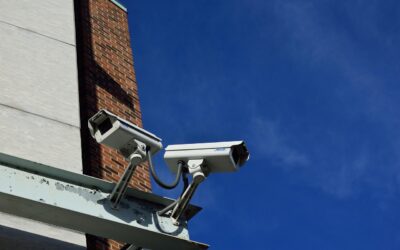
A wireless security camera system with remote viewing lets you pull up a live feed of your porch, driveway, or nursery on your phone whether you are at work or three states away. The technology has dropped in price and jumped in quality: a two-camera 2K kit now runs $150 to $300, and the app experience rivals what pro installers charged thousands for a decade ago.
This guide walks through how a wireless security camera system with remote viewing actually works, the low-voltage wiring choices, storage options, and what to budget so you buy once instead of returning a kit that could not reach your garage.
- What “wireless” really means
- Remote viewing: how the feed reaches your phone
- Resolution: 1080p, 2K, or 4K
- WiFi vs PoE wiring
- Where the video is stored
- Night vision and motion detection
- Coverage and placement
- Indoor vs outdoor cameras
- WiFi range and reliability
- Privacy and legal basics
- What to budget
- Getting it running
What “wireless” really means
Two things get called wireless, and confusing them causes most buyer regret. WiFi cameras send video wirelessly but usually still need a power wire, either a plug-in adapter or a low-voltage cable. Battery cameras are truly wire-free: a rechargeable 6,000 to 10,000 mAh pack lasts three to six months per charge, or you add a small solar panel to top it off. If you want zero wiring, buy battery or solar. If you want continuous 24/7 recording, you want constant power, because battery cams record only on motion to save juice.
Remote viewing: how the feed reaches your phone
Remote viewing works because the camera or its hub uploads video through your home internet to the manufacturer’s cloud, and the app pulls it back down to you anywhere with a signal. You need reliable home WiFi and roughly 1 to 2 Mbps of upload bandwidth per camera streaming at 1080p, more for 2K or 4K. Check your upload speed, not just download; many plans give 200 Mbps down but only 10 Mbps up, which limits how many cameras stream at once. Look for cameras that support two-way audio and push notifications so a motion alert reaches your lock screen in one to three seconds.
Resolution: 1080p, 2K, or 4K
1080p (2 megapixel) is the floor and reads faces at close range. 2K (4 MP) is the current sweet spot: sharp enough to catch a license plate at 15 feet and to zoom into a package thief’s face without a smeared mess. 4K (8 MP) delivers the most detail but eats storage and upload bandwidth. For most homes, 2K on the entry points and driveway, with 1080p covering side yards, balances clarity and cost.
WiFi vs PoE wiring
Truly wireless kits are easiest to install, but if you want the most reliable setup and are willing to run a low-voltage cable, Power over Ethernet (PoE) is worth understanding. A PoE camera draws power and sends video over a single Cat5e or Cat6 cable, up to 328 feet, from a network video recorder or PoE switch. No batteries, no WiFi dropouts, and continuous recording. This is low-voltage work (48V over Ethernet), so no electrician or permit is needed, and a homeowner can run cable through an attic in an afternoon. WiFi wins for renters and simple setups; PoE wins for reliability and permanent installs.
Where the video is stored
- Cloud: footage uploads to the manufacturer’s servers. Convenient and off-site, but most brands charge $3 to $15 per month per camera after a free trial. Free tiers often keep only the last 3 hours or a handful of clips.
- Local microSD: a 128 GB card in the camera stores one to two weeks of motion clips at no monthly cost. It fails if a thief takes the camera.
- Local NVR or hub: a base station with a 1 to 4 TB drive records all cameras continuously for weeks and keeps working if the internet drops. Best privacy and no subscription.
Many buyers pick a hybrid: local recording for everything plus a cheap cloud plan on the front door for off-site backup.
Night vision and motion detection
Standard infrared night vision sees in black and white to about 30 feet. Color night vision uses a low-light sensor plus a small spotlight and is far more useful for identifying clothing and vehicles. For motion, look for on-device AI that distinguishes people, vehicles, and packages from a swaying branch. That single feature cuts false alerts by 80 to 90 percent and is the difference between a system you trust and one whose notifications you mute after a week.
Coverage and placement
Mount cameras 8 to 10 feet high, angled slightly down, so they capture faces rather than the tops of heads and stay out of easy reach. Prioritize the front door, driveway, back door, and any ground-floor window not visible from the street. A typical single-family home is well covered by four to six cameras. Overlap fields of view at entry points so one camera captures anyone tampering with another. Field of view runs 110 to 160 degrees; wider covers more but distorts detail at the edges.
Indoor vs outdoor cameras
Do not use an indoor camera outside. Outdoor units carry a weather rating, look for IP65 or higher, meaning they shrug off dust and heavy rain, and tolerate temperature swings from below freezing to over 100°F. Indoor cameras are smaller, cheaper, and often add features like pan-tilt tracking and privacy shutters that physically cover the lens when you are home. Many buyers run a mix: weatherproof cameras on the exterior entry points and driveway, plus a couple of pan-tilt indoor cameras aimed at main rooms, entryways, or a nursery. Confirm the outdoor units come with mounting hardware and, for battery models, that the panel or charging cable can reach a practical spot.
WiFi range and reliability
The most common complaint about wireless cameras is a camera at the edge of the property that keeps dropping the feed. A camera 60 feet from the router, through two exterior walls, may see a weak signal. Fixes include adding a mesh WiFi node near the garage or back of the house, choosing a system with its own dedicated hub and radio rather than relying purely on home WiFi, or running PoE to the farthest cameras for a rock-solid wired link. Before mounting, walk the intended spot with your phone and check the signal; a camera that streams beautifully on the bench but stutters at the far fence post is a setup problem, not a defective unit.
Privacy and legal basics
A wireless security camera system with remote viewing is powerful, so use it responsibly. Aim cameras at your own property, entry points, driveway, and yard, and avoid pointing them into a neighbor’s windows or a shared space, which can violate privacy laws in many states. Audio recording is more tightly regulated than video; some states require consent to record conversations, so check local rules before enabling always-on audio. Post a small notice if your jurisdiction expects it. On the security side, treat the camera account like online banking: a unique strong password, two-factor authentication, and prompt firmware updates keep strangers from hijacking the feed you set up to protect your home.
What to budget
A solid two-camera battery kit with 2K resolution and free local storage runs $150 to $300. A four-camera system with a hub and a 1 TB drive lands around $350 to $600. A wired PoE system with an eight-channel NVR and six 4K cameras runs $700 to $1,200 in hardware. Add $40 to $180 a year if you choose a cloud plan. Compared with $30 to $60 a month for a monitored alarm contract, a self-monitored wireless system pays for itself inside a year.
Getting it running
Set up the hub first, connect it to your router, then add cameras one at a time in the app before mounting so you can confirm each connects and streams remotely over cellular data, not just your home WiFi. Test remote viewing by switching your phone to cellular and pulling up each feed. Enable two-factor authentication on the account, use a strong unique password, and update firmware, because an internet-connected camera is only as secure as its login. Once it is live, you have a wireless security camera system with remote viewing that puts your whole property in your pocket.