
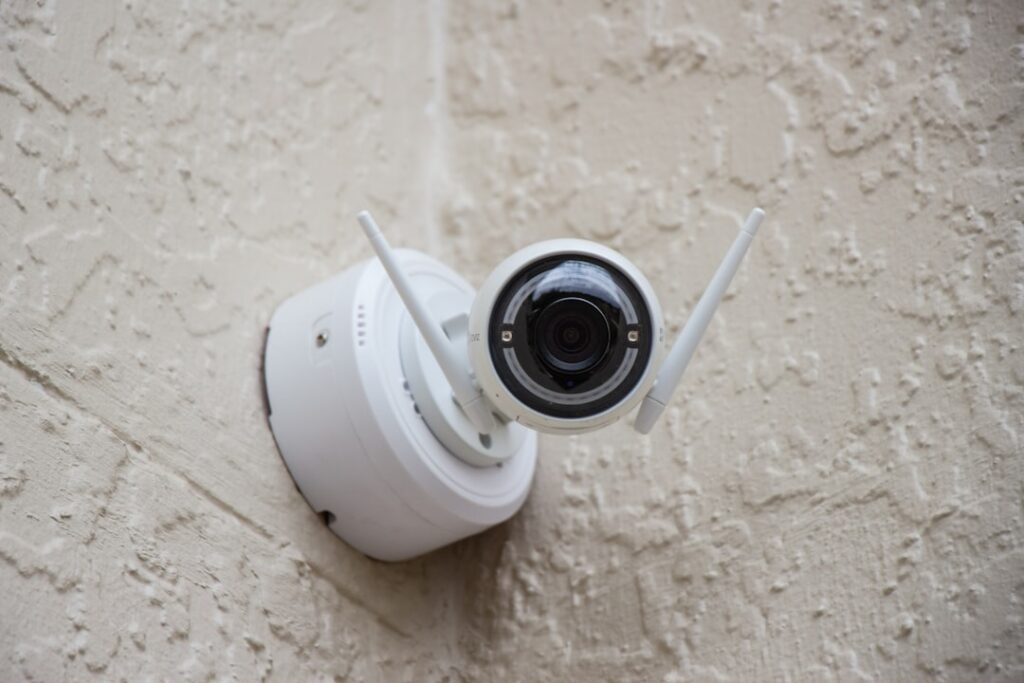
A wifi security camera system lets you monitor your home without running video cable to every camera, sending footage over your wireless network to an app or recorder. These systems are popular because they install quickly, expand easily, and give you live views and alerts from your phone. This guide covers how they work, what to look for, and how to set one up reliably.
- How a WiFi Camera System Works
- Wired vs Wireless Power
- Resolution and Video Quality
- Storage Options
- Subscription Costs
- Coverage and Camera Placement
- Wi-Fi Network Requirements
- Installation Steps
- Smart Features to Look For
- Troubleshooting Common Issues
- Mistakes to Avoid
- Indoor vs Outdoor Cameras
- Security of the System Itself
- Integration and Automation
- WiFi vs Wired PoE Systems
- Battery Care and Cold Weather
- Final Thoughts
How a WiFi Camera System Works
Each camera connects to your home Wi-Fi and streams video to the cloud, a local hub, or a network recorder. When motion is detected, the camera records a clip and pushes an alert to your phone. You view live feeds and playback in an app. Because the video travels wirelessly, placement is flexible, but every camera still competes for bandwidth on your router, which shapes how many you can run smoothly.
Wired vs Wireless Power
WiFi refers to the data connection, not the power. Most WiFi cameras still need power, either from a plug-in adapter or a rechargeable battery. Battery cameras are truly wire-free and mount anywhere, but you recharge them every few months. Plug-in cameras never die but must sit near an outlet. Solar panel accessories can keep battery cameras topped off outdoors. Decide based on outlet access and how much recharging you will tolerate.
Resolution and Video Quality
Most WiFi cameras record at 1080p, which is fine for general awareness, while 2K and 4K models resolve faces and license plates far better. Higher resolution uses more Wi-Fi bandwidth and storage, so balance clarity against network capacity. Look for HDR to handle backlighting and a wide field of view, typically 110 to 160 degrees, to cover more area with fewer cameras. Color night vision is a useful upgrade over plain infrared.
Storage Options
WiFi systems store footage three ways. A microSD card in each camera keeps clips locally at no monthly cost but is lost if the camera is stolen. Cloud storage keeps footage off-site behind a subscription, protecting evidence during a break-in. A local hub or NVR with a hard drive offers large capacity without recurring fees. Many homeowners combine a microSD card with cloud backup for the best of both.
Subscription Costs
Many WiFi cameras work without a plan, storing clips locally, but cloud recording and smart alerts usually require a subscription. Expect about $3 to $10 per month for a single camera or $10 to $20 per month for multi-camera plans, with discounts for annual billing. Free tiers often include a few hours or days of history. Before buying, check whether the features you want are locked behind a subscription.
Coverage and Camera Placement
Plan cameras around entry points: front door, back door, garage, and ground-floor windows. Mount them 8 to 10 feet high, angled slightly down, to capture faces while staying out of reach. Overlap fields of view so there are no blind spots. Point cameras along paths rather than straight at the street to reduce nuisance alerts from passing traffic. Verify each spot has a strong Wi-Fi signal before mounting.
Wi-Fi Network Requirements
A reliable system needs a robust network. Most cameras use the 2.4 GHz band, which reaches farther through walls than 5 GHz. If cameras sit far from the router, add a mesh node or extender nearby. As a rule, each 1080p stream uses about 1 to 2 Mbps of upload bandwidth, so several cameras streaming to the cloud can strain slow internet plans. Check your upload speed before adding many cameras.
Installation Steps
Installation is largely tool-light. Charge or wire each camera, open the manufacturer’s app, and add the device by scanning its QR code. Join your 2.4 GHz network, name the camera, and test the live view from the mounting spot before drilling. Attach the mount with the included screws and anchors, angle the lens, and set motion zones. Repeat for each camera and confirm they all appear on one dashboard.
Smart Features to Look For
Modern WiFi cameras offer person, vehicle, and package detection to cut false alerts, plus activity zones that ignore busy areas like the sidewalk. Two-way audio lets you speak to visitors, and a built-in siren deters intruders. Integration with smart-home platforms lets a camera trigger lights or show its feed on a smart display. These features add real value beyond simple motion recording.
Troubleshooting Common Issues
Choppy or dropped video almost always means weak Wi-Fi; move the router closer or add a mesh point. Delayed notifications often come from phone battery-saver settings blocking the app. If a battery camera dies quickly, tighten motion zones so it stops recording every passing car. Cameras that fall offline after a router change usually need to be re-added on the correct 2.4 GHz network.
Mistakes to Avoid
Do not rely solely on in-camera storage where a thief can walk off with the evidence. Avoid overloading slow internet with too many cloud-streaming cameras. Never leave default passwords or skip two-factor authentication on your account. Do not mount cameras where dense Wi-Fi obstructions like brick or metal sit between them and the router, and do not point cameras into direct sun.
Indoor vs Outdoor Cameras
WiFi systems usually mix indoor and outdoor cameras, and the two have different needs. Outdoor cameras require a weatherproof rating, commonly IP65 or higher, to withstand rain, dust, and temperature swings from below freezing to over 100 degrees Fahrenheit. Indoor cameras can be smaller and often add features like privacy shutters that physically cover the lens when you are home. Place outdoor units under eaves for shade and weather protection, and position indoor cameras to cover main entry points and shared living spaces rather than private rooms.
Security of the System Itself
Because a WiFi camera system connects to the internet, securing it against hackers is essential. Always change the default password to a strong, unique one and enable two-factor authentication on your account. Keep camera and app firmware updated, since manufacturers patch vulnerabilities regularly. Use a guest or separate network segment for cameras if your router supports it, isolating them from computers and phones. These steps prevent unauthorized access to your live feeds, which is a real risk with any internet-connected camera left on factory settings.
Integration and Automation
WiFi cameras become more useful when tied into a broader smart home. Many integrate with voice assistants so you can pull a feed onto a smart display by voice, and with smart lighting so a detected person triggers the porch lights. Geofencing can arm cameras automatically when the last family member leaves and disarm them on return, cutting false alerts from your own movement. Look for a system that supports the automation platform you already use rather than locking you into a single closed ecosystem.
WiFi vs Wired PoE Systems
It helps to know when WiFi is the right choice versus a wired system. WiFi cameras win on easy installation, flexible placement, and expandability, making them ideal for renters, smaller homes, and retrofits where running cable is impractical. Wired Power over Ethernet systems win on rock-solid reliability and continuous recording, since they never compete for wireless bandwidth or drop offline. For a handful of cameras in an average home, WiFi is usually the practical pick. For a large property, many cameras, or 24/7 recording needs, a wired backbone is more dependable. Some homeowners blend both, wiring critical entry cameras and using WiFi for secondary angles.
Battery Care and Cold Weather
Battery-powered WiFi cameras need a little seasonal attention. Lithium batteries drain faster in freezing temperatures, so a camera that lasts three months in summer may need charging monthly in deep winter. Keep a spare battery charged for quick swaps, or add a small solar panel to keep outdoor units topped off. Tightening motion zones and lowering recording length also stretches battery life. Storing a fully drained battery in the cold shortens its lifespan, so recharge promptly when a camera signals low power to keep it protecting your home without gaps.
Final Thoughts
A wifi security camera system delivers flexible, expandable home monitoring without the hassle of video cabling, as long as your wireless network is strong enough to support it. Match resolution and camera count to your bandwidth, combine local and cloud storage for resilient footage, and secure your account with a strong password and two-factor login. Placed and configured well, it keeps a watchful eye on every entrance.


