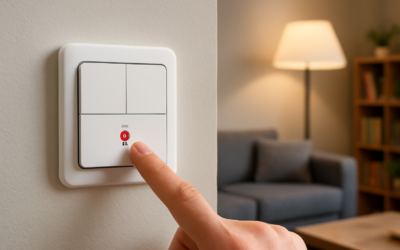
More than half of smart-home headaches come from Wi-Fi devices flooding a home network, and that is precisely the problem a Z Wave light switch solves. Instead of joining your crowded Wi-Fi, it talks over a dedicated low-power mesh network that routes signals from switch to switch. The result is faster response, longer range, and rock-solid reliability, even in a large house with thick walls.
How Z-Wave Actually Works
Z-Wave operates on the 908.42 MHz band in the United States, well away from the 2.4 GHz traffic that Wi-Fi and Bluetooth fight over. Each mains-powered switch acts as a repeater, so the more devices you add, the stronger and more reliable the mesh becomes. A single network supports up to 232 devices and can hop a signal across four nodes.
You do need a hub, sometimes called a controller or gateway. Popular choices include the Aeotec Smart Home Hub, Hubitat Elevation, and Ring Alarm Pro. The hub bridges your Z-Wave devices to your phone and to voice assistants like Alexa and Google Assistant.
The Neutral Wire Question
Before you buy anything, open the wall box and look for a bundle of white neutral wires. Most Z-Wave switches require a neutral connection to power their internal radio. Homes built after the mid-1980s almost always have one; older homes frequently do not.
If you lack a neutral, you still have options. A handful of switches, such as certain Zooz and GE models, run in a no-neutral mode, though they may require a bypass module at the light fixture. Confirm compatibility before purchase to avoid a frustrating return.
Types of Z-Wave Switches
Not every switch replacement is the same. Match the device to the job.
- On/off switches: Simple replacements for standard toggles, ideal for outlets, fans, and non-dimmable LEDs.
- Dimmers: Adjust brightness and support scenes; verify your bulbs are labeled dimmable.
- Three-way and multi-way kits: Control one light from two or more locations using a smart switch plus an accessory switch.
- Scene controllers: Trigger multiple lights or automations from a single button press.
Top Switches Worth Considering
A few brands dominate the market for good reason.
- Zooz ZEN76: Around $30, reliable, and includes a no-neutral cousin in the ZEN71.
- GE Enbrighten: A widely available, well-supported option near $40 with a QuickFit design that fits crowded boxes.
- Inovelli Red Series: Enthusiast favorite with an LED notification bar and deep configuration, around $50.
- Leviton Decora Smart: Clean styling and strong build quality for design-focused rooms.
Look for the “Z-Wave 700” or “800 series” label. Newer chipsets deliver better battery life on sensors, longer range, and SmartStart, which lets you add a device by scanning a QR code.
Installing a Z-Wave Switch Safely
Wiring a switch is well within reach for a careful DIYer, but electricity demands respect. Turn off the breaker, then confirm the circuit is dead with a non-contact voltage tester before touching any wires.
Steps
- Photograph the existing wiring so you can reference it later.
- Remove the old switch and identify the line (hot), load, neutral, and ground wires.
- Connect the new switch’s leads to the matching wires using the included connectors.
- Tuck the wires neatly, screw the switch into the box, and add the plate.
- Restore power and add the switch to your hub using its inclusion procedure.
If your box holds three-plus cables and you cannot identify the line versus load, call a licensed electrician. A $90 service call is cheaper than a fried $40 switch or an inspection failure.
Building Reliable Automations
The payoff comes once the switch is on your hub. Set porch lights to follow sunset, dim the living room at 9 p.m., or flash the kitchen lights when a door sensor trips. Because the commands run locally on hubs like Hubitat, they fire even if your internet drops.
Group related switches into scenes so one tap sets an entire room. A well-planned mesh with a dozen switches turns a house into a system that responds the moment you walk in.
Z-Wave Versus Wi-Fi and Zigbee
Choosing a protocol shapes everything you buy afterward, so it pays to understand the trade-offs. Wi-Fi switches skip the hub and connect directly to your router, which sounds convenient until you add a dozen of them and watch your network slow to a crawl. Each Wi-Fi device also drops offline whenever your internet hiccups.
Zigbee is Z-Wave’s closest rival and also uses a mesh with a hub, but it shares the crowded 2.4 GHz band with Wi-Fi, which can cause interference in dense environments. Z-Wave’s lower frequency travels farther through walls and avoids that congestion, though Zigbee devices are often a few dollars cheaper. For a whole-home lighting system where reliability matters more than saving a few dollars per switch, Z-Wave’s dedicated band and long range make it the steadier long-term platform.
Planning a Whole-Home Rollout
Resist the urge to wire the whole house in a weekend. Start with a single hub placed centrally, then add switches in the two or three rooms you use most, such as the kitchen, living room, and entry. This gives you a working core to learn the automation software before you scale.
Because every mains-powered switch repeats the signal, adding switches actually strengthens the mesh rather than straining it. Keep no single device more than about 30 feet or one or two walls from its nearest neighbor, and the network heals itself if one node drops. Map your dead zones first, then place a switch or a plug-in module to bridge any long gaps between rooms.
Is Z-Wave Right for Your Home?
If you want dependable, private, locally controlled lighting that does not choke your Wi-Fi, a Z Wave light switch is one of the best investments in home automation. Start with a hub and two or three switches in your most-used rooms, confirm you have neutral wires, and expand from there. The mesh only gets stronger as you grow it.