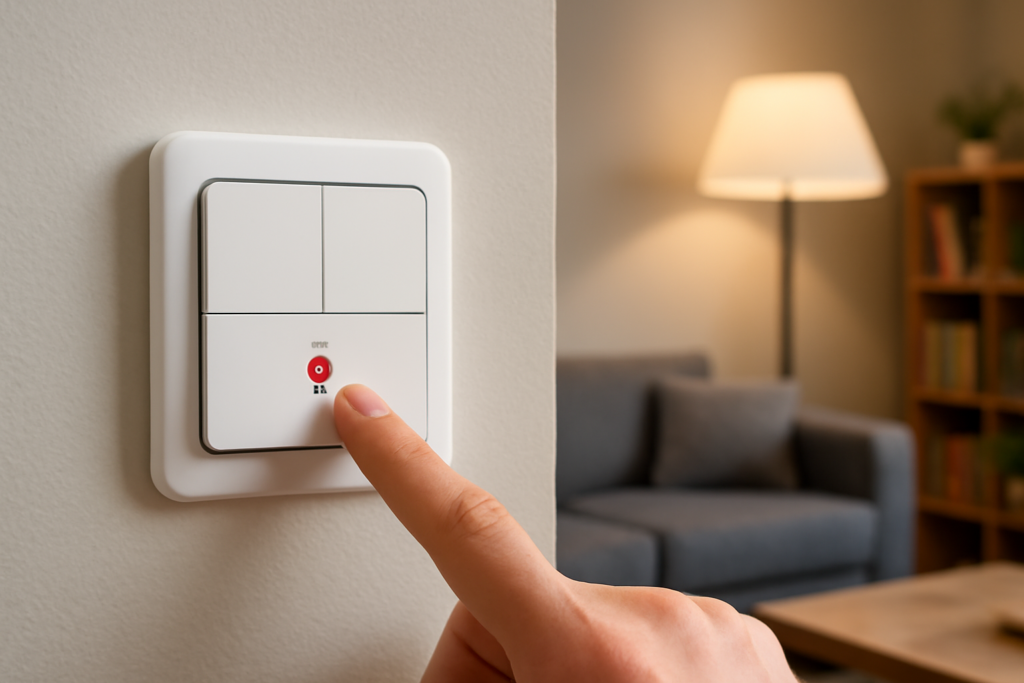
For homeowners building a smart home that is fast, local, and reliable, a Zigbee light switch is one of the most dependable building blocks available. Unlike Wi-Fi switches that flood your router and depend on the cloud, Zigbee switches form their own low-power mesh network that keeps working even when the internet is down. This guide explains how Zigbee works, what you need to run it, real costs, wiring considerations, and how to choose and install the right switches.
- What Zigbee Is and Why It Matters
- You Need a Hub or Coordinator
- The Critical Wiring Question: Neutral Wire
- Switch Types to Choose From
- What Zigbee Switches Cost
- Popular Brands and Compatibility
- Installation Overview
- Setting Up Automations
- Common Mistakes to Avoid
- Zigbee vs. Z-Wave, Wi-Fi, and Matter
- Troubleshooting Common Zigbee Issues
What Zigbee Is and Why It Matters
Zigbee is a wireless communication standard designed specifically for smart-home devices. It operates on low power and creates a mesh network, meaning each mains-powered device, including your light switches, acts as a repeater that extends the network’s range and strengthens the whole system. The more Zigbee devices you add, the more robust the network becomes. Because commands travel locally between the switch, the hub, and your devices rather than out to a distant server, Zigbee is fast and continues to function during internet outages, which is a major reliability advantage over cloud-dependent Wi-Fi switches.
You Need a Hub or Coordinator
The one requirement that sets Zigbee apart from Wi-Fi switches is a coordinator, commonly called a hub. Zigbee devices do not connect directly to your router; they connect to a hub that translates between the Zigbee mesh and your home network. Popular options include the SmartThings hub, Amazon Echo devices with a built-in Zigbee radio, Hubitat, and the open-source combination of a Zigbee USB coordinator with Home Assistant. This hub requirement adds some upfront cost and setup, but it is what enables the local, reliable operation. If you already own an Echo with Zigbee or a SmartThings hub, you are ready to start.
The Critical Wiring Question: Neutral Wire
Before buying any smart switch, check your wiring. Most Zigbee light switches require a neutral wire in the switch box to power their internal radio continuously. Homes built or rewired in recent decades usually have neutral wires present, but older homes often do not, especially at switch locations. Open a switch plate and look for a bundle of white wires capped together in the back of the box; that is the neutral. If you have no neutral, you must either choose one of the fewer no-neutral Zigbee switches, run a neutral wire, or use smart bulbs instead. This is the single most common reason a smart-switch project stalls, so verify it first.
Switch Types to Choose From
Zigbee switches come in several forms to match your needs:
- On/off switches simply control lights digitally and are the most affordable.
- Dimmer switches add brightness control, ideal for living and dining areas; confirm your bulbs are dimmable.
- 3-way and multi-way switches control one light from two or more locations, requiring compatible companion switches or specific wiring.
- Scene controllers and smart buttons trigger automations rather than directly switching a load, useful for one-touch scenes.
Decide whether you want to control the fixture (switch) or individual bulbs, because smart switches keep your existing dumb bulbs working while smart bulbs offer color control at higher per-bulb cost.
What Zigbee Switches Cost
Zigbee switches are competitively priced. Basic on/off switches run about $15 to $30 each, and dimmers cost roughly $25 to $45 each. Well-known reliable brands sit toward the middle of that range. Budget for a hub if you do not have one: an Echo with Zigbee or a dedicated hub runs $35 to $130, while a Zigbee USB stick for Home Assistant costs $20 to $40. Because each switch strengthens the mesh, a whole-home rollout of a dozen or more switches becomes both more reliable and, per device, quite affordable compared to premium Wi-Fi ecosystems.
Popular Brands and Compatibility
Several manufacturers make solid Zigbee switches. Well-regarded names include Inovelli, known for feature-rich enthusiast switches; GE/Jasco Enbrighten; Sonoff and its budget-friendly line; Third Reality; and Aqara. A key advantage of Zigbee is interoperability: because it is an open standard, switches from one brand generally work with hubs from another, so a Sonoff switch can pair with a SmartThings or Home Assistant hub. Still, check the specific device’s compatibility list, since a few manufacturers use proprietary tweaks. This cross-brand flexibility is a big reason enthusiasts favor Zigbee over closed ecosystems.
Installation Overview
Installing a Zigbee switch is standard smart-switch work, but electricity demands respect:
- Turn off the circuit at the breaker and confirm the wires are dead with a non-contact voltage tester.
- Remove the old switch and note the wiring: line (hot), load (to the fixture), neutral, ground, and any traveler wires for 3-way setups.
- Connect the new switch following its diagram, matching line, load, neutral, and ground. The neutral connection is what most old switches lack.
- Tuck the wires neatly, mount the switch, and install the plate.
- Restore power and pair the switch to your hub by putting the hub in pairing mode and following the switch’s inclusion sequence.
If you are not comfortable working with line-voltage wiring, hire a licensed electrician; the pairing step afterward is easy.
Setting Up Automations
The real payoff comes after installation. Through your hub’s app or platform, you can schedule lights to follow sunrise and sunset, create scenes that set multiple lights at once, link switches to motion sensors, and integrate voice control through Alexa or Google Assistant. Because Zigbee runs locally, these automations fire quickly and keep working during an internet outage, a reliability that cloud-based systems cannot match. Many users also value the ability to control the physical switch normally, so guests and family members who ignore the app still operate the lights as expected.
Common Mistakes to Avoid
The number one mistake is buying switches before confirming you have a neutral wire, leading to switches you cannot install. Always check the box first. Another is forgetting that Zigbee needs a hub and expecting the switch to connect straight to Wi-Fi. Homeowners also sometimes start with too few devices spread far apart, weakening the mesh; adding mains-powered Zigbee devices strengthens coverage. Finally, for 3-way circuits, do not assume any switch works; buy a model explicitly designed for multi-way wiring with the correct companion.
Zigbee vs. Z-Wave, Wi-Fi, and Matter
It helps to see where Zigbee sits among the alternatives. Z-Wave is a similar mesh technology that operates on a lower radio frequency, giving it slightly better wall penetration and less interference with Wi-Fi, but its devices tend to cost a bit more and it also requires a hub. Wi-Fi switches skip the hub and connect straight to your router, which is simpler to start, but they burden the router, often depend on the cloud, and can be less responsive. Matter, the newer unifying smart-home standard, increasingly runs over Thread, another low-power mesh, and aims to make devices work across ecosystems; some newer switches support it. For a homeowner today, Zigbee remains a mature, affordable, widely supported choice, and many hubs bridge Zigbee devices into Matter-based systems, so a Zigbee investment is not a dead end.
Troubleshooting Common Zigbee Issues
Most Zigbee problems have simple fixes. If a switch will not pair, move the hub closer during inclusion or reset the switch and try again, since pairing sometimes needs a stronger signal than normal operation. If a device drops off the network, the usual cause is a weak mesh; adding a mains-powered Zigbee device between the hub and the far switch repairs coverage, because those devices repeat the signal. Keep the Zigbee coordinator away from your Wi-Fi router and USB 3.0 devices, which cause interference on the shared 2.4 GHz band; a short USB extension cable moving the coordinator away often resolves flaky behavior. Finally, if response lags, confirm your automations run locally on the hub rather than routing through a cloud service, which reintroduces the delay Zigbee is meant to avoid.
A Zigbee light switch delivers the speed, local reliability, and cross-brand flexibility that make smart lighting genuinely pleasant to live with. Confirm your neutral wire, pick a hub, choose switches matched to your fixtures and any 3-way needs, and build out the mesh device by device. The result is a responsive, resilient lighting system that keeps working whether or not the internet does.