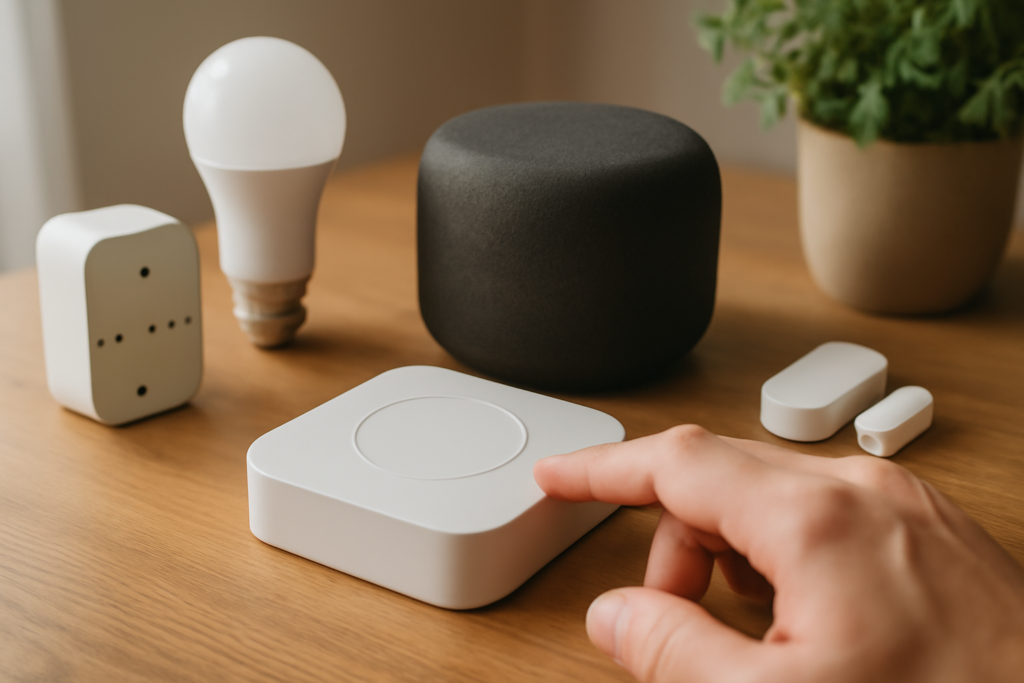
Zigbee devices are cheap, low-power and reliable, which is why so many sensors, bulbs and switches use them. They all share one catch: none of them talk to your phone or Wi-Fi router directly. They need a coordinator, and picking the right zigbee smart home hub decides how stable, private and expandable your setup will be for years.
The short answer: choose a standalone hub if you want simple app-based setup, a USB coordinator dongle plugged into a small always-on computer if you want local control and the widest device support, or a speaker or display with a built-in radio if you only plan a handful of devices. Then build the mesh by placing mains-powered devices, which act as routers, between the hub and your battery sensors, and choose a Zigbee channel that stays clear of your Wi-Fi.
Here is how each type compares, how the mesh works, and how to avoid the interference problems that make devices drop off.
What a Zigbee Smart Home Hub Actually Does
Zigbee is a low-power wireless protocol built on the 2.4 GHz band. Every network has exactly one coordinator. The coordinator forms the network, holds the security keys, lets devices join and passes their messages to your automation software or app. That coordinator is what people mean by a Zigbee hub.
The hub usually connects to your home network by Ethernet or Wi-Fi, which lets your phone app, voice controls and automations reach the Zigbee devices. Without it, a Zigbee wall switch still works as a local switch, but you cannot control it remotely or tie it to schedules and sensors.
Zigbee is not the only low-power protocol. Some competing protocols use a different radio band and need their own hub, and newer smart home standards are growing too. Devices from different protocols cannot join each other’s networks directly, so choose the hub that supports the devices you actually plan to buy.
Three Ways to Add a Zigbee Coordinator
Standalone hub
A dedicated box that plugs into your router and runs its own app. Setup is fast and friendly, and many include other radios as well. The downside: device support depends on that maker’s list, some features rely on a cloud service, and if the company changes its plans your hub may lose features. A standalone zigbee hub typically costs $30 to $130.
USB coordinator dongle
A small radio stick, usually $20 to $45, that plugs into a mini PC, single-board computer or network-attached storage box running open-source home automation software. This route supports the widest range of devices from many makers, keeps control local so automations work when the internet is down, and gives you detailed network maps. It takes more setup time and some comfort with software updates and backups. Use a short USB extension cable to move the dongle away from the computer’s own USB 3 ports, which emit interference in the 2.4 GHz band.
Speaker or display with a built-in hub
Some smart speakers, displays and routers include a Zigbee radio. They are convenient for a few bulbs, a plug or two and a door sensor. They usually support fewer device types and offer less control over the mesh. If your plans grow past a dozen devices or include advanced sensors, you may outgrow one.
Which to choose
- Beginner, under 15 devices: built-in speaker hub or an entry standalone hub.
- Want an app that just works with many devices: a well-supported standalone hub.
- Want local control, privacy and the broadest compatibility: USB coordinator with local software.
How a Zigbee Mesh Works
Zigbee devices fall into three roles:
- Coordinator: the hub, one per network.
- Routers: mains-powered devices such as plugs, in-wall switches, dimmers and many bulbs. They stay awake and relay messages for other devices.
- End devices: battery-powered sensors, buttons and remotes. They sleep most of the time and connect through a nearby router or the coordinator.
Each router extends the network, so coverage grows as you add powered devices. A single hub might reach 30 to 50 feet indoors through a couple of walls, but a mesh of routers can cover a large house, a detached garage and a backyard. Battery sensors far from the hub will be reliable only if a router is nearby.
A practical layout
Start with the hub in a central location, off the floor and away from metal cabinets, appliances and aquariums. Add a smart plug or a Zigbee smart switch in each area where you plan sensors, especially at far ends of the house and on other floors. Then pair battery devices after the routers are in place, standing close to where the device will live so it attaches to the best nearby router.
Wi-Fi Interference and Channel Choice
Zigbee and 2.4 GHz Wi-Fi share the same spectrum. Zigbee uses channels 11 through 26, each narrow, while Wi-Fi uses wider channels 1, 6 and 11. When they overlap, Zigbee messages collide with Wi-Fi traffic and devices become sluggish or drop off.
Check which 2.4 GHz channel your router uses. Then pick a Zigbee channel that sits in a gap:
- Wi-Fi channel 1 overlaps roughly Zigbee 11 to 14.
- Wi-Fi channel 6 overlaps roughly Zigbee 16 to 19.
- Wi-Fi channel 11 overlaps roughly Zigbee 21 to 24.
Zigbee channels 15, 20 and 25 fall between the common Wi-Fi channels and are popular choices. Set your router to a fixed 2.4 GHz channel instead of auto so it does not wander into your Zigbee channel. Changing the Zigbee channel after building a network can force some devices to re-pair, so choose early.
Keep the hub or dongle at least a few feet from the Wi-Fi router, microwave ovens, cordless phone bases and USB 3 devices.
Setting Up Your Network Step by Step
- Choose the hub type and confirm it supports the specific devices you plan to buy.
- Place it centrally and connect it by Ethernet where possible.
- Set the Wi-Fi 2.4 GHz channel manually, then choose a Zigbee channel that avoids it.
- Pair routers first: plugs, switches and bulbs, working outward from the hub.
- Pair battery devices last, near their final location.
- Name devices clearly by room and function.
- Back up the coordinator configuration if your software supports it, so a replacement dongle can restore the network.
- Let the mesh settle for a day before judging reliability; routes optimize over time.
Installing Zigbee Switches and Dimmers Safely
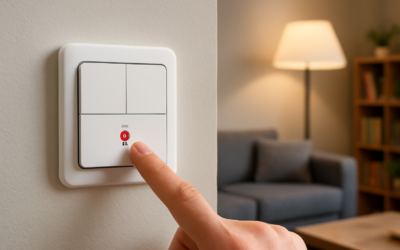
Plug-in devices and bulbs need no wiring. In-wall devices such as a Zigbee wall switch or Zigbee dimmer switch replace existing line-voltage switches. Before removing a cover plate, turn off the breaker and confirm power is off with a non-contact voltage tester. Many smart switches require a neutral wire, and some older boxes do not have one. Check box fill, match the dimmer to the bulb type, and never test connections with the power on. If a location needs a new circuit, a new box or rewiring, hire a licensed electrician.
Troubleshooting Common Mesh Problems
Devices drop off or respond slowly
Add a router device between the hub and the problem area, check for Wi-Fi channel overlap and move the hub away from metal and electronics.
Battery sensors lose connection
Some sensors only work with certain router types. Re-pair near a router known to work with it, or add a plug from the same maker.
Bulbs make poor routers
Smart bulbs on a switched fixture lose power when someone flips the wall switch, which breaks the mesh. Use smart switches or plugs as routers instead, or keep those fixtures always powered.
Network grew slow after many devices
Check the coordinator’s device limit, update firmware, and add more routers to spread the load.
Costs
A USB coordinator runs about $20 to $45, plus $50 to $150 for a small computer if you do not have one. Standalone hubs range from roughly $30 to $130. Zigbee plugs typically cost $10 to $25, sensors $10 to $30 and in-wall switches $25 to $60. A starter network with a hub, three plugs and five sensors can come in under $250.
Frequently Asked Questions
Do I need a zigbee smart home hub for Zigbee devices?
Yes. Every Zigbee network needs one coordinator, whether it is a standalone hub, a USB dongle or a speaker with a built-in radio.
Can I use two Zigbee hubs?
Each device joins only one network. You can run two hubs on separate channels, but they will not share devices, which usually makes things harder.
What is the best Zigbee channel?
Channels 15, 20 and 25 often avoid common Wi-Fi channels. The best choice depends on which Wi-Fi channel your router uses.
How far does Zigbee reach?
One device reaches roughly 30 to 50 feet indoors. Mains-powered routers extend range across the whole house.
Does Zigbee work without internet?
The mesh itself is local. Whether automations run offline depends on the hub; local software and some hubs keep working, while cloud-based ones may not.
Is Zigbee better than Wi-Fi for smart home devices?
For sensors and switches, often yes. Zigbee uses less power, lets batteries last for years and keeps dozens of devices off your Wi-Fi network.