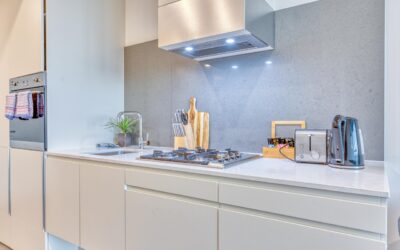
Reworking a kitchen on paper is nearly impossible; a half-inch mistake in cabinet placement can leave a dishwasher door jammed against an island. That is exactly why free kitchen cabinet design software has become the smartest first step in any remodel. These tools let you drag walls, drop in base and wall cabinets, and walk through a 3D preview before you spend a dollar on lumber. You catch clearance problems, test finishes, and hand a real plan to your contractor instead of a napkin sketch.
Part of our Kitchen Remodeling guide — explore the full guide →
Why Design Before You Buy
Cabinets typically eat 40 to 60 percent of a kitchen remodel budget, often $10,000 to $25,000 installed. A layout error at that scale is expensive to unwind. Designing digitally first lets you confirm the work triangle between sink, stove, and refrigerator, verify that drawers and appliance doors clear each other, and make sure your 36-inch range actually fits the run you planned. It also gives you a shopping list of exact cabinet sizes, which prevents the classic mistake of ordering the wrong filler pieces.
Top Free Tools Worth Trying
Several programs offer genuinely useful free tiers. Each has strengths depending on how much detail you want and how comfortable you are with software.
- IKEA Home Planner / Kitchen Planner — best if you plan to buy IKEA cabinets; it uses real product dimensions and generates an order list, though it locks you into their catalog.
- SketchUp Free — a browser-based 3D modeler with huge flexibility and a warehouse of downloadable cabinet models; steeper learning curve but no catalog limits.
- Planner 5D — friendly drag-and-drop interface with attractive 3D renders; free version covers layout and basic items, with premium content behind a paywall.
- HomeByMe — web-based room planner with a large furniture library and photo-realistic views on a limited number of free projects.
- Sweet Home 3D — free, open-source desktop software that is lightweight and precise, if less polished visually.
Features That Actually Matter
Flashy renders sell software, but a few practical features determine whether a tool saves you time. Look for accurate dimensioning so you can enter your real wall lengths to the inch. A true 3D walkthrough matters more than a static top-down view, because sight lines reveal problems a floor plan hides. The ability to swap door styles, counter materials, and paint colors helps you make finish decisions without guessing.
Just as important is an export or measurement summary. The best free kitchen cabinet design software lets you print a labeled plan with cabinet sizes and a cut or purchase list, which is what your installer or the cabinet showroom actually needs.
Where the Free Versions Fall Short
Free tiers earn their keep, but know the trade-offs before you rely on one. Common limits include watermarked renders, a capped number of saved projects, restricted furniture libraries, and no ability to export high-resolution images or DXF files. Catalog-based planners like the IKEA tool only show that brand’s cabinets, so they are useless if you are ordering custom or from a different manufacturer.
Precision can also suffer. A few browser tools round measurements or make it hard to set exact ceiling heights and soffit depths, which matters when you are fitting tall pantry cabinets or crown molding. Test your specific dimensions early rather than discovering the ceiling is fixed at a wrong height after an hour of work.
A Simple Workflow to Follow
You will get better results by working in order rather than dropping cabinets randomly. Try this sequence:
- Measure your kitchen precisely — wall lengths, ceiling height, and the location and size of every window, door, and outlet.
- Build the empty room shell in the software and double-check the dimensions against your notes.
- Mark fixed elements first: plumbing for the sink, gas or electric for the range, and the refrigerator alcove.
- Place base cabinets and appliances, confirming a 42- to 48-inch aisle for walkways and around islands.
- Add wall cabinets, keeping 18 inches of clearance above countertops, then layer in finishes and lighting.
- Walk the 3D view, look for door collisions, and export your plan and cabinet list.
Getting the Measurements Right
The software is only as good as your input. Measure each wall at counter height, not just at the floor, since walls are rarely perfectly straight. Note the swing direction of doors and the exact height of window sills, because base cabinets and backsplashes have to work around them. Standard base cabinets sit 34.5 inches high and 24 inches deep, and countertops add roughly 1.5 inches, so account for those defaults when you plan around a 36-inch finished counter height.
When to Bring in a Professional
Free tools are excellent for planning, testing ideas, and communicating your vision. For most homeowners they are enough to lock in a layout. But if your kitchen involves moving plumbing or gas lines, structural changes, or truly custom cabinetry, treat your design as a starting point and hand it to a professional designer or licensed contractor to validate load-bearing walls and code clearances. Many cabinet showrooms will refine a plan you bring in for free because they want the sale.
Start with one of the friendlier options like Planner 5D or the IKEA planner, spend an evening learning the controls, and you will approach your remodel with a clear, dimensioned plan. That preparation is the difference between a kitchen that flows and one you fight with every morning.