Nine times out of ten, a “broken” fan remote is a $4 battery or a flipped dip switch — not a dead fan. The harbor breeze ceiling fan remote system is old-school radio-frequency hardware: a handheld transmitter talking to a receiver module hidden in the fan’s canopy, with tiny dip switches setting the channel on both ends. Simple technology, but Lowe’s house brand ships dozens of fan models across many years, remotes get discontinued, and the pairing procedure is documented in a manual that left the house with the fan box. This guide covers how the system works, the pairing and troubleshooting sequence in order, and exactly how to replace a lost or dead remote — original or universal.
- How the System Works: Transmitter, Receiver, Dip Switches
- Pairing and Re-Pairing, Step by Step
- Troubleshooting a Remote That Stopped Working
- Replacing a Lost or Dead Remote
- When It's the Fan, Not the Remote
- Wall Controls: The Other Half of the Conversation
- Living With It: Small Habits That Prevent Repeat Trouble
How the System Works: Transmitter, Receiver, Dip Switches
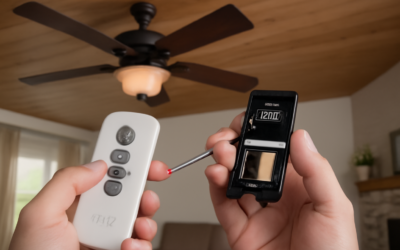
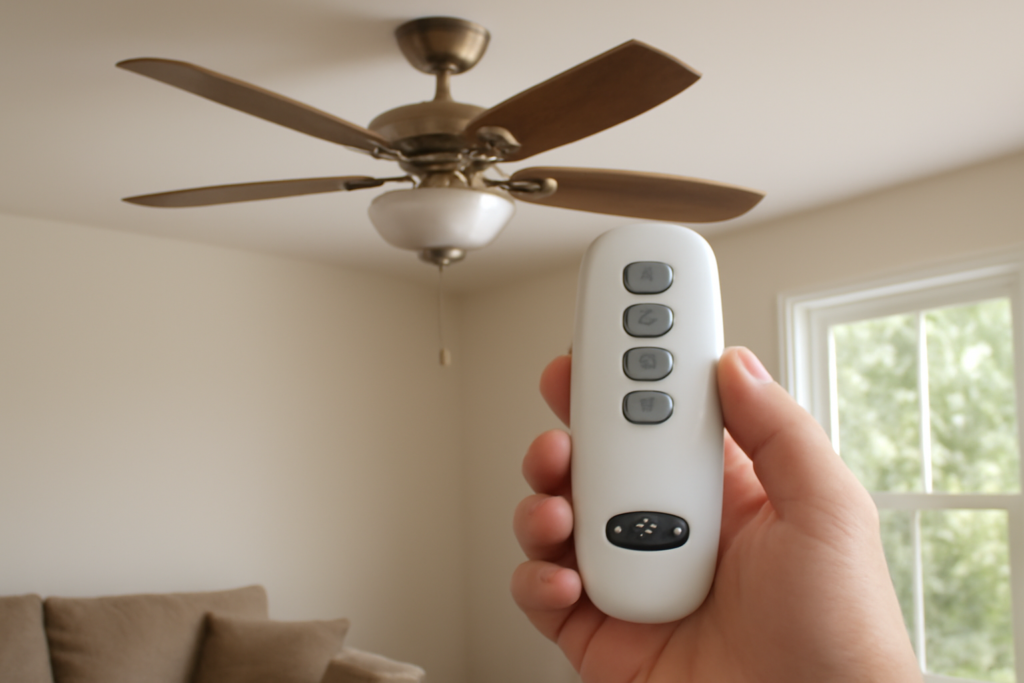
Every remote-controlled Harbor Breeze fan has two halves. The handheld transmitter — the most common across the brand is the KUJCE9603, with buttons for three fan speeds, off, and light — sends a coded RF signal. Up in the ceiling canopy, wedged between the mounting bracket and the downrod, sits the receiver module wired between house power and the fan’s motor and light. Both units carry a bank of four small dip switches (inside the remote’s battery compartment; on the receiver’s face or side), giving 16 possible channel combinations. The remote controls any receiver whose switches match its own — which is both the pairing mechanism and the reason your neighbor’s fan sometimes obeys your remote in a townhouse.
A minority of newer and DC-motor models replace dip switches with a learn-button pairing (hold a button within 30 seconds of powering the fan), so check your manual or the receiver itself before assuming. If in doubt, pull the remote’s battery door first — visible dip switches settle the question.
Pairing and Re-Pairing, Step by Step
Setting or restoring the link takes ten minutes and a ladder:
- Kill power at the breaker — not just the wall switch. You will be touching wiring-adjacent parts in the canopy.
- Open the remote’s battery compartment and note the dip switch pattern (say, up-down-down-up). Choose any pattern except all-up or all-down, which are factory defaults shared with every un-paired fan on the street.
- Lower the canopy (two or three screws) to expose the receiver, and set its dip switches to the identical pattern. A toothpick or small flathead flips them cleanly.
- Reassemble, restore power, and test within a minute or two of power-up. For learn-button models, hold the pair/set button per the manual within 30 seconds of restoring the breaker instead.
Two fans in one room? Set each fan-and-remote pair to a different pattern and label the remotes. Same pattern on both receivers, and one remote runs both fans in sync — occasionally what a great-room owner actually wants.
Troubleshooting a Remote That Stopped Working
Run the checks in this order — it is sorted by probability:
- Battery first. Most Harbor Breeze remotes take a 12V A23 battery — a slim cylinder that dies faster than people expect and corrodes in humid rooms. Clean any green fuzz off the contacts with a pencil eraser.
- Wall switch on? The receiver needs constant power; a helpful guest flipping the wall switch off kills the remote entirely.
- Hard reset. Breaker off for 60 seconds, back on, then test immediately. Receivers occasionally latch into a confused state after power flickers; this clears it.
- Verify dip switches on both ends still match — battery changes flip remote switches more often than anyone admits.
- Range and interference test. Stand directly under the fan. If it works there but not across the room, suspect a weak battery or new RF interference (baby monitors and garage remotes share the neighborhood).
- Isolate the failed half. If lights flicker on their own or the fan changes speed randomly, the receiver is failing, not the remote. If a known-good replacement remote on matching switches does nothing, the receiver is dead. Receivers fail more often than transmitters — heat in the canopy cooks their capacitors over the years.
A dead receiver has a clean permanent fix if you do not care about the remote: bypass it. Wire the fan’s motor and light leads directly to the supply (black to black, blue with black for the light, white to white, grounds together) and control the fan by pull chain and wall switch — or install a new universal receiver kit instead.
Replacing a Lost or Dead Remote
Three routes, in order of simplicity:
- Same-model replacement. Pull the model number from inside the battery cover or off the receiver (KUJCE9603 covers a huge share of the brand). Anderic and other aftermarket makers sell direct replacements for $15-$30 on Amazon, and matching the dip switches makes them work instantly. This is the right answer when only the transmitter is lost or broken.
- Universal ceiling fan remote kit ($20-$40). A new transmitter plus a new receiver that replaces the old module in the canopy. Brand does not matter — the kit’s own pair works together. Buy this when the receiver is dead, when the fan never had a remote, or when the original model is unobtainable. Check the kit’s amperage rating covers your fan and that its dimensions fit a crowded canopy; flush-mount fans run tight.
- Smart control ($25-$60). Wi-Fi receiver kits and smart wall controls add app, Alexa, and Google control while solving the lost-remote problem forever. A wall-mounted smart fan control also ends the where-is-the-remote game entirely — a worthwhile upgrade path if you are already replacing hardware.
Whichever route you choose, note the fan’s model from the sticker on top of the motor housing before ordering; Lowe’s and Litex (the manufacturer behind the brand) both key parts to that number. For bigger repairs and the brand’s model lineup, see our full Harbor Breeze ceiling fan guide.
When It’s the Fan, Not the Remote
A few symptoms masquerade as remote failure but live elsewhere in the fan. A hum with no blade movement, or a fan that needs a hand-start push, points to a failed motor capacitor — a $10-$15 part in the switch housing, not a control problem. Lights that work while the motor does nothing (or vice versa) on a dip-switch-verified system usually mean one output channel of the receiver has burned out; replace the receiver. And a fan that runs only on high, or loses individual speeds, is classic capacitor or speed-switch trouble that no amount of re-pairing touches. The diagnostic shortcut is the pull chains: if the fan behaves correctly on its chains with the receiver bypassed, the control system was the problem; if the misbehavior survives the bypass, put the twenty dollars toward fan parts instead of another remote.
Wall Controls: The Other Half of the Conversation
Handheld remotes coexist with wall controls badly unless you plan the wiring. The receiver expects full-time power, so the classic setup is wall switch permanently on (or replaced with a blank plate) and all control through the handheld. Prefer a wall-mounted solution? Harbor Breeze and universal makers sell RF wall transmitters — remotes shaped like switches that mount over the existing box without touching wiring, ideal for renters and lost-remote households. True wired fan-speed wall controls exist too, but they require separate switched legs for fan and light (rare in one-switch rooms) and must be fan-rated; a standard dimmer on a fan motor buzzes and eventually fails. For most rooms, the RF wall transmitter is the sweet spot: fixed location, no rewiring, and dip switches that pair to the existing receiver in the usual way.
Living With It: Small Habits That Prevent Repeat Trouble
Keep a spare A23 battery taped inside the linen closet — they are two for $8 and always die on the hottest week. Leave the wall switch on and train the household to use the remote, or install a switch guard. And when you re-canopy the receiver, position it clear of the downrod ball and leave the wiring un-pinched: crushed receiver antennas cause the mystery range problems that get healthy remotes thrown away. Handled that way, an RF fan control is decade-scale hardware — and when it does finally quit, twenty dollars and ten breaker-off minutes put you back in business.