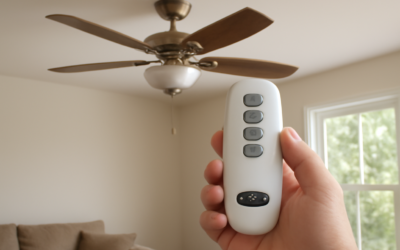
The fan was fine yesterday; today the remote does nothing. If you’re staring at a dead controller wondering why your harbor breeze ceiling fan remote not working search brought you here, good news: the failure is almost always one of five things, and four of them cost under $15 to fix. Harbor Breeze is Lowe’s house brand, which means the remotes and receivers are inexpensive components with predictable failure modes. Work through this sequence in order — it’s arranged from most common and cheapest to least common and priciest — and you’ll have the fan answering commands again, usually within the hour.
Step 1: Batteries and the Obvious Stuff (Fixes ~40% of Cases)
Don’t skip this because it feels too simple.
- Replace, don’t test. Weak batteries transmit a degraded signal that works at 3 feet and fails at 10 — the classic “it works sometimes” symptom. Put in fresh name-brand cells (most Harbor Breeze remotes take a 12V A23 or 9V; check the door).
- Check polarity and contacts. A23 batteries are easy to insert backward. Look for corrosion on the contacts — white-green crust wipes off with a vinegar-dampened swab followed by a dry one.
- Confirm the fan has power at all. Wall switch on? Breaker on? Pull the light chain if there is one. A remote can’t wake a fan that has no electricity — and a surprising number of “dead remote” calls end at a switch a guest flipped.
- Test the transmit LED. Many remotes have an indicator that flickers on button press. Alternatively, point any phone camera at the remote’s IR/RF window and press buttons — some transmitters show a faint flash on camera. No light at all with fresh batteries suggests the remote itself died; skip to Step 5’s universal-kit decision.
Step 2: Dip Switches (the Frequency Handshake)
Most Harbor Breeze remotes talk to the fan’s receiver over one of 16 RF channels set by four tiny dip switches — one set inside the remote’s battery compartment, a matching set on the receiver in the fan canopy. They must match exactly.
- Open the remote’s battery door and find the 4-switch block. Photograph the pattern.
- Kill power at the breaker (not just the wall switch). Drop the canopy at the ceiling — usually two or three screws — and find the receiver box inline with the wiring.
- Compare its dip switches to your photo. If they differ, set both to the same pattern. While you’re there, change the pattern to something other than all-up factory default if a neighbor’s remote has been ghost-controlling your fan — shared default channels cause exactly that comedy.
- Reassemble, restore power, test.
Dip switches drift when batteries are changed (fingers brush them) and when fans are installed at defaults. This step fixes a big share of “new battery, still dead” cases. Newer Harbor Breeze models have no dip switches — they use learn-button pairing instead, which is Step 3.
Step 3: Pairing Reset (Learn-Button Models)
Dip-switch-free remotes pair digitally, and power blips can scramble the pairing. The near-universal Harbor Breeze reset sequence:
- Turn power to the fan OFF at the wall switch or breaker for 30–60 seconds.
- Turn power ON, and within 30 seconds press and hold the pairing button — usually the “fan off” button, or a recessed “learn/pair” button inside the battery compartment — for 5–10 seconds.
- Watch for confirmation: the light flickers or the fan pulses, then responds normally.
No response? Repeat the cycle twice more — timing is fussy and the 30-second window is real. Still nothing, and the pull chains DO work? The receiver is the prime suspect. Chains dead too? You have a power or wiring problem, not a remote problem.
Step 4: Interference and Range Sanity Checks
If the remote works intermittently or only up close: RF interference from Wi-Fi routers, baby monitors, LED bulb drivers, and neighboring fan remotes can stomp on the 300–434 MHz band these remotes use. Change the dip-switch channel (Step 2), move any router or smart hub off the fan’s circuit path, and — the sneaky one — if the misbehavior started right after you put new LED bulbs in the fan’s light kit, swap brands; cheap LED drivers spray RF noise that jams receivers inches away.
Step 5: Replace the Receiver (or Go Universal)
The receiver in the canopy — not the handheld remote — is the component that actually fails most over time. Heat rises into the canopy, the receiver cooks summer after summer, and one day it stops listening. Your options:
| Fix | Cost | When it’s right |
|---|---|---|
| Exact replacement remote | $12–25 | Remote physically broken/lost; receiver known good |
| Exact replacement receiver | $20–40 | Chains work, remote transmits, no response — and your model’s part is findable |
| Universal remote + receiver kit | $25–45 | The usual best answer — replaces both ends with fresh, matched hardware |
| Bypass: remove receiver, use pull chains + wall switch | $0 | You never liked the remote anyway |
Finding exact Harbor Breeze parts means hunting the fan’s model number (on a sticker atop the motor housing or in the canopy) through Lowe’s, the manufacturer’s parts lines, or eBay — our full Harbor Breeze ceiling fan parts guide walks through that sourcing maze, since the brand is made by multiple factories and parts don’t interchange freely.
When to just buy universal: if the fan is more than a few years old, skip the exact-part hunt and buy a quality universal kit (Harbor Breeze’s own universal kit, or third-party kits from Anderic/Eogifee and similar). They install in 20 minutes: kill the breaker, drop the canopy, unplug or unwire the old receiver, wire the new one inline (hot and neutral in; fan and light wires out — the leads are labeled), pair, done. Universal kits work with essentially any pull-chain AC fan. Two cautions: set the fan’s pull chain to HIGH and the light chain to ON before relying on the new remote (the receiver modulates from those settings), and note that universal kits generally do not work with DC-motor fans or handle a separate reverse function on old fans — reverse stays on the motor’s slide switch.
Prevention: Making the Fix Stick
- Label the dip-switch pattern inside the battery door with a paint pen.
- Keep the canopy vented and dust-free — a vacuumed canopy runs the receiver cooler and longer.
- Buy the universal kit’s spare remote (many sell 2-remote versions for $8 more) and tape one inside the linen closet.
- If you’re replacing the whole fan anyway, this class of headache is worth weighing against fan choice — compact rooms have solid options with modern paired remotes, as covered in our 42 inch ceiling fan guide, and porch installs should start from the sealed-electronics models in our wet rated outdoor ceiling fans roundup, since humidity is a receiver killer.
FAQ
Why did my Harbor Breeze remote suddenly stop working?
In order of likelihood: dead/weak batteries, dip switches bumped during a battery change, lost digital pairing after a power outage, or a heat-fatigued receiver in the canopy. Work the steps in that order.
How do I resync my Harbor Breeze remote?
Power the fan off for 30–60 seconds, power on, and within 30 seconds hold the pairing button (often “fan off” or a recessed learn button) for 5–10 seconds until the fan or light responds.
Will a universal remote work on my Harbor Breeze fan?
Yes for nearly all AC pull-chain models — the kit’s receiver replaces the original entirely. DC-motor fans and integrated-electronics models need brand-specific parts.
Where is the receiver on a Harbor Breeze fan?
Inside the canopy at the ceiling — the dome cover at the mounting bracket. Kill the breaker, remove the canopy screws, and the receiver is the small box wired inline between house power and the fan.
Batteries, dip switches, pairing, interference, receiver — five checks, cheapest first. Ninety percent of dead Harbor Breeze remotes never make it past step three, and the stubborn ten percent are a $30 universal kit away from better-than-new.